
Classroom Icebreaker: Help Students Get to Know Each Other
How to Help Students Get to Know Each Other Without the Awkwardness
Give people a simple, structured reason to start conversations with someone new — short conversation prompts they complete by meeting and talking to different people — instead of leaving it to open mingling. JamBingo gives students a structured but playful way to discover things they have in common.
Key takeaways
- ✓The main obstacles are the dreaded 'tell us about yourself', cliques form immediately, and surface-level introductions.
- ✓What works: no one gets put on the spot, works for all grade levels, actually memorable, and gets students moving.
- ✓Run it once everyone has arrived and before the meal, during open networking time — not during talks.
- ✓Plan about 3–5 minutes per conversation: roughly 25–35 minutes for five conversations each.
- ✓Mix easy, observable prompts with a few questions and challenges, and write two to three times as many prompts as conversations.
- ✓Works well for first day of school, new semester kickoff, group project formation, homeroom activities, and classroom community building.
The first day of class is often filled with nervous energy. Students sit next to strangers, avoid eye contact, and default to staring at their phones. Traditional 'say one thing about yourself' activities put shy students on the spot and rarely lead to real connections.
You are leading the networking session.
You're looking for a simple and organic way to incentivize people to interact with each other.
Not too structured, easy to set up, easy to understand, and simple for large groups to participate in.
The attendees don't all know each other and you want them to get out of their bubbles.
Your attendees may come from different departments, locations, chapters, schools, organizations, or are complete strangers.
The goal is to help them connect.
How to Run It: Classroom Icebreaker: Help Students Get to Know Each Other
A practical guide to classroom icebreaker help students get to know each other: when to run it, how long it takes, how to write good prompts, and what guests will ask.
- 01
Jam Bingo is a simple, interactive networking activity that helps people meet and have conversations with others they may not know.
- 1
Scan to join
Attendees scan the event’s Jam Bingo QR code (or enter the game code). It runs in the phone’s browser—nothing to download. - 2
Get a conversation prompt
Each person receives a conversation prompt on their phone, like a question to ask someone new. - 3
Find someone and talk
They find someone who fits the prompt, have the conversation, then scan that person’s QR code (or enter their code) to unlock the next prompt. - 4
Repeat and connect
Every connection is saved, and the leaderboard shows who met the most new people—perfect for prizes.
- 02
When to run it
Once everyone has arrived
Start 15–30 minutes into the networking block. If networking begins at 10:00 AM, kick off at 10:30 AM — latecomers have arrived and people haven't settled into their usual groups yet.
Before the meal, not after
Run it before people eat. Eating speeds vary, and running it after a meal makes slower eaters feel rushed or left out. If it has to be after, announce clear timings in advance.
After drinks are in hand
Let guests grab a drink when they arrive, then gather everyone's attention right before you start.
Not during talks
Keep it to open networking time. People can't mingle while they're expected to listen to a speaker.
How long to run it
Plan about 3–5 minutes per conversation. Each prompt is one conversation, so the length of the game depends on how many people you want each guest to meet.
For 5 people each
Kick-off
5 min
Playing (5 prompts)
15–25 min
Wrap-up
5 min
Total
25–35 min
Kick-off Playing Wrap-upFor your group size (50—500 attendees): give everyone 1–2 minutes to scan in. Put the QR code on the main screen and at the registration table.
- 03
Prompts are what make the game work. A good prompt gives someone a reason to walk up to a stranger — and something to talk about once they do. Mix a few different types for teachers, professors & classroom facilitators:
Types of prompts
Questions
The easiest way in. The player asks one question and listens.
“Ask someone what three words their friends would use to describe them.”
Find someone who…
Sends people across the room looking for a match — great for mixing groups.
“Find someone who has lived in more than two cities.”
Observation prompts
Zero pressure: the player can spot the right person before saying a word.
“Find someone wearing something blue and ask about their favorite weekend activity.”
Challenges
Quick, playful actions that get laughs and lift the energy in the room.
“Challenge someone to a quick game of rock, paper, scissors.”
Deeper questions
Lead to real stories — use a few once people have warmed up.
“Ask someone about a decision that changed the direction of their career.”
Event-specific prompts
Tie the game to why people are there, so the conversations are actually useful.
“Find someone from a different team and ask what they're working on this month.”
A good mix
Aim for roughly 40% easy prompts (observation and “find someone who…”), 40% questions, and 20% challenges and deeper prompts. Easy prompts get people moving; the deeper ones lead to the conversations people remember.
How many prompts to write
Each guest gets one prompt per person they meet — 5 in your plan. Write 10–15 prompts in total: every player gets them in a different, shuffled order, so a bigger list means more variety and fewer people looking for the same conversation at once.
Do
- ✓Start with easy, observable prompts, then build up to deeper ones.
- ✓Make every prompt about another person, so it always leads to a conversation.
- ✓Keep prompts short enough to read at a glance on a phone.
- ✓Write prompts almost everyone can complete — no one should feel left out.
Don't
- ✕Avoid yes/no prompts that end the conversation in one word.
- ✕Avoid inside jokes that only one group will understand.
Need a starting point? Browse ready-made prompt templates for different kinds of events and adapt them to your group.
- 04
Before the event: checklist
- ✓Create your Jam Bingo and add your prompts.
- ✓Set how many people each guest should meet.
- ✓Download the QR code and add it to your slides, table tents, or printed signs.
- ✓Test scanning the QR code from the back of the room.
- ✓Check the room has phone signal or Wi-Fi.
- ✓Brief your emcee or helpers on the announcement and timing.
- ✓Decide on prizes (and who will hand them out).
Where to display the QR code
Put the QR code on the main screen and at the registration table. The more places people see it, the faster everyone joins. If your event has name badges, printing the QR code on the badge or agenda works well too.
✂️ Instructions for printouts or slides - 1.Scan the QR code (or enter the game code) to open the game.
- 2.Prompts appear directly on each guest's phone screen.
- 3.Guests walk around and find someone who can answer their prompt.
- 4.Scan their QR code to unlock the next prompt.
- 5.Repeat, mingle, and have fun!
- 05
Run of show (about 35 minutes)
- 1
Minute 0 — Get everyone's attention
Read the announcement below (or have your emcee read it), with the QR code already on screen. - 2
Minutes 1–5 — Everyone scans in
Guests scan the QR code and type their name. For your group size, allow 1–2 minutes. - 3
First prompts — People start moving
Walk the room and nudge anyone standing still: “What's your prompt? Let's find someone for it.” - 4
Around minute 18 — Halfway update
Give a quick time check and remind people to meet someone they haven't talked to yet. - 5
Minute 30 — Final call
Let everyone know they have five minutes left to unlock their last prompt. - 6
Minute 35 — Wrap up
Share the leaderboard, hand out prizes, and thank everyone for playing.
📣 What to say when you start “We're about to start Jam Bingo, a networking activity designed to help you meet and get to know each other. Scan the QR code on the screen to join. You'll receive a prompt on your phone, and your goal is to find someone who can answer it. Once you've had a conversation, scan their QR code to unlock your next prompt. Keep moving around, meet new people, and have fun!”
While it's running
- ✓Join in yourself — guests follow the host's energy.
- ✓Look for people standing alone and introduce them to someone.
- ✓If someone's camera won't scan, show them how to type in the other person's code instead.
- ✓If someone is stuck on a prompt, remind them a Skip button appears after about a minute.
- 06
- 1
Give a final call
Five minutes before the end, let everyone know it's their last chance to unlock a prompt. - 2
Share the leaderboard
Your dashboard shows who met the most new people. Put it on the screen and read out the top few. - 3
Hand out prizes at the very end
Wait until everyone has finished, so no one stops mingling early. Swag, gift cards, or a small gift all work well. - 4
Encourage follow-up
Remind everyone that each connection is saved on their phone, and that they can share their socials with the people they met.
- 07
Do guests need to download an app?
No. Guests scan the QR code with their phone camera and it opens in the browser. They type their name and start playing.
What if someone's camera won't scan a QR code?
Every player has a short code. Guests can type in the other person's code instead of scanning it.
What if a guest gets a prompt they can't complete?
After about a minute on a prompt, a Skip button appears so they can move on to a different one.
Does everyone get the same prompts?
No. Each player gets the prompts in a different, shuffled order, so people are looking for different conversations at the same time.
What if someone doesn't have a phone?
Pair them with a friend or a colleague to play as a team. They'll still meet everyone their partner meets.
How do I know who won?
Your dashboard has a leaderboard showing who met the most new people. Share it at the end and reward the top connectors.
What happens to the connections afterwards?
Each player keeps a list of the people they met and the prompts they talked about, and can share their socials with them.
What should people do if they finish early?
Encourage them to keep mingling and help others complete their prompts — early finishers are great at pulling quieter guests into conversations.
- 08
Is Jam Bingo right for you?
Each person will meet and talk with 5 different people.
Starting atFreeJam Bingo is a simple, non-structured networking activity designed to get people talking organically. Rather than forced icebreakers, it delivers gamified prompts to participants' phones that encourage lighthearted interactions across large groups without feeling awkward or artificial.
Getting approval from your teachers, professors & classroom facilitators
- ✓Run the Jam Bingo Demo with your team so they see it first-hand.
- ✓Share the pricing and the plan from this guide.
- ✓Once approved, create a Jam Bingo and customize it with your own prompts.
The simple way to get people talking!
Jam Bingo gets people having meaningful conversations and meeting as many new people as possible.
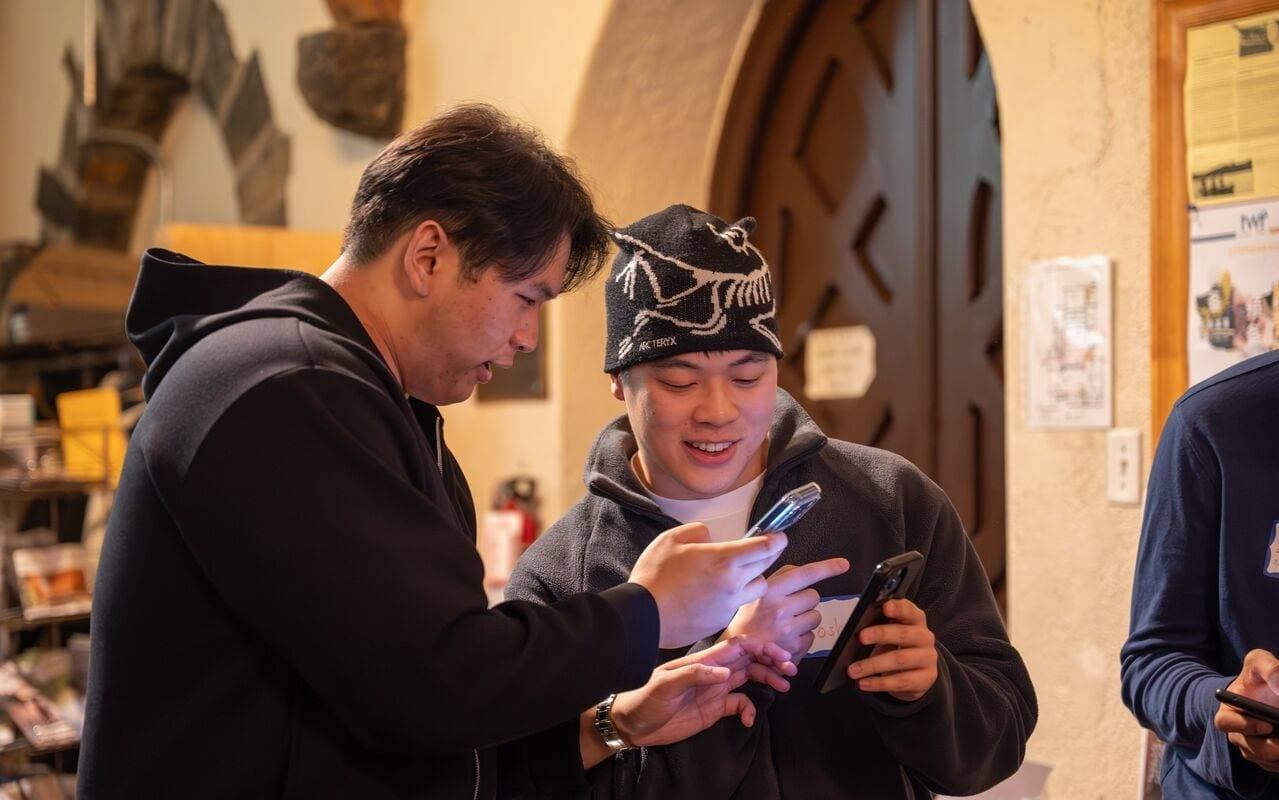


The First Day of Class Challenge
Every teacher knows the feeling: you ask students to introduce themselves, and you get one-word answers, mumbled responses, or painful silences. Students leave class knowing no one's name. Traditional icebreakers fail because they put students on the spot or feel like forced fun. JamBingo changes that by turning introductions into a game students actually want to play.
The Dreaded 'Tell Us About Yourself'
Putting students on the spot in front of the whole class creates anxiety, not connection. Shy students freeze up, and the class forgets answers within minutes.
Cliques Form Immediately
Students who already know each other sit together and rarely interact with new classmates, leaving others feeling isolated from day one.
Surface-Level Introductions
Traditional icebreakers produce forgettable facts like 'I like pizza.' Students learn nothing meaningful about each other's interests, strengths, or personalities.
Helping students build real connections from day one.
JamBingo gives students a structured but playful way to discover things they have in common. Instead of announcing facts to the whole class, students move around, ask each other questions, and mark off squares when they find a match. The activity is self-directed, low-pressure, and works for introverts and extroverts alike. By the end, every student has talked to multiple classmates — and actually remembers something about them.
Where this works best: first day of school, new semester kickoff, group project formation, homeroom activities, and classroom community building.
No One Gets Put on the Spot
Students initiate conversations naturally by moving around and asking questions. No forced public speaking. No awkward silences.
Works for All Grade Levels
Customizable prompts for elementary, middle school, high school, or college classrooms. Age-appropriate and classroom-friendly.
Actually Memorable
Students learn real things about each other — shared hobbies, surprising talents, common struggles — not forgettable one-word answers.
Gets Students Moving
Instead of sitting in desks staring forward, students walk around, talk, and engage. Great for burning first-day jitters.
How to Run a Classroom Icebreaker With JamBingo
- 1
Choose age-appropriate prompts
For elementary: 'Find someone with the same favorite animal.' For middle school: 'Find someone who plays the same video game.' For high school/college: 'Find someone who has the same study habit you do.'
- 2
Create your Jam Bingo game
Add 9–16 prompts. Mix easy finds ('same birth month') with deeper ones ('has traveled to another country'). Keep it positive and inclusive.
- 3
Display or print the bingo sheet
Project the QR code on screen for students to scan, or print paper bingo sheets for low-tech classrooms.
- 4
Set a timer and let students mingle
Give students 10–15 minutes to find classmates who match each prompt. They must get a different classmate's name for each square.
- 5
Debrief as a class
Ask: 'What surprised you?' 'Who found something unexpected in common?' 'Name one person you didn't know before today.'
Questions This Guide Answers
How to help students get to know each other without awkward forced sharing?
The short version: choose age-appropriate prompts, create your Jam Bingo game, display or print the bingo sheet, set a timer and let students mingle, and debrief as a class. For elementary: 'Find someone with the same favorite animal.' For middle school: 'Find someone who plays the same video game.' For high school/college: 'Find someone who has the same study habit you do.' The step-by-step guide on this page covers each part in detail — including when to run it, how long it takes, and how to write good prompts.
Classroom icebreaker activity that actually works for introverts?
JamBingo is a simple, engaging classroom icebreaker that helps students discover shared interests, break down social barriers, and build classroom community — all while having fun. It works especially well for first day of school, new semester kickoff, group project formation, homeroom activities, and classroom community building.
First week of school activity to build classroom community?
The approaches that work best share a few things: no one gets put on the spot, works for all grade levels, actually memorable, and gets students moving. Students initiate conversations naturally by moving around and asking questions.
Fun get to know you game for middle school students?
Start by designing around what usually gets in the way: the dreaded 'tell us about yourself', cliques form immediately, and surface-level introductions. JamBingo gives students a structured but playful way to discover things they have in common.
Icebreaker for college students first day of class?
JamBingo is a simple, engaging classroom icebreaker that helps students discover shared interests, break down social barriers, and build classroom community — all while having fun. It works especially well for first day of school, new semester kickoff, group project formation, homeroom activities, and classroom community building.
More ideas for Teachers, Professors & Classroom Facilitators
Sample Prompts By Grade
Elementary
- Find someone who has the same favorite ice cream flavor as you.
- Find someone who has a pet (and find out what kind).
- Find someone who likes the same school lunch as you.
- Find someone who has the same favorite color.
- Find someone who has been to the same amusement park as you.
Middle School
- Find someone who plays the same video game as you.
- Find someone who has the same favorite subject in school.
- Find someone who is left-handed (or knows someone who is).
- Find someone who has watched the same TV show as you.
- Find someone who has the same birthday month as you.
High School
- Find someone who has the same study habit as you (late night vs early morning).
- Find someone who is nervous about the same class you are.
- Find someone who has a part-time job (and ask what they do).
- Find someone who plays a sport or is in a club you didn't know about.
- Find someone who has the same post-graduation plan as you (college, work, gap year, undecided).
College
- Find someone who transferred from another school (or another major).
- Find someone who has the same procrastination habit as you.
- Find someone who has pulled an all-nighter in the past month.
- Find someone who actually reads the syllabus (or someone who definitely does not).
- Find someone who has the same career interest as you but a different major.
Tips for Teachers Running Classroom Icebreakers
- Model the activity first — walk around and ask a few students questions so they see how it works.
- Set ground rules: 'We're looking for things in common, not making fun of differences.'
- For shy students, allow pair-ups or small group work instead of one-on-one mingling.
- Offer a small prize (sticker, homework pass, 5 minutes of free time) for the first student to get Bingo.
- Use the debrief to reinforce community: 'See? You already have things in common with people you just met.'
- Save completed sheets — use them to create intentional seating charts or project groups later.
Alternative Low Tech Format
- Name: Paper Bingo (No Phones Allowed)
- Description: Print bingo sheets on paper. Students walk around with a pen, writing classmates' names in each square. Works perfectly in no-phone classrooms or low-tech environments.
Frequently Asked Questions
What if students don't want to participate?
Frame it as a game, not a requirement. Offer observation as an option, or let shy students work with a partner. Most will join in once they see others having fun.
How long does the activity take?
15–20 minutes total: 2 min instructions, 10–12 min mingling, 3–5 min debrief. Perfect for a first-day activity or a Friday community builder.
Can I use this for group projects?
Yes! Use prompts like 'Find someone who prefers to lead vs follow' or 'Find someone who likes presenting vs behind-the-scenes work' to build balanced teams.
What about students who already know each other?
Encourage them to find NEW people for each square. The rule is: you can't use the same person twice, and you can't use someone you already knew before today.
Does this work for virtual classrooms?
Adapted version: Share a digital bingo board via chat. Students find matches in breakout rooms. Takes a bit longer but still works well.
Ways to Get People Talking, Compared
There's more than one way to solve this for first day of school, new semester kickoff, group project formation, homeroom activities, and classroom community building. Here's how the common approaches compare.
| Approach | Setup effort | Group size | Gets people mixing | How it feels for guests | Watch out for |
|---|---|---|---|---|---|
| Open mingling (no structure)Put people in a room with food and drinks and let conversations happen. | None | Any size | Low — most people stay with who they already know | Easy for outgoing people, hard for quieter guests | Cliques form within minutes, and newcomers end up on the edges. |
| “Ask me about” name tagsGuests write one topic on their name tag as a ready-made conversation starter. | Low — markers and name tags | Any size | Medium — gives people an opener, but no reason to move around | Natural and low-pressure | Easy to ignore; it only works if people read badges and act on them. |
| Paper human bingoA printed grid of “find someone who…” squares that guests fill in with names. | Medium — design, print, and hand out cards and pens | Best up to about 100 people | Medium to high — people have to approach others | Fun, but can turn into a quick signature hunt | People rush to fill squares instead of talking, and printing takes time. |
| Speed networkingTimed one-on-one conversations; people rotate to a new partner every few minutes. | Medium to high — seating plan, timer, and someone running it | Best up to about 60 per round | High — everyone is guaranteed several new conversations | Can feel forced or interview-like | Rigid and needs strong facilitation; feels out of place at relaxed social events. |
| Table topics / roundtablesEach table gets a discussion topic, and people join the one that interests them. | Low to medium — topic cards or table signs | Any size (in tables of 6–10) | Medium — great conversations within a table, little across tables unless you rotate | Natural, especially for professional audiences | People settle at one table for the whole session. |
| Jam BingoPhone-based conversation prompts (e.g. Jam Bingo)Guests scan a QR code and get conversation prompts on their phone; meeting someone unlocks the next prompt. | Low — write prompts and display a QR code | Any group size | High — each prompt sends people to someone new | Natural — the prompt gives everyone a reason to start talking | Needs guests to have a phone and signal (pair anyone without one with a buddy). |
Open mingling (no structure)
Put people in a room with food and drinks and let conversations happen.
- Setup effort
- None
- Group size
- Any size
- Gets people mixing
- Low — most people stay with who they already know
- How it feels for guests
- Easy for outgoing people, hard for quieter guests
- Watch out for
- Cliques form within minutes, and newcomers end up on the edges.
“Ask me about” name tags
Guests write one topic on their name tag as a ready-made conversation starter.
- Setup effort
- Low — markers and name tags
- Group size
- Any size
- Gets people mixing
- Medium — gives people an opener, but no reason to move around
- How it feels for guests
- Natural and low-pressure
- Watch out for
- Easy to ignore; it only works if people read badges and act on them.
Paper human bingo
A printed grid of “find someone who…” squares that guests fill in with names.
- Setup effort
- Medium — design, print, and hand out cards and pens
- Group size
- Best up to about 100 people
- Gets people mixing
- Medium to high — people have to approach others
- How it feels for guests
- Fun, but can turn into a quick signature hunt
- Watch out for
- People rush to fill squares instead of talking, and printing takes time.
Speed networking
Timed one-on-one conversations; people rotate to a new partner every few minutes.
- Setup effort
- Medium to high — seating plan, timer, and someone running it
- Group size
- Best up to about 60 per round
- Gets people mixing
- High — everyone is guaranteed several new conversations
- How it feels for guests
- Can feel forced or interview-like
- Watch out for
- Rigid and needs strong facilitation; feels out of place at relaxed social events.
Table topics / roundtables
Each table gets a discussion topic, and people join the one that interests them.
- Setup effort
- Low to medium — topic cards or table signs
- Group size
- Any size (in tables of 6–10)
- Gets people mixing
- Medium — great conversations within a table, little across tables unless you rotate
- How it feels for guests
- Natural, especially for professional audiences
- Watch out for
- People settle at one table for the whole session.
Phone-based conversation prompts (e.g. Jam Bingo)
Guests scan a QR code and get conversation prompts on their phone; meeting someone unlocks the next prompt.
- Setup effort
- Low — write prompts and display a QR code
- Group size
- Any group size
- Gets people mixing
- High — each prompt sends people to someone new
- How it feels for guests
- Natural — the prompt gives everyone a reason to start talking
- Watch out for
- Needs guests to have a phone and signal (pair anyone without one with a buddy).
Related Solutions
Encourage Mingling at a House Party
Perfect for:
Party Hosts, Event Planners, & Social Organizers
Ice Breaker Activity for Mature People to Get to Know Each Other
Perfect for:
Adults 40+, Mature Professionals, Adult Social Groups & Activity Coordinators
QR Code Activity to Help with Digital Literacy
Perfect for:
Adults, Seniors, Digital Literacy Instructors, Librarians & Community Educators
Fun, Interactive Networking Activity for Company All-Hands
Perfect for:
Company Leaders, HR Teams, People Operations & Event Planners
Conference Icebreaker App for 50–500 People
Perfect for:
Conference Organizers, Event Planners, Meeting Professionals & Corporate Event Teams
QR Code Games for Appreciation Dinner
Perfect for:
Nonprofits, Corporate events, & Event Organizers