Howdy!

Are you sure?

JamSocial

Leading networking for 100–500 people?

Jam Bingo 7
See how Jam Bingo works →
Jam BingoTemplatesTestimonialsOur Story
Create a Jam Bingo

Jam Bingo For Portfolio Founder Networking Mixer

Help portfolio founders and the fund's team get past small talk, with prompts for a 10-minute warm-up up to an hour of networking.

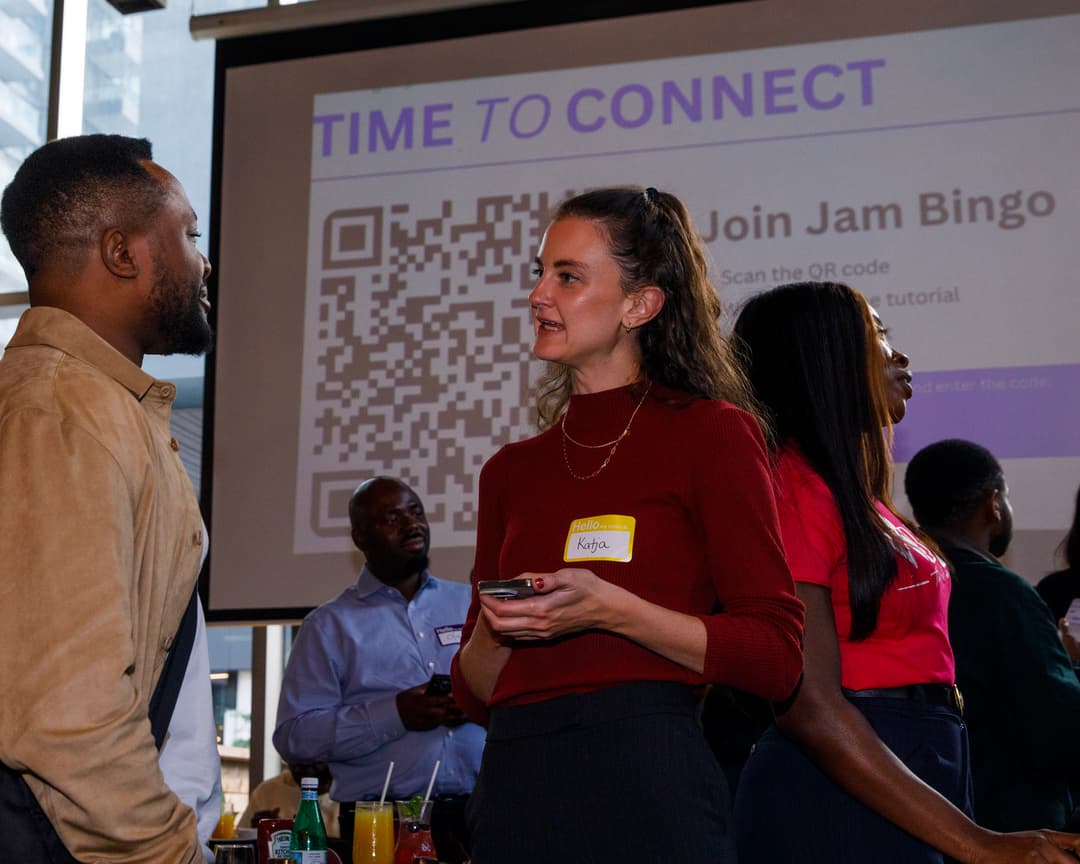
Attendees playing Jam Bingo at an event
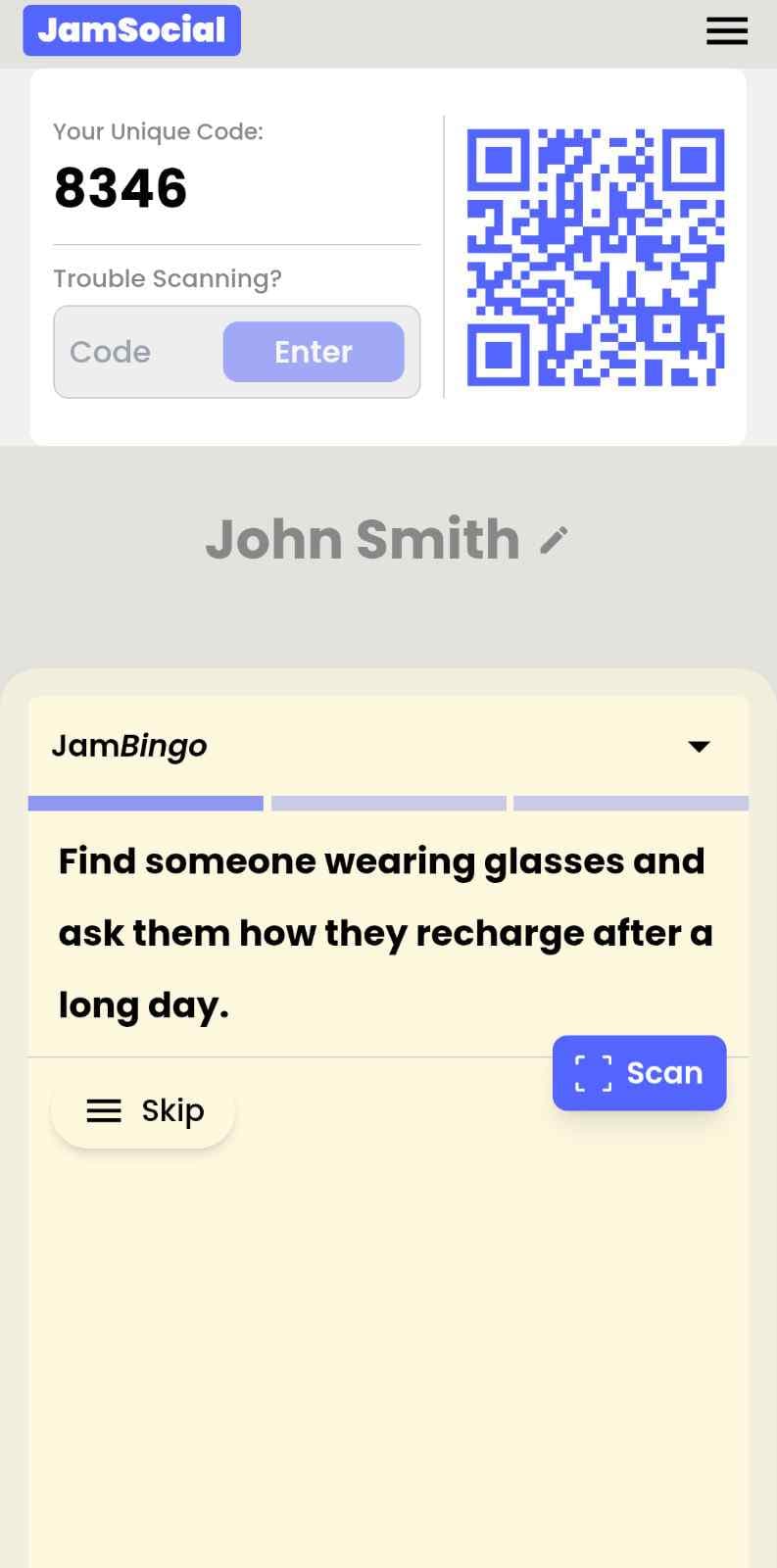
Jam Bingo on an attendee's phone: their own QR code and game code, a conversation prompt, and the Scan button
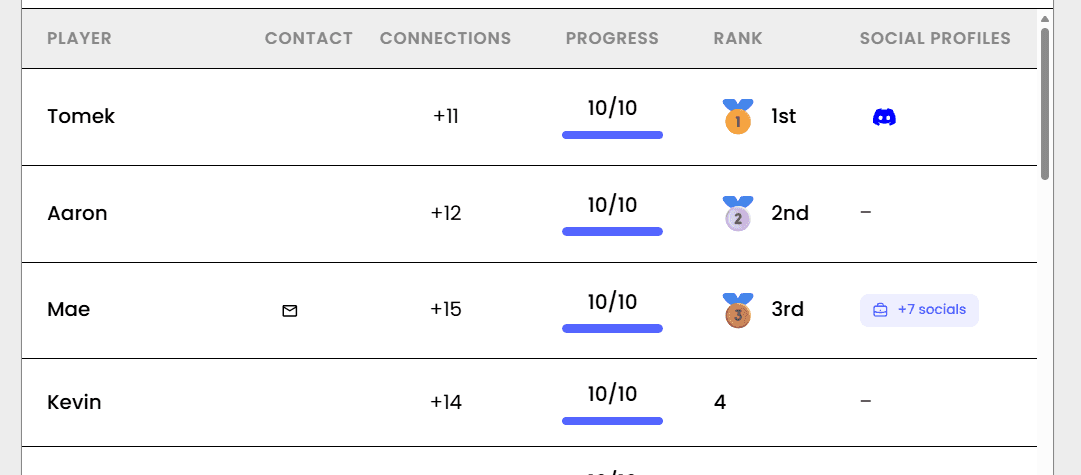
The Jam Bingo leaderboard showing who made the most connections

Different groups coming? Get them talking

Quick and Light

+

Questions That Get People Sharing

+

Conversation Starters

+

26 Jam Bingo Prompts

Scroll to explore

Click + to add it to your list for your own Jam Bingo.

1Find a founder who raised a round in the last six months
2Find a founder at a different stage than you
3Find a founder who has fewer than 10 employees
4Find someone on the fund's platform team and ask what they can help with
5Find a founder who moved cities for their startup
6Find a founder whose company name has a story behind it
7Ask a founder what surprised them most about their last raise
8Ask a founder how they made their first hire
9Ask a founder which tool their team couldn't live without
10Ask a founder how they found their co-founder
11Ask a founder how they landed their first customer
12Ask a partner what they look for in a founder beyond the idea
13Ask a founder how they switch off after a hard week
14Ask a founder what they'd do if the startup didn't exist
15Ask a founder which piece of advice from the fund actually helped
16Ask a founder what they're building next quarter
17Ask a later-stage founder what they'd tell themselves at seed stage
18Ask a founder about a time they almost ran out of money
19Challenge a founder to pitch their company in 15 seconds, then give feedback
20Ask a founder how they handle burnout on their team and themselves
21Ask a founder about the hardest person they had to let go
22Challenge two founders to swap one growth tactic they'd try this month
23Ask a founder what they wish their investors understood better
24Ask a founder how they keep their culture as the team grows
25Ask a founder about a product launch that flopped and what came after
26Swap contacts with a founder you'd call when you get stuck

Jam Bingo Instructions

  1. 1Scan the Jam Bingo QR code (or enter the game code).
  2. 2Prompts appear directly on your phone.
  3. 3Walk around and find someone to ask your prompt to.
  4. 4Scan their QR code to unlock the next prompt.
  5. 5Repeat, mingle, and have fun!
Live Action#JamSocial
Networking Moment
Group Interactive Bingo

Connect people naturally with Jam Bingo, the interactive networking activity!

What is Jam Bingo?

Jam Bingo turns awkward networking sessions into fun, interactive experiences. No printing cards or hunting for pens—attendees simply scan a QR code with their phone and jump straight into a game tailored to your event.

Paper Bingo

Old School
  • ✕High prep: print cutouts, bring pens & paper waste
  • ✕Identical static grids for every single attendee
  • ✕Awkward manual signatures & pen-hunting
  • ✕Easy to drop, crumble, or leave on tables
It's Free

Jam Bingo

Digital
  • ✓Easy to setup — Zero printing
  • ✓Dynamic personalized conversation prompts
  • ✓Leaderboard for awarding prizes
  • ✓Simple way to make the networking interactive

How?

Jam Bingo is the simplest networking game that gets everyone talking and learning more about each other.

Your browser does not support the video tag.

1. during the networking session

Introduce Jam Bingo to get attendees started.

Your browser does not support the video tag.

2. Attendees scan to participate

Guests open their phone camera and scan the QR Code.

Your browser does not support the video tag.

3. A conversation starter To Connect

Each guest receives a tailored conversation starter.

Your browser does not support the video tag.

4. The Exchange: Get People Talking

After chatting, scan the other person's QR Code to mark the connection and unlock your next prompt.

Updated: November 09, 2026

JamSocial

Explore
  • Home
  • Jam Bingo
  • Solutions
  • Testimonials
  • Templates
Login
  • Dashboard — For Organizers
  • App — For Attendees
  • Affiliates — For Partners
More
  • Our Blog
  • Our Story
  • Terms of Service
  • Privacy Policy
  • Conversation Starters
  • Networking Games
  • Tools
JamSocial

Make Your Networking Session Interactive

© 2026 JamSocial. All rights reserved.

Privacy PolicyTerms of Service