

What to Look for in a Networking Bingo Ice Breaker App
Features That Get Guests Talking
Lots of apps can put a bingo card on a phone.
Fewer actually get guests talking to new people.
Here are 8 features to look for in a networking bingo ice breaker app.

1. No App Download for Networking Bingo
Every extra step loses players.
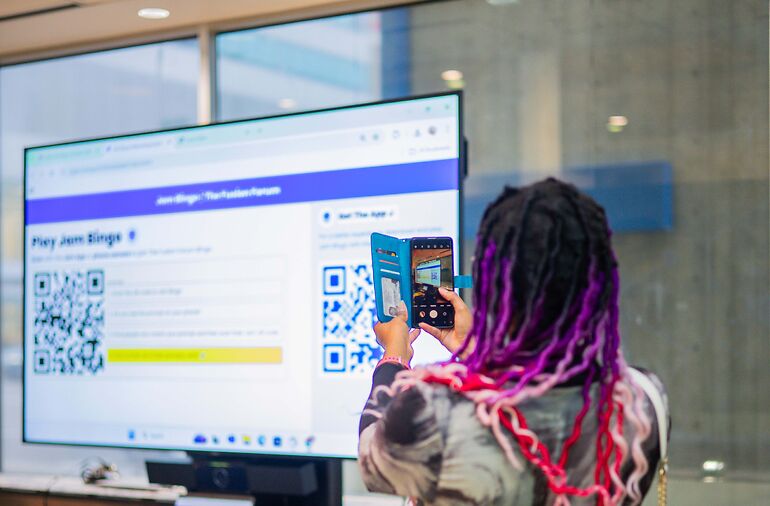
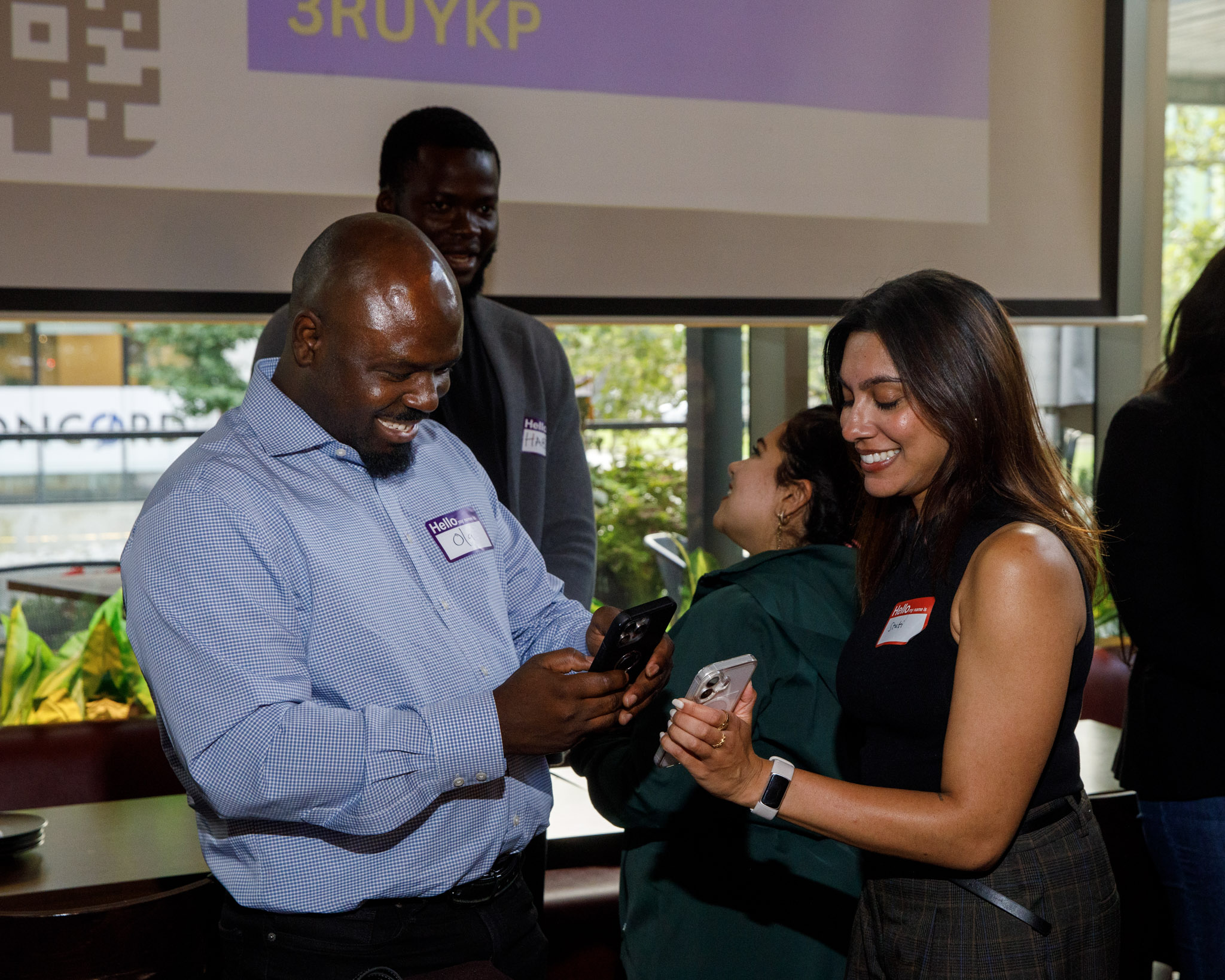
Guests should scan a QR code and start playing in their browser.
Get Every Guest Playing in Seconds
Your goal isn't to get guests to install an app. It's to get the whole room into the game before groups settle in. Every download, login or sign-up screen is a point where someone gives up and goes back to the people they came with, and the guests who drop off are usually the ones who needed the icebreaker most.
2. Prompts That Start Real Conversations
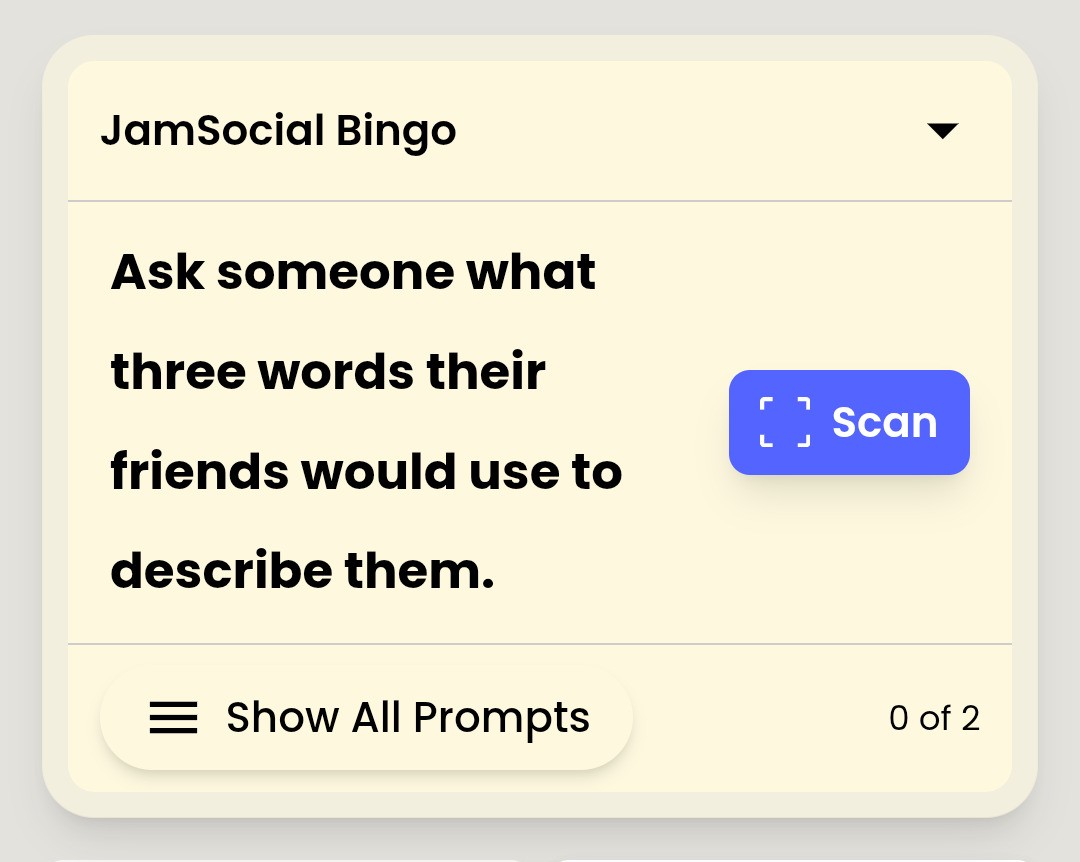
'Find someone who likes coffee' ends in five seconds.
'Find someone who likes coffee, and ask about the best cafe they've found' starts a conversation.
Give Guests Something to Talk About
The hardest part of networking is knowing what to say after hello. A good prompt hands guests an opener and a follow-up question, so the conversation keeps going past the first answer. Without that, a networking bingo game turns into a box-ticking race where people collect names but never actually get to know anyone.
3. Scan-to-Connect Networking Bingo
If guests can tap a square without meeting anyone, some will.
Scanning each other's QR code makes every connection real.
Make Sure Guests Actually Meet
You're not running the game so people can fill in a card. You're running it so they meet each other. Scan-to-connect means guests have to be face to face to get credit, which keeps the game fair, keeps the leaderboard honest, and makes sure every point on the board is a real conversation.
More on this in how to stop cheating in human bingo.
4. Random Prompts per Guest
When everyone has the same card, everyone hunts the same people.
A random mix per guest spreads conversations across the whole room.
Spread Conversations Across the Room
When everyone has the same card, the one person who speaks three languages gets mobbed while half the room never gets approached. Random prompts send each guest looking for someone different, so the quiet person in the corner is just as likely to be someone's match as the most outgoing guest. That's how you get the whole room mixing, not just the busiest corner.
5. Custom Networking Bingo Prompts
Your event is unique. Your prompts should be too.
Connect the Right People for Your Event
Every event has its own goal. A conference wants attendees to visit sponsors, a company kickoff wants teams to mix, and an alumni night wants grads to meet mentors. Custom prompts let you steer conversations toward the connections that matter for your event, instead of settling for generic questions that could be used anywhere.
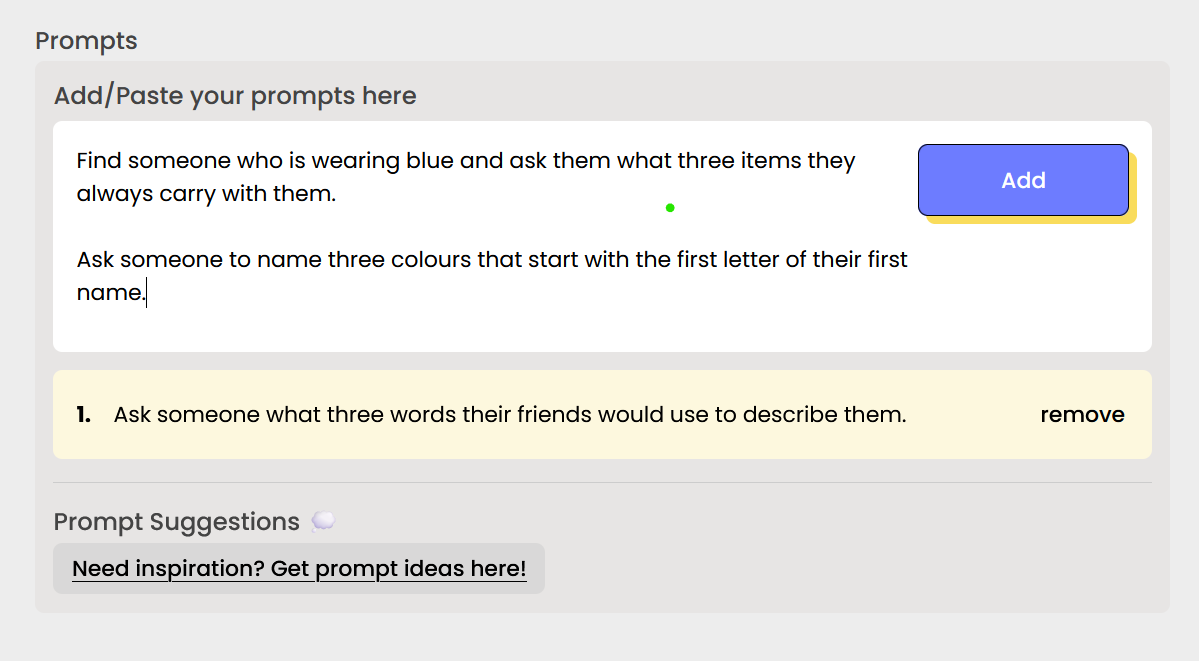
Look for ready-made networking bingo templates too, so you don't start from scratch.
6. A Live Networking Bingo Leaderboard
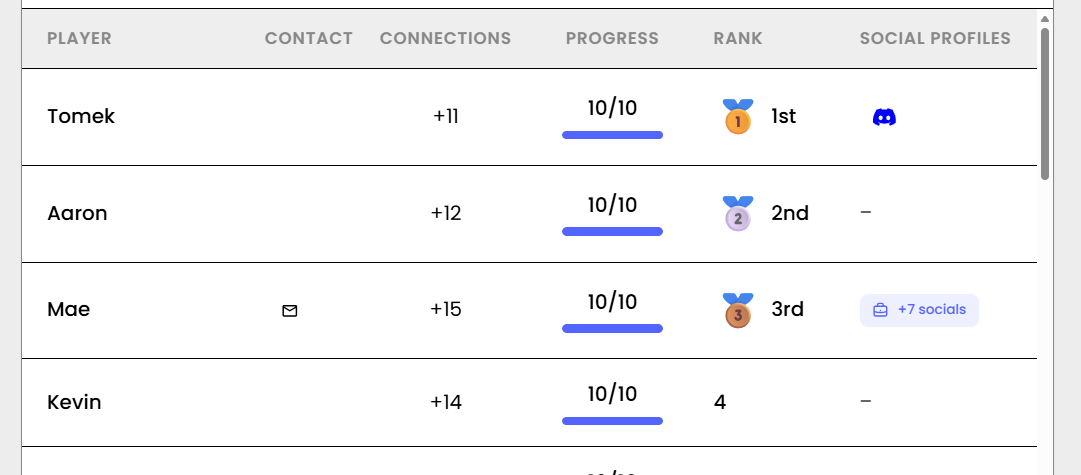
A leaderboard gives hosts a reason to call out top players.
That shout-out restarts the room when energy dips.
Keep the Energy Up All Event
Most icebreakers start strong and fade after ten minutes. A live leaderboard gives guests a reason to keep going and gives the host an easy moment to re-engage the room: read out the top names, and suddenly everyone wants one more connection. It turns a one-time activity into something that carries the whole mixer.
7. Works for Large Groups
Can everyone play at once, whether it's 20 people, 100, 500 or 1,000?
Run Networking Without Running It Yourself
At a big event, you can't personally introduce hundreds of guests or run a game that needs turns and a microphone. The app has to do the facilitating for you, with everyone playing at the same time and nothing for you to manage once it starts. That frees you to greet guests, handle the program, and actually enjoy your own event.

8. Saved Connections for Follow-Up
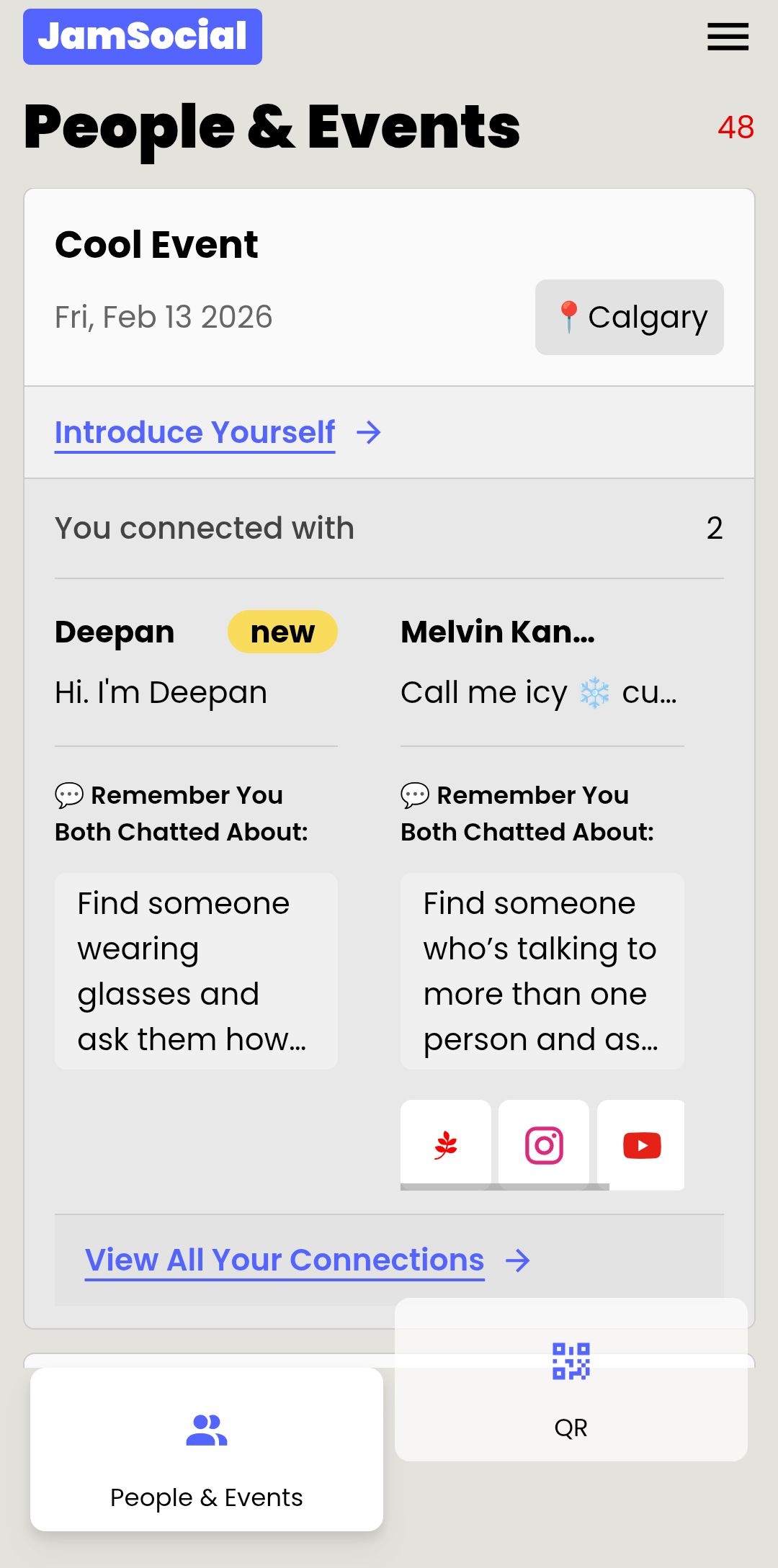
The best networking happens after the event.
Guests should leave with the people they met, not a crumpled card.
Turn One Conversation into a Lasting Connection
A great chat at a mixer is only worth something if guests can find each other again. Saved connections mean nobody has to remember a name or hunt for a business card the next morning. For organizers, it's also proof your event delivered: you can see how many connections were made and show that value to your team, members or sponsors.
Questions to Ask Before Picking a Networking Bingo App
- How long does setup take?
- Can I write my own prompts?
- What do guests need to join?
- How does it prove two people actually met?
- What do guests keep after the event?
Jam Bingo: A Networking Bingo Ice Breaker App
Jam Bingo is a networking bingo ice breaker app built around all 8 of these features.
It gets every guest playing in seconds, gives them something to talk about, and sends them to people they wouldn't have met on their own.
You get a room that mixes without you running it, and guests leave with connections they can follow up on.
Frequently Asked Questions
What should a networking bingo ice breaker app do?
Get guests talking to new people. Look for no-download play, prompts with follow-up questions, scan-to-connect, custom prompts, a leaderboard and saved connections.
Should guests have to download a networking bingo app?
Ideally no. Every download step loses players. Jam Bingo runs in the browser after scanning a QR code.
How does a networking bingo app prevent cheating?
Look for scan-to-connect. When guests have to scan each other's QR code, every match is a real meeting.
Is a bingo card generator the same as a networking bingo app?
No. A card generator makes printable cards. A networking bingo app runs the game live on phones, tracks connections and shows a leaderboard.