
Chamber of Commerce Mixer Game
Help new members, long-time members, and ambassadors actually meet at every mixer.
Scan To Join
Game Code: QW40PM

Why Run a Chamber of Commerce Mixer Game?
A chamber of commerce mixer game shows new members the value of joining on night one. Instead of standing alone while long-time members catch up, they get prompts like 'Find a long-time member and ask what they've gotten the most out of their membership.' New members feel welcome, regulars meet fresh faces, and you get members who renew because they made real connections.
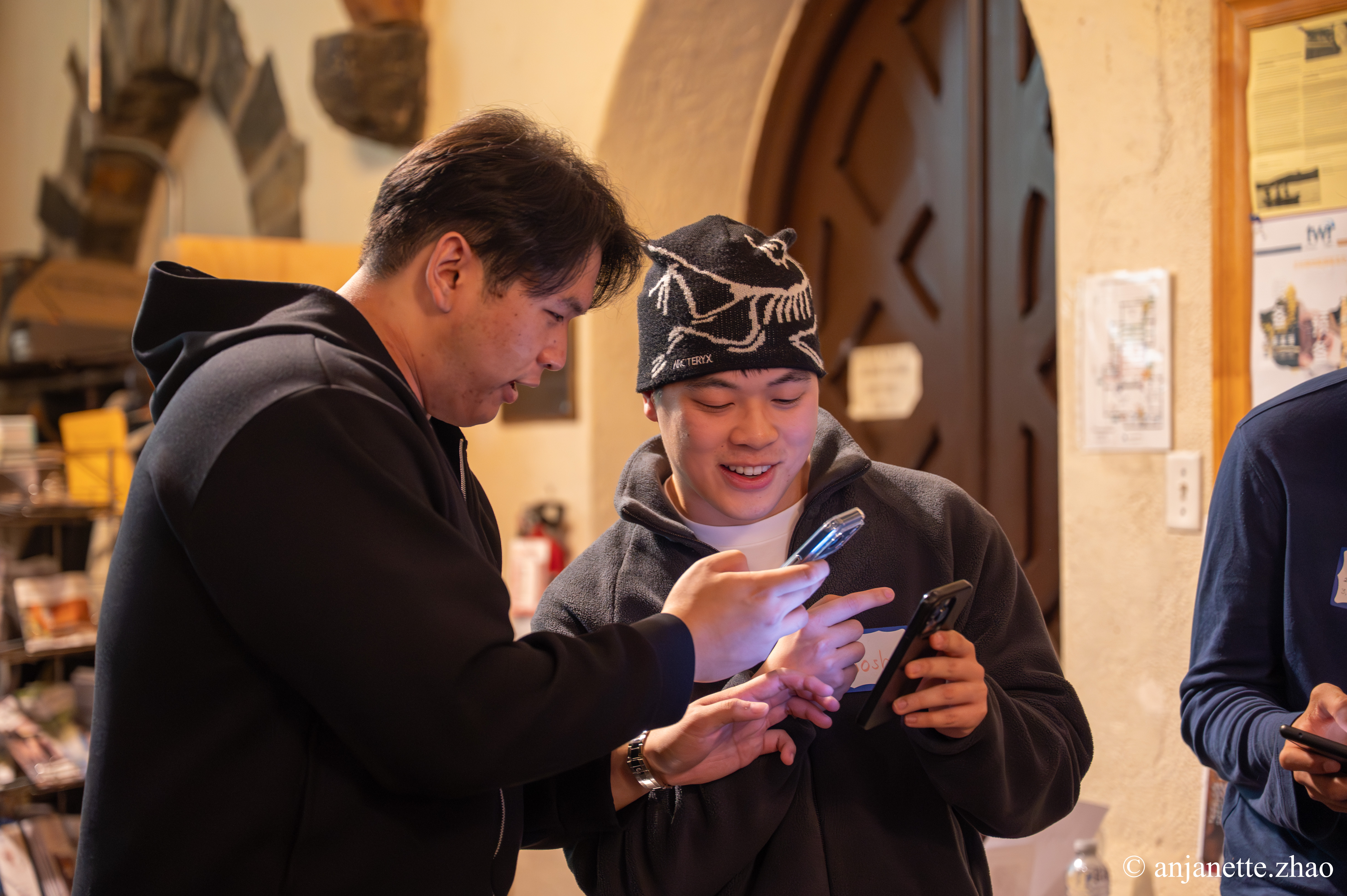
Jam Bingo sends each attendee one prompt at a time on their phone. They find someone who matches, talk, and scan each other's QR codes to unlock the next prompt. Prompts can point new members to veterans and ambassadors on purpose, and every connection is saved for easy follow-up.
How Does Chamber of Commerce Mixer Game Work?
Chamber of Commerce Mixer Game runs on Jam Bingo—the simple, interactive networking activity. It is not a card, it has no squares, and attendees do not fill anything out. Here’s what each attendee does:
- 1
Scan to join
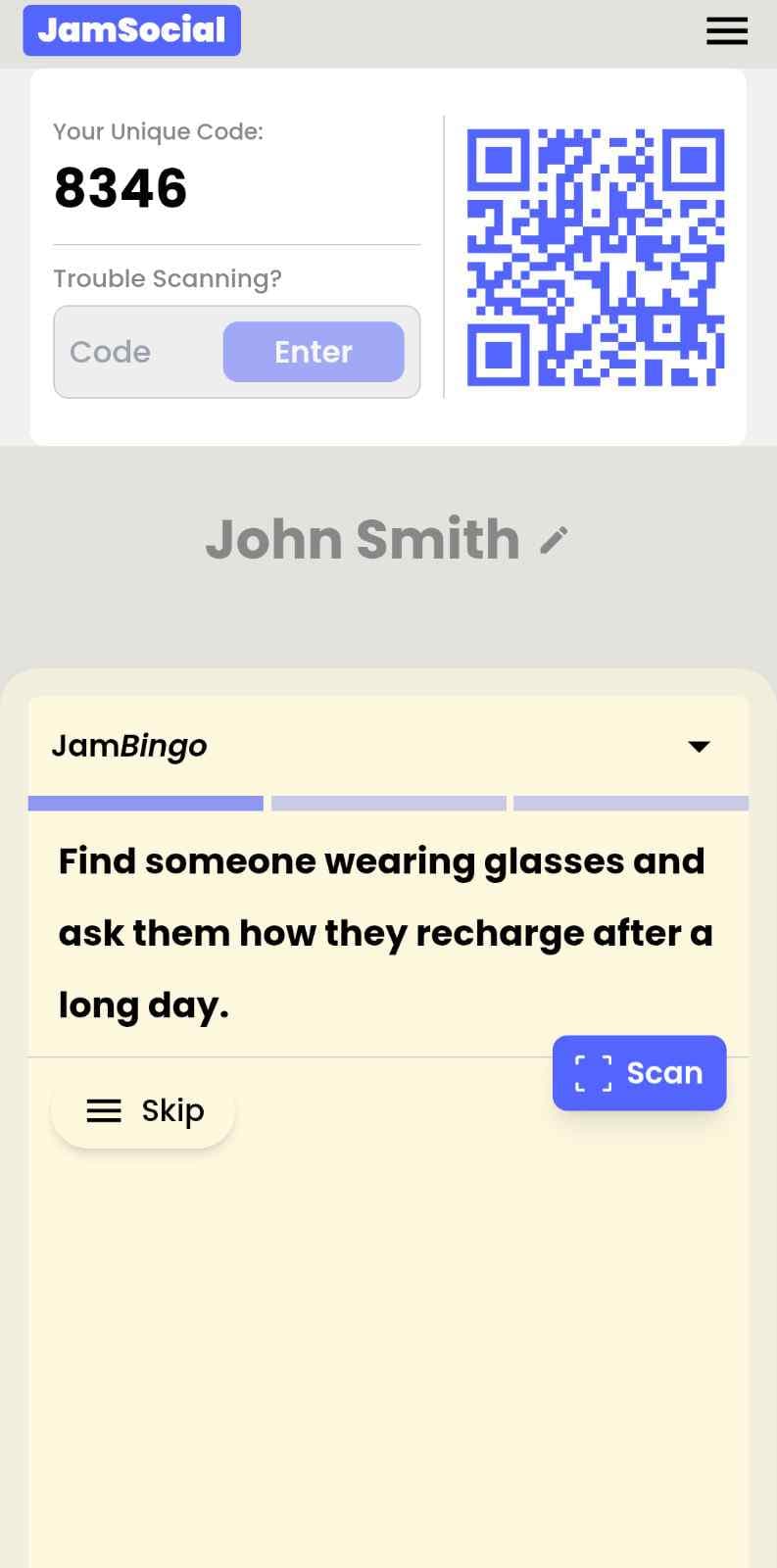
Attendees scan the event’s Jam Bingo QR code (or enter the game code). It runs in the phone’s browser—nothing to download.
- 2
Get a conversation prompt
Each person receives a conversation prompt on their phone, like a question to ask someone new.
- 3
Find someone and talk
They find someone who fits the prompt, have the conversation, then scan that person’s QR code (or enter their code) to unlock the next prompt.
- 4
Repeat and connect
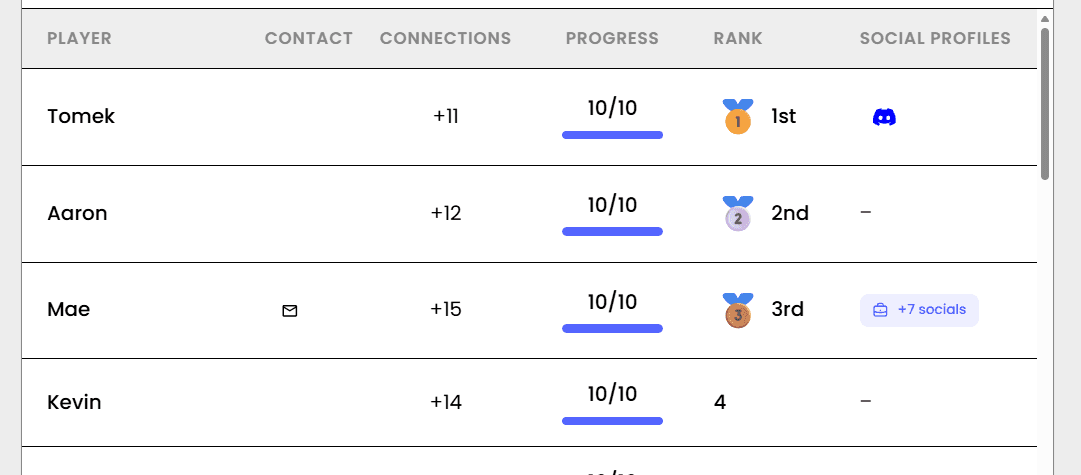
Every connection is saved, and the leaderboard shows who met the most new people—perfect for prizes.

How to Use the Chamber of Commerce Mixer Game at Your Event
Follow these steps to set up and run the chamber of commerce mixer game for your own event.
- 01Step 1
Write Prompts That Connect New and Long-Time Members
Use prompts like 'Find someone who joined in the last six months' and 'Find someone who has been a member for 5+ years.' The prompts do the introducing for you.
TipAdd a prompt that sends people to an ambassador or board member. It helps new members find their go-to person. - 02Step 2
Put the QR Code at Check-In
Show the QR code on a sign at registration and on a screen. Attendees scan with their phone camera and join with their name and business.
TipHave staff mention it as people pick up their name badges. It's the easiest moment to get everyone playing. - 03Step 3
Network, Then Recognize Top Connectors
Let it run for 20 to 30 minutes, then call out the top connectors before announcements or door prizes.
TipGive the top connector a spotlight in your next newsletter. Members love the shout-out.
Ready to Use the Chamber of Commerce Mixer Game at Your Event?
Create a Jam Bingo, add your own prompts, and get a QR code for your event. You’ll be directed to the Create Account page first.
Have questions? Book a 15-minute demo.
Where to Use Chamber of Commerce Mixer Game
New Member Mixers
A chamber of commerce mixer game helps new members meet long-time members and feel welcome right away.
- Better member onboarding
- Higher renewals
- Saved connections
Monthly Business After Hours
Use a chamber of commerce mixer game to keep your monthly after hours fresh and full of new conversations.
- Breaks up regular cliques
- Easy for host businesses
- No printing
Small Business Month Celebrations
Run a chamber of commerce mixer game at your Small Business Month event so 100+ owners meet beyond their usual circle.
- Scales to large crowds
- Creates referrals
- Measurable results
Chamber of Commerce Mixer Game vs. A Standard Mixer
| Feature | Standard Mixer | Chamber of Commerce Mixer Game |
|---|---|---|
| New members | Feel like outsiders | Meet veterans and ambassadors |
| Long-time members | Talk to the usual crowd | Meet new faces |
| Staff effort | Constant introductions | Prompts do the introducing |
| Business cards | Lost after the event | Connections saved |
| Member value | "Is this worth it?" | Real contacts on night one |
| Reporting | Headcount only | Players, connections, and a leaderboard |
Example Prompts for Chamber of Commerce Mixer Game
Taken from the Chamber New Member Mixer template. Use them as a starting point, then adapt them to your group.
Make people move
Start prompts with "Find someone who…" so each one sends players across the room to a new person, not back to their own table.
Mix easy and deeper prompts
Open with quick, observable prompts (something they're wearing, where they're from), then add a few that lead to a real story.
Keep them inclusive
Avoid prompts about money, looks, or anything someone could feel left out of. Everyone should be able to answer at least half of them.
Match the length of your event
Around 12–16 prompts fits a 30-minute game. More prompts than time just leaves people unfinished.
- 1
Find someone who joined the chamber in the last six months
- 2
Find a long-time member and ask what they've gotten the most out of their membership
- 3
Find a chamber ambassador or board member and ask which event you shouldn't miss
- 4
Ask someone what made them decide to join the chamber
- 5
Find someone whose business serves the same customers as yours, without competing
- 6
Ask someone what kind of referral would be perfect for them
- 7
Find someone who has been in business in this town for 10+ years
- 8
Challenge someone to describe their ideal customer in one sentence
- 9
Find someone who has attended a chamber event you haven't been to yet
- 10
Ask someone what they wish they had known when they first joined
- 11
Find someone who opened their business in the last year and ask how it's going
- 12
Ask someone what local cause or charity their business supports
See all 15 prompts in the Chamber New Member Mixer template · Browse all templates
Other Platforms Like Jam Bingo
Jam Bingo is designed to help people actually get to know each other, not just exchange names. Unlike icebreaker games that focus on quick interactions or surface-level fun, Jam Bingo is built around meaningful conversations that make it easier for people to open up, find common ground, and build real relationships.
| Features | Jam Bingo | Hoogo | SocialPoint.io | Booth Bingo | Eventgamification.com |
|---|---|---|---|---|---|
| Paperless (QR Code Digital) | ✅ | ✅ | ✅ | ✅ | ✅ |
| Custom Branding | ✅ | ✅ | ✅ | ❌ | ❌ |
| Conversation Prompt | ✅ | ❌ | ❌ | ❌ | ❌ |
| Meaningful & Intentional Connections | ✅ | ❌ | ❌ | ❌ | ❌ |
| Contact Sharing (Email, Instagram, Linkedin, etc) | ✅ | ❌ | ❌ | ❌ | ❌ |
| Each person gets a list of everyone they connected with, including contact information and conversations they had. | ✅ | ❌ | ❌ | ❌ | ❌ |
| Introduction Forum | ✅ | ❌ | ❌ | ❌ | ❌ |
| Auto Introductions ("Introduce Me") | ✅ | ❌ | ❌ | ❌ | ❌ |
Frequently Asked Questions
What is a chamber of commerce mixer game?
It's a networking activity for chamber events. With Jam Bingo, each attendee gets one prompt at a time, finds someone who matches, and scans their QR code to unlock the next prompt.
How does it help new members?
Prompts send new members straight to long-time members and ambassadors, so they meet the right people without having to work the room alone.
Do attendees need to download an app?
No. They scan a QR code with their phone camera and play in the browser.
Do attendees get contact details?
Yes. Every scan saves the connection, so members leave with a list of everyone they talked to.
How long should it run?
20 to 30 minutes, before announcements or door prizes.
Can we reuse it at every mixer?
Yes. Swap in new prompts for each event, like a Small Business Month theme or a host-business theme, to keep it fresh.
The Simple Way to Get People Talking
Jam Bingo gets people having meaningful conversations and meeting as many new people as possible.
Chamber of Commerce Summer Social Icebreaker Ideas
JamBingo is a gamified networking tool that gives chamber members a fun, low-pressure way to connect at your summer social.
GuideChamber of Commerce Property and Construction Lunch Networking Ice Breaker Activity
JamBingo is an interactive ice breaker for Chamber of Commerce events that helps 100+ attendees actually talk and move past small talk.
GuideHow to Connect New and Long-Time Chamber Members
Jam Bingo is a member networking activity that introduces new chamber members to long-time members and ambassadors, one prompt at a time.
Icebreaker games10 Ice Breaker Games for Chamber of Commerce New Member Orientation
New member orientations can be painfully awkward. Here are 10 unexpectedly fun icebreakers that help business owners actually connect — so they leave with real relationships, not just a nametag.
Icebreaker games25 Icebreakers for an Association AGM & Tradeshow Mixer
These icebreakers turn a formal AGM and tradeshow into meaningful conversations.
Icebreaker games10 Easy & No-Prep Interactive Networking Games for Professionals
No supplies, no setup, no awkward silence. Just games that get a room full of strangers actually talking.