Conversation Bingo App
Give every guest a prompt, a reason to say hi, and a real conversation. All from their phone.

What Is a Conversation Bingo App?
Conversation bingo is a get-to-know game where each prompt sends you to find someone and talk, like 'Find someone who has lived in another country and ask what they miss most.' A conversation bingo app moves the game onto everyone's phone, so there are no paper cards to print, no pens to hand out, and no crowd of people signing each other's sheets without actually talking.
Jam Bingo gives each guest one prompt at a time instead of a full card of squares. They find someone who matches, have the conversation, and scan each other's QR code to unlock the next prompt. Because everyone only sees one prompt, they focus on one real conversation instead of rushing to fill a grid. It runs in the browser, works for 10 to 1,000+ people, and saves every connection so guests can follow up after the event.
How?
Jam Bingo is the simplest networking game that gets everyone talking and learning more about each other.
1. during the networking session
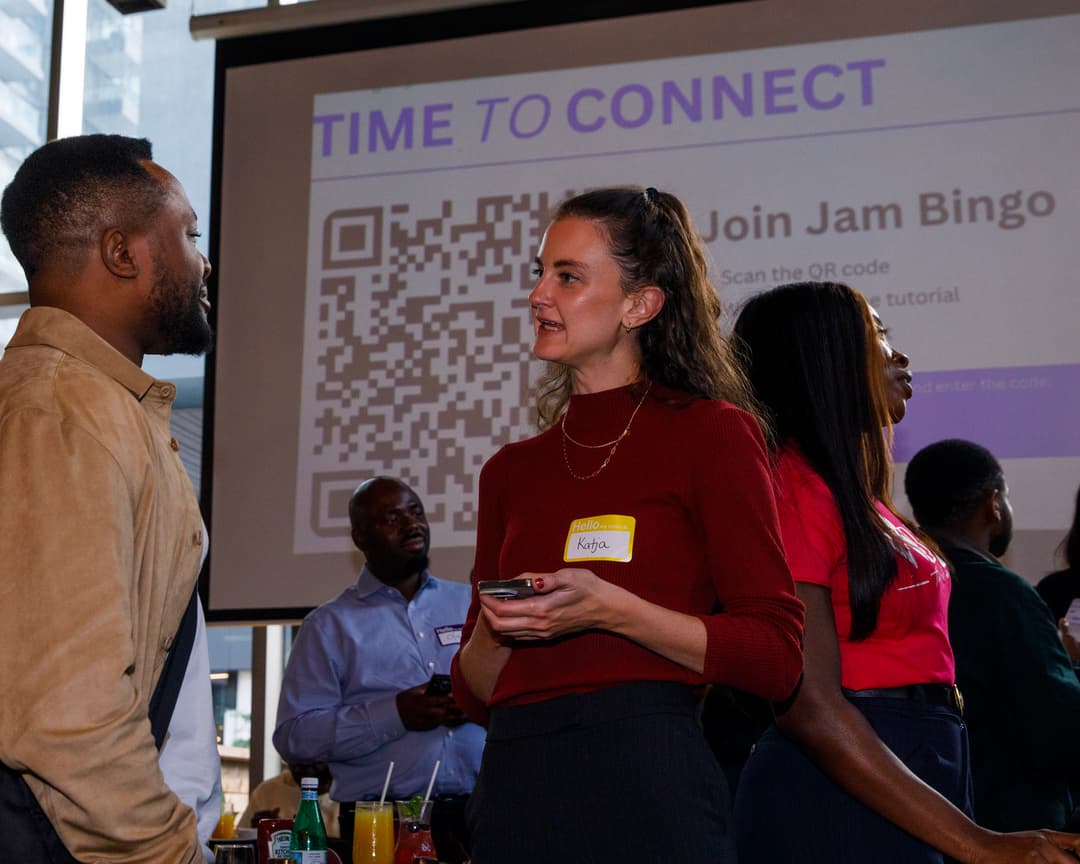
Introduce Jam Bingo to get attendees started.
2. Attendees scan to participate
Guests open their phone camera and scan the QR Code.
3. A conversation starter To Connect
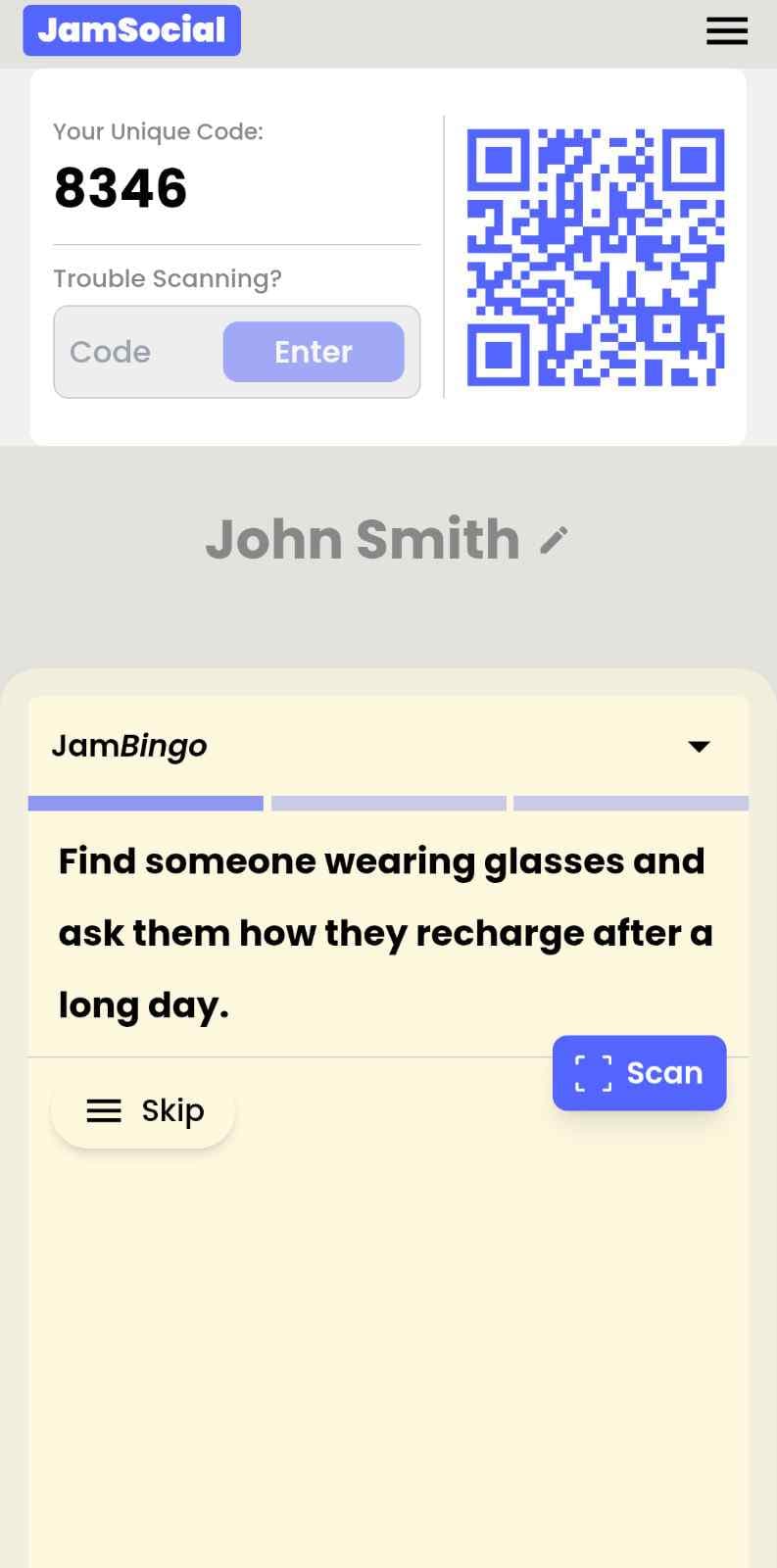
Each guest receives a tailored conversation starter.
4. The Exchange: Get People Talking
After chatting, scan the other person's QR Code to mark the connection and unlock your next prompt.
How to Use the Conversation Bingo App at Your Event
The conversation bingo app helps the people at your event meet new people, not just the people they came with. Here’s how to use it:
- 01Step 1
Decide How Many New People Each Person Meets
Create a Jam Bingo for your event and choose how many different people you'd like each person to talk with. That's the job of the Conversation Bingo App: getting people past the group they came with and into conversations with people they haven't met yet.
TipNot sure? Start with 5 people each - enough to get everyone past the group they came with. - 02Step 2
Add Conversation Prompts
Pick a ready-made template or write your own prompts. Each prompt gives people a reason to find someone new and a question to start the conversation.
TipKeep prompts about people, not trivia - "Find someone who…" sends people across the room to someone new. - 03Step 3
Display Your Jam Bingo QR Code
Put your Jam Bingo QR code on the big screen, at check-in, or on table cards. People scan it with their phone camera to join - no app to download.
TipExplain it once, in one line: scan, find someone who fits your prompt, talk, then scan each other's QR code. - 04Step 4
Let People Meet New People
Each person gets a conversation prompt, finds someone who fits it, and talks with them. Then they scan that person's QR code to get their next prompt and meet someone else.
TipGive it 20 to 45 minutes during a reception, break, or networking session. - 05Step 5
Everyone Leaves With Their Connections
Every connection is saved, so each person gets a list of the people they met - with the contact info they shared and the conversations they had.
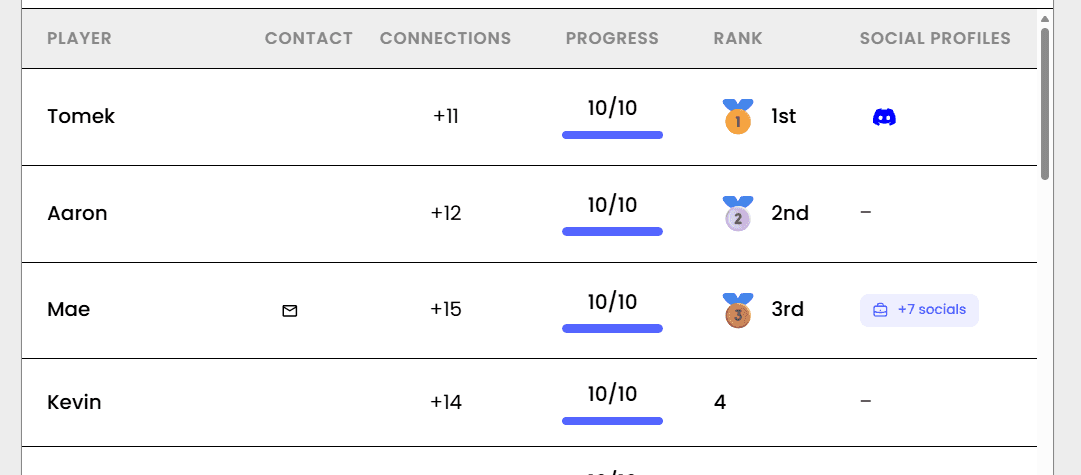
TipRecognize the people who met the most new people at the end - it's an easy way to wrap up.
Ready to Use the Conversation Bingo App at Your Event?
Create a Jam Bingo, add your own prompts, and get a QR code for your event. You’ll be directed to the Create Account page first.
Have questions? Book a 15-minute demo.
Where to Use Conversation Bingo App
Work Events and Team Offsites
Help colleagues from different departments and offices actually talk, instead of sticking with their usual team.
- Crosses team silos
- Easy for introverts
- No printing
Conference Receptions and Mixers
Give attendees a reason to walk up to strangers during the reception, with a drink in one hand and their phone in the other.
- Self-running
- Scales to large crowds
- Saved connections
Student and Community Socials
Get new students, members or neighbors talking to people outside their friend group.
- Mixes friend groups
- Fun and low pressure
- Works in any room
Conversation Bingo App vs. Paper Conversation Bingo
| Feature | Paper Conversation Bingo | Conversation Bingo App |
|---|---|---|
| Setup | Print cards, find pens | Share one QR code |
| How guests play | Rush to fill a grid of squares | One prompt at a time |
| Conversation quality | Quick signatures | Real conversations |
| Group size | Gets messy past 50 | 10 to 1,000+ |
| Winners | Shouting 'Bingo!' and checking cards | Live leaderboard |
| Follow-up | Cards end up in the trash | Every connection is saved |
Example Prompts for Conversation Bingo App
Taken from the Social Mixer For Strangers template. Use them as a starting point, then adapt them to your group.
Make people move
Start prompts with "Find someone who…" so each one sends players across the room to a new person, not back to their own table.
Mix easy and deeper prompts
Open with quick, observable prompts (something they're wearing, where they're from), then add a few that lead to a real story.
Keep them inclusive
Avoid prompts about money, looks, or anything someone could feel left out of. Everyone should be able to answer at least half of them.
Match the length of your event
Around 12–16 prompts fits a 30-minute game. More prompts than time just leaves people unfinished.
- 1
Find someone who is standing or sitting solo. Introduce yourself and find out what brought them out tonight
- 2
Challenge someone to find three things you both have in common in under one minute
- 3
Find someone who is vibing just as hard to the same song as you. What is their name? What is the song?
- 4
Find someone who has met over 5 new people tonight, and ask them what's a small thing that made their day better recently
- 5
Find someone who is a business owner looking for more customers, and ask them what they're most proud of this year
- 6
Challenge someone to introduce you to someone they just met
- 7
Introduce two people who did not previously know one another and ask them how many new people they have met tonight
- 8
Find someone who is wearing glasses and ask them their favorite artist
- 9
Introduce yourself to someone who is dressed in tonight's theme (90s vs 2000s). What is their favorite movie from that era?
- 10
Find someone who has made a purchase from one of the vendors and ask them what other types of vendors they would like to see at future events
- 11
Find someone who has bought one of the specialty cocktails and ask them to rate it on a scale of 1 - 10
- 12
Find someone who shares your birth month, and ask them what's making them smile lately
See all 16 prompts in the Social Mixer For Strangers template · Browse all templates
Other Platforms Like Jam Bingo
Jam Bingo is designed to help people actually get to know each other, not just exchange names. Unlike icebreaker games that focus on quick interactions or surface-level fun, Jam Bingo is built around meaningful conversations that make it easier for people to open up, find common ground, and build real relationships.
| Features | Jam Bingo | Hoogo | SocialPoint.io | Booth Bingo | Eventgamification.com |
|---|---|---|---|---|---|
| Paperless (QR Code Digital) | ✅ | ✅ | ✅ | ✅ | ✅ |
| Custom Branding | ✅ | ✅ | ✅ | ❌ | ❌ |
| Conversation Prompt | ✅ | ❌ | ❌ | ❌ | ❌ |
| Meaningful & Intentional Connections | ✅ | ❌ | ❌ | ❌ | ❌ |
| Contact Sharing (Email, Instagram, Linkedin, etc) | ✅ | ❌ | ❌ | ❌ | ❌ |
| Each person gets a list of everyone they connected with, including contact information and conversations they had. | ✅ | ❌ | ❌ | ❌ | ❌ |
| Introduction Forum | ✅ | ❌ | ❌ | ❌ | ❌ |
| Auto Introductions ("Introduce Me") | ✅ | ❌ | ❌ | ❌ | ❌ |
Frequently Asked Questions
What is a conversation bingo app?
It's a digital version of conversation bingo. Guests get prompts on their phone that send them to find someone and talk, then scan to log the connection.
Do guests need to download an app?
No. Jam Bingo runs in the phone's browser. Guests scan the QR code with their camera and they're playing. If scanning doesn't work, every player has a number they can type in instead.
How is Jam Bingo different from a bingo card?
There's no grid. Each guest gets one prompt at a time, so they have one real conversation before moving on, instead of collecting quick signatures.
How long does a game last?
It depends on how many prompts you add. Most games run 20 to 30 minutes, and you can add more prompts for an hour or more.
What if a guest gets stuck on a prompt?
Turn on skips. The Skip button shows up after 60 seconds, so people try first but never get stuck.
Can I write my own prompts?
Yes. Write your own, pick from suggestions, or start from a template and edit it.
The Simple Way to Get People Talking
Jam Bingo gets people having meaningful conversations and meeting as many new people as possible.
Networking Icebreaker Activities for Women's Health Conversations
Jam Bingo is a networking icebreaker game that helps women navigating midlife and the clinicians who support them connect in a warm, curated setting.
GuideDigital Icebreaker Bingo for NextGen Business After Business
Jam Bingo is a simple game that helps young professionals and emerging leaders mix and get to know each other at NextGen Business After Business.
GuideDigital Icebreaker Bingo for Football Watch Party
Jam Bingo is a simple game that helps alumni fans in a crowded bar mix and get to know each other at Football Watch Party.
Networking games10 Easy & No-Prep Interactive Networking Games for Professionals
No supplies, no setup, no awkward silence. Just games that get a room full of strangers actually talking.
Networking games25 Icebreakers for an Association AGM & Tradeshow Mixer
These icebreakers turn a formal AGM and tradeshow into meaningful conversations.
Networking games15 Icebreaker Games for a Halloween Company Mixer
Spooky, work-friendly games that get coworkers talking across teams, costume or no costume.