
Cross-Department Networking Game
Help employees meet the people behind the emails, tickets, and handoffs they deal with every week.
Scan To Join
Game Code: QW40PM

Why a Cross-Department Networking Game Works
A cross-department networking game gives people a real reason to walk over to another team. Once sales has actually met the engineer behind the product, and support has met the person writing the release notes, work gets easier. Requests get friendlier, problems get solved faster, and new hires stop feeling like they only know five people in the company.
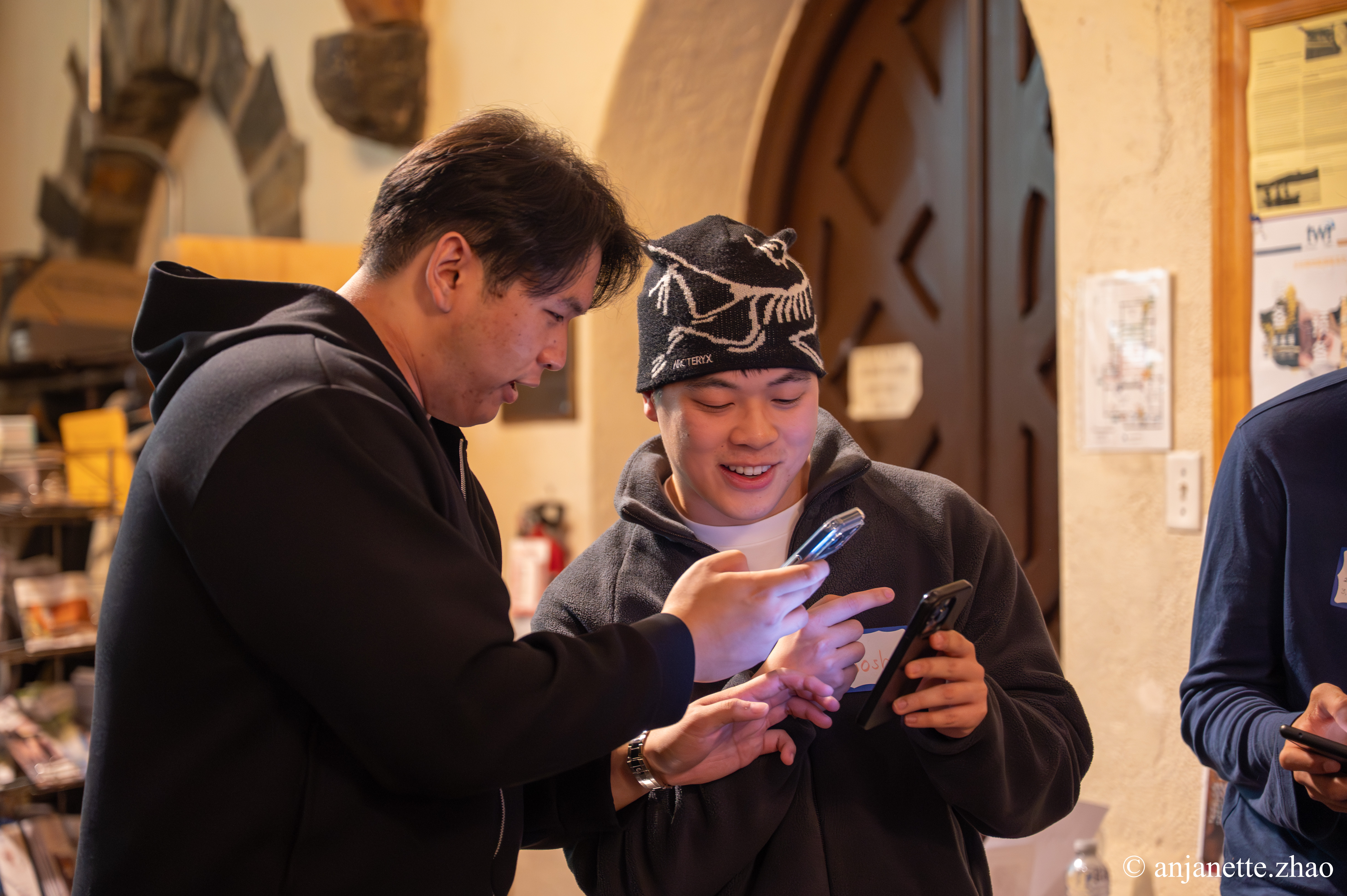
With Jam Bingo, each employee gets one prompt at a time, like 'Find someone from a team you've sent a request to this month.' They find a match, talk, and scan each other's QR codes to unlock the next prompt. Every prompt points outside their own department, so mixing happens on purpose instead of by accident.
How Does Cross-Department Networking Game Work?
Cross-Department Networking Game runs on Jam Bingo—the simple, interactive networking activity. It is not a card, it has no squares, and attendees do not fill anything out. Here’s what each attendee does:
- 1
Scan to join
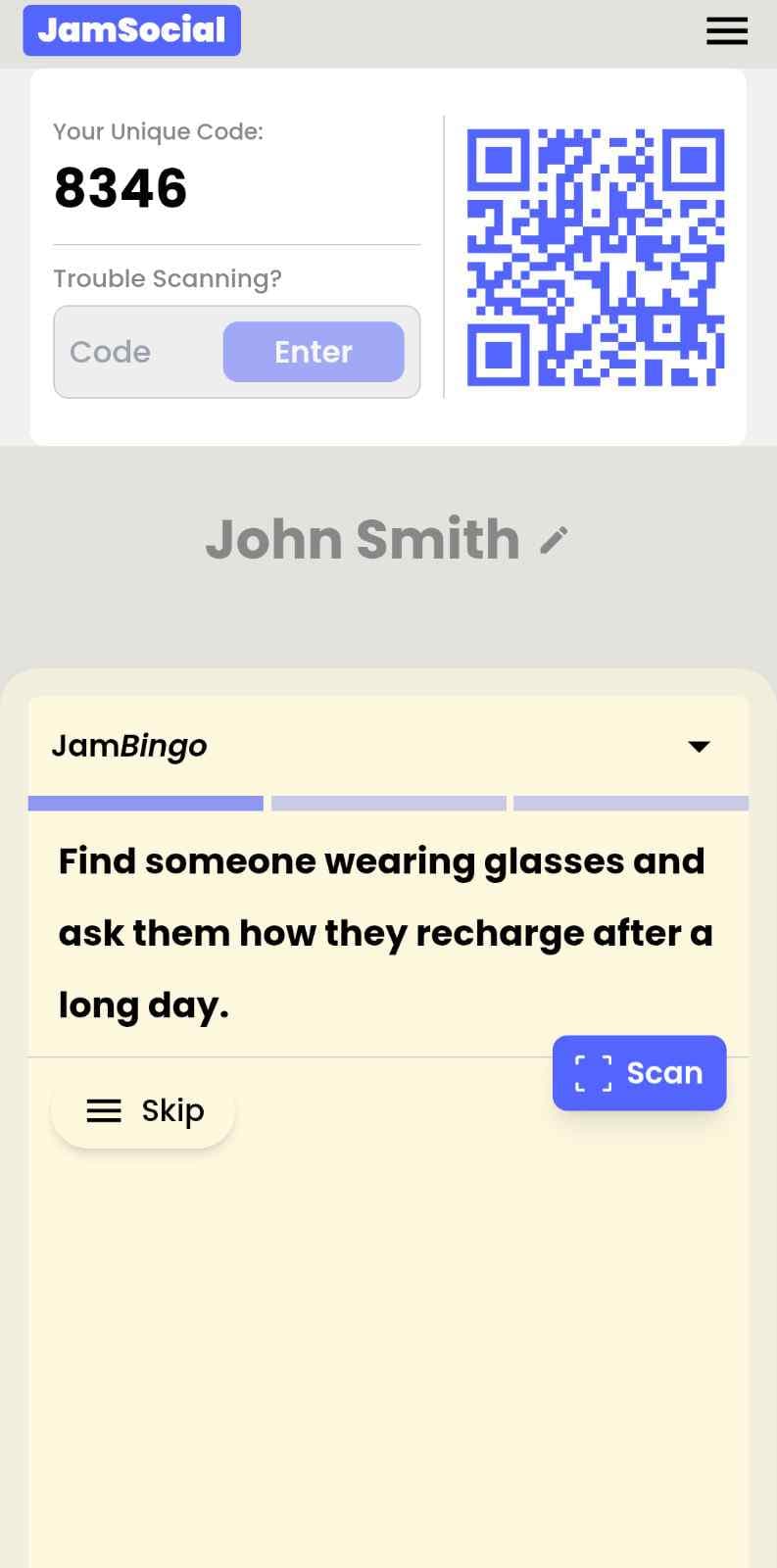
Attendees scan the event’s Jam Bingo QR code (or enter the game code). It runs in the phone’s browser—nothing to download.
- 2
Get a conversation prompt
Each person receives a conversation prompt on their phone, like a question to ask someone new.
- 3
Find someone and talk
They find someone who fits the prompt, have the conversation, then scan that person’s QR code (or enter their code) to unlock the next prompt.
- 4
Repeat and connect
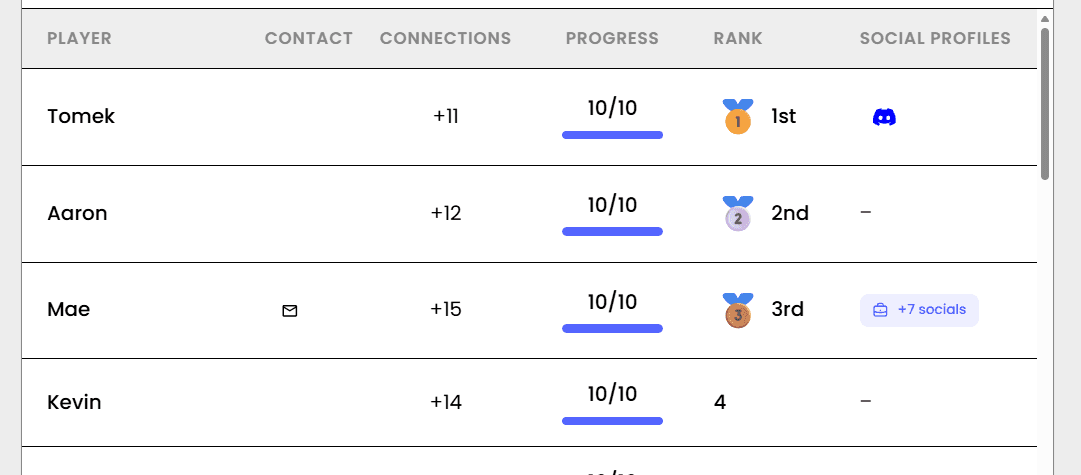
Every connection is saved, and the leaderboard shows who met the most new people—perfect for prizes.

How to Use the Cross-Department Networking Game at Your Event
Follow these steps to set up and run the cross-department networking game for your own event.
- 01Step 1
Write Prompts That Point Across Teams
Use prompts that only someone from another department can answer, like 'Find someone whose team uses a tool you've never heard of' or 'Find someone from another team who started the same month as you.'
TipAsk a couple of department heads for one prompt each. It makes the game feel like it belongs to the whole company. - 02Step 2
Share the QR Code
Put the QR code on a screen, in the meeting invite, or on table cards. Employees scan with their phone camera and join in seconds.
TipHave people add their team name when they join, so matches know where they work. - 03Step 3
Let Teams Mix
Employees find colleagues, chat, and unlock new prompts. Close by sharing the total number of new connections.
TipShare one fun stat at the end, like how many people met someone they'd only ever emailed.
Ready to Use the Cross-Department Networking Game at Your Event?
Create a Jam Bingo, add your own prompts, and get a QR code for your event. You’ll be directed to the Create Account page first.
Have questions? Book a 15-minute demo.
Where to Use Cross-Department Networking Game
All-Hands and Town Halls
Run a cross-department networking game before an all-hands so people meet colleagues from across the company.
- Breaks up team cliques
- Easy to join
- No setup for managers
New Hire Onboarding
A cross-department networking game helps new hires meet people in every team during their first weeks.
- Faster ramp-up
- Builds a network early
- Fun first impression
Company Offsites
Kick off your offsite with a cross-department networking game so every team leaves knowing more than their own people.
- Better collaboration after
- Gets people moving
- Saved connections
Cross-Department Networking Game vs. Letting People Mingle
| Feature | Open Mingling | Cross-Department Networking Game |
|---|---|---|
| Who people talk to | Their own team | People from other departments |
| Opening line | "So, what team are you on?" | A prompt with a built-in story |
| New hires | Stand near the coffee | Have a reason to meet everyone |
| Remote employees | Feel like outsiders | Get pulled into conversations |
| After the event | Back to email-only contact | Saved connections to follow up with |
| Proof it worked | None | Connection count and leaderboard |
Example Prompts for Cross-Department Networking Game
Taken from the Cross-Department Mixer template. Use them as a starting point, then adapt them to your group.
Make people move
Start prompts with "Find someone who…" so each one sends players across the room to a new person, not back to their own table.
Mix easy and deeper prompts
Open with quick, observable prompts (something they're wearing, where they're from), then add a few that lead to a real story.
Keep them inclusive
Avoid prompts about money, looks, or anything someone could feel left out of. Everyone should be able to answer at least half of them.
Match the length of your event
Around 12–16 prompts fits a 30-minute game. More prompts than time just leaves people unfinished.
- 1
Find someone from a team you've sent a request to this month
- 2
Find someone in a different department and ask what they wish other teams knew about their work
- 3
Find someone who sits on a different floor or works remotely most of the week
- 4
Ask someone from another team what their team is celebrating right now
- 5
Find someone whose team uses a tool you've never heard of and ask what it does
- 6
Find someone from a different department who started within a month of you
- 7
Ask someone what part of the business they'd like to learn more about
- 8
Find someone from another team who has the same favorite weekend activity as you
- 9
Challenge someone from a different department to explain their job like you're five
- 10
Find someone who has switched teams or roles inside the company
- 11
Ask someone what meeting they'd cancel forever if they could
- 12
Find someone from another department who has a pet and ask for a photo
See all 15 prompts in the Cross-Department Mixer template · Browse all templates
Other Platforms Like Jam Bingo
Jam Bingo is designed to help people actually get to know each other, not just exchange names. Unlike icebreaker games that focus on quick interactions or surface-level fun, Jam Bingo is built around meaningful conversations that make it easier for people to open up, find common ground, and build real relationships.
| Features | Jam Bingo | Hoogo | SocialPoint.io | Booth Bingo | Eventgamification.com |
|---|---|---|---|---|---|
| Paperless (QR Code Digital) | ✅ | ✅ | ✅ | ✅ | ✅ |
| Custom Branding | ✅ | ✅ | ✅ | ❌ | ❌ |
| Conversation Prompt | ✅ | ❌ | ❌ | ❌ | ❌ |
| Meaningful & Intentional Connections | ✅ | ❌ | ❌ | ❌ | ❌ |
| Contact Sharing (Email, Instagram, Linkedin, etc) | ✅ | ❌ | ❌ | ❌ | ❌ |
| Each person gets a list of everyone they connected with, including contact information and conversations they had. | ✅ | ❌ | ❌ | ❌ | ❌ |
| Introduction Forum | ✅ | ❌ | ❌ | ❌ | ❌ |
| Auto Introductions ("Introduce Me") | ✅ | ❌ | ❌ | ❌ | ❌ |
Frequently Asked Questions
What is a cross-department networking game?
It's an activity that gets employees talking to people outside their own team. With Jam Bingo, each prompt sends them to someone in a different department, and they scan each other's QR codes to unlock the next prompt.
How does it help break down silos?
Silos stick around because people don't know each other. One real conversation turns 'that team' into a person you can message, which makes everyday work smoother.
Can remote employees join?
Yes, as long as they're at the event. It runs on their phone, so in-office and remote employees play the same way.
Do employees need to download an app?
No. They scan a QR code with their phone camera and play in the browser.
How many people can play?
Any group size. It works for a 40-person team offsite or a 500-person all-hands.
How long should it run?
20 to 40 minutes. That's enough time for several cross-team conversations without eating into the agenda.
The Simple Way to Get People Talking
Jam Bingo gets people having meaningful conversations and meeting as many new people as possible.
Cross-department icebreaker game for 100+ employees
Jam Bingo is an interactive networking tool that encourages staff members to mingle and get to know others from different departments.
GuideInteractive Ice Breaker for Corporate Annual Leadership Meeting
Jam Bingo is an interactive networking tool designed to help executives and leaders connect naturally across divisions without feeling forced.
GuideLarge Group Networking Activity for a First-Day All-Department Gathering (400 Attendees)
Jam Bingo is an interactive networking tool designed to get massive groups mingling and connecting across departments.
Icebreaker games10 Easy & No-Prep Interactive Networking Games for Professionals
No supplies, no setup, no awkward silence. Just games that get a room full of strangers actually talking.
Icebreaker games10 Company Annual Gathering Interactive Ice breaker Activities
Your annual gathering should feel like a celebration, not a compliance event. These icebreakers help people actually connect around the year that was — and get excited for what's next.
Icebreaker games11 First-Time Coming Together Ice Breaker Games for Corporate Events
When a team is meeting for the first time, the right ice breaker does the heavy lifting so people don't have to.