
Company Networking Bingo App
Give your employees a reason to actually talk with each other.
What Is the Company Networking Bingo App?
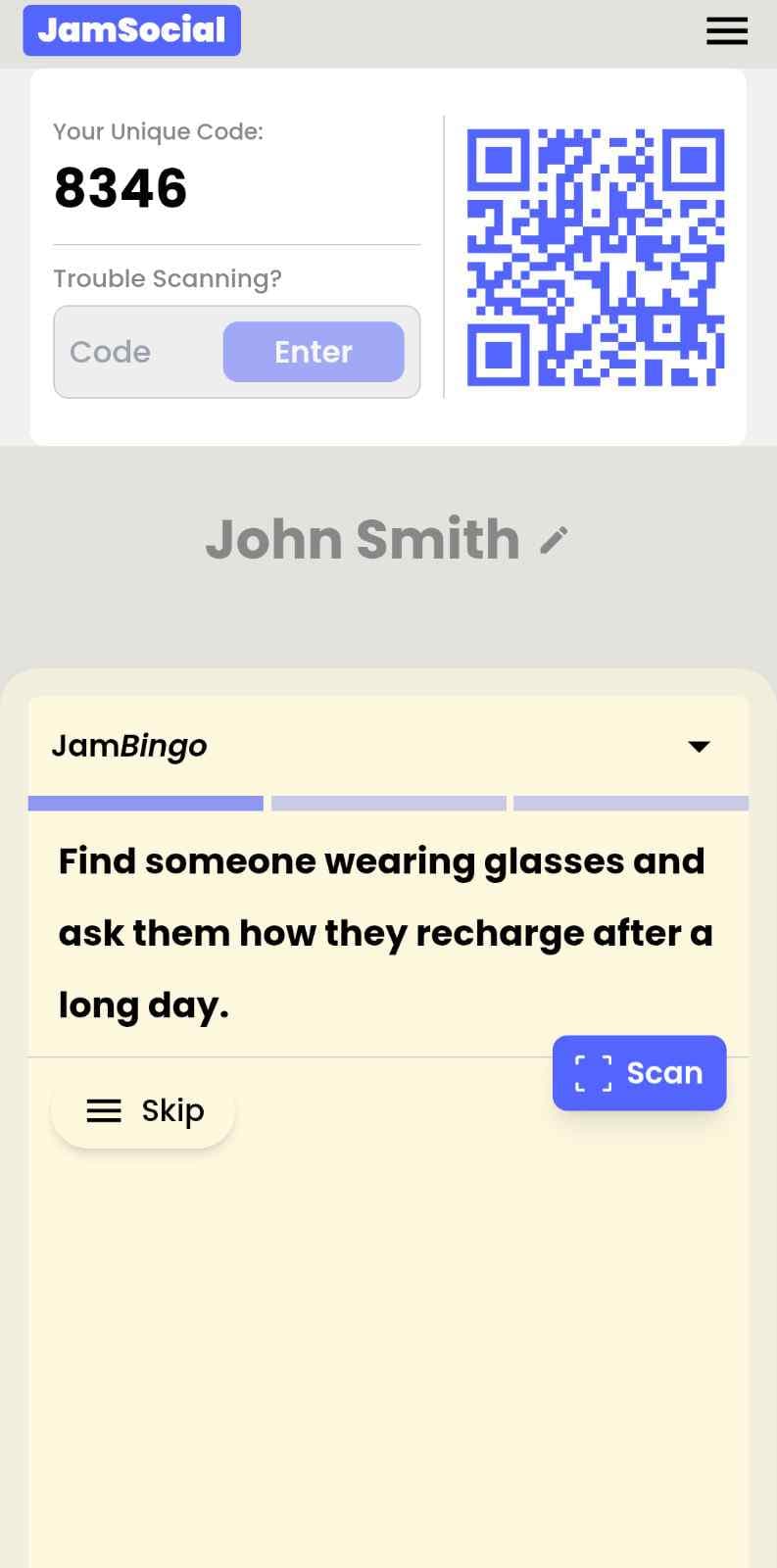
The Company Networking Bingo App is a digital icebreaker built specifically for internal company events — the all-hands, the offsite, the onboarding day, the team social that everyone slightly dreads. Employees scan a QR code or tap a link, get prompts about their colleagues, and start moving around the room finding people who match. 'Find someone who has worked here longer than 5 years.' 'Find someone who has been on 3 or more different teams.' 'Find someone who started in a completely different role.' Every prompt is a conversation. Every conversation is a connection that wouldn't have happened otherwise.
The problem with internal networking isn't that your people don't want to connect — it's that nobody knows how to start. At company events, people default to whoever they already know, whoever is standing closest, whoever is in their department. The Company Networking Bingo App breaks that pattern by giving everyone a structured reason to approach someone new. The game does the awkward part for them. All they have to do is show up and play.
How Does Company Networking Bingo App Work?
Company Networking Bingo App runs on Jam Bingo—the simple, interactive networking activity. It is not a card, it has no squares, and attendees do not fill anything out. Here’s what each attendee does:
How is Jam Bingo Played?
Attendees scan the event’s Jam Bingo QR code (or enter the game code). It runs in the phone’s browser—there is no app to download.


How to Use the Company Networking Bingo App at Your Event
The company networking bingo app helps the people at your event meet new people, not just the people they came with. Here’s how to use it:
- 01Step 1
Decide How Many New People Each Person Meets
Create a Jam Bingo for your event and choose how many different people you'd like each person to talk with. That's the job of the Company Networking Bingo App: getting people past the group they came with and into conversations with people they haven't met yet.
TipNot sure? Start with 5 people each - enough to get everyone past the group they came with. - 02Step 2
Add Conversation Prompts
Pick a ready-made template or write your own prompts. Each prompt gives people a reason to find someone new and a question to start the conversation.
TipKeep prompts about people, not trivia - "Find someone who…" sends people across the room to someone new. - 03Step 3
Display Your Jam Bingo QR Code
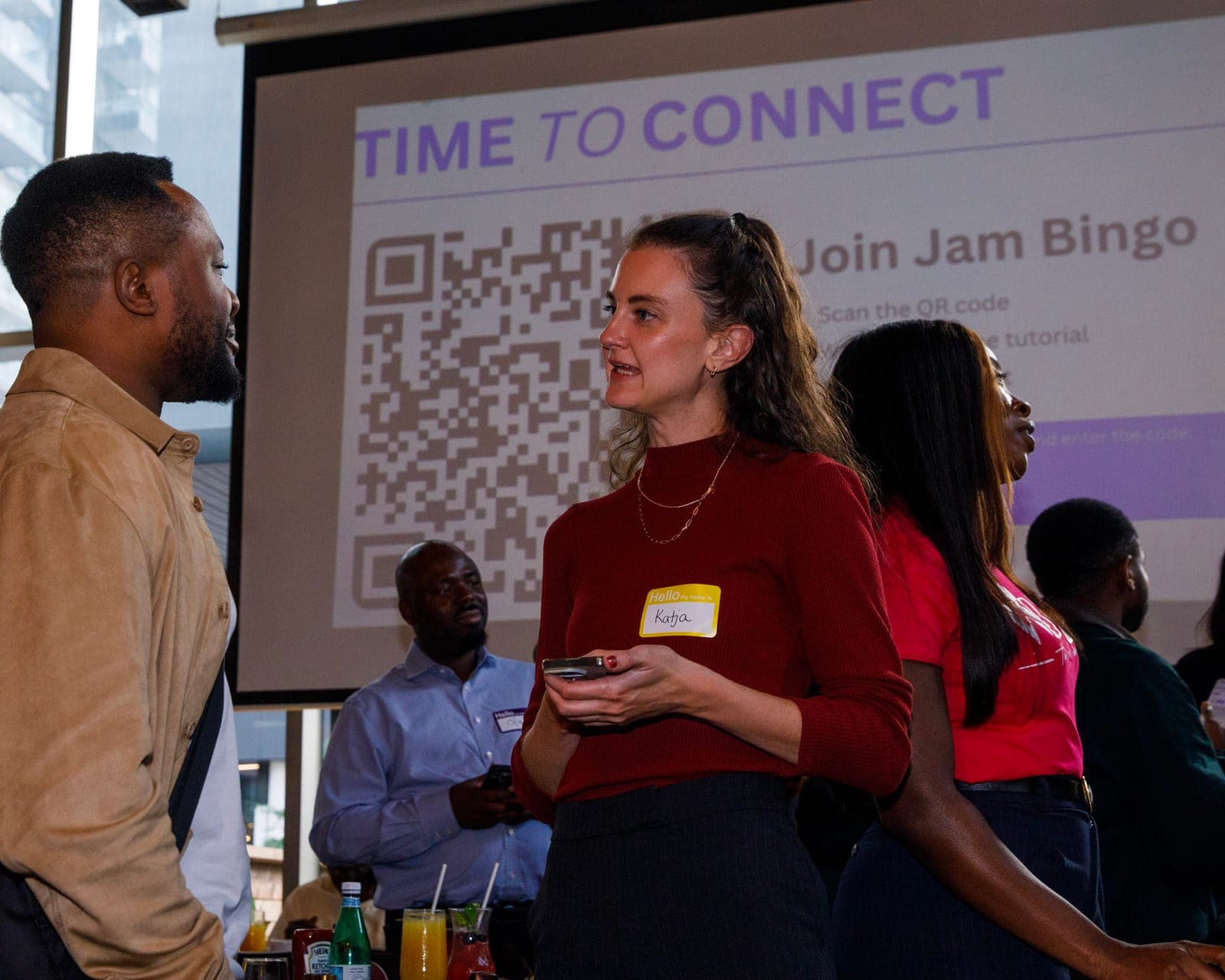
Put your Jam Bingo QR code on the big screen, at check-in, or on table cards. People scan it with their phone camera to join - no app to download.
TipExplain it once, in one line: scan, find someone who fits your prompt, talk, then scan each other's QR code. - 04Step 4
Let People Meet New People
Each person gets a conversation prompt, finds someone who fits it, and talks with them. Then they scan that person's QR code to get their next prompt and meet someone else.
TipGive it 20 to 45 minutes during a reception, break, or networking session. - 05Step 5
Everyone Leaves With Their Connections
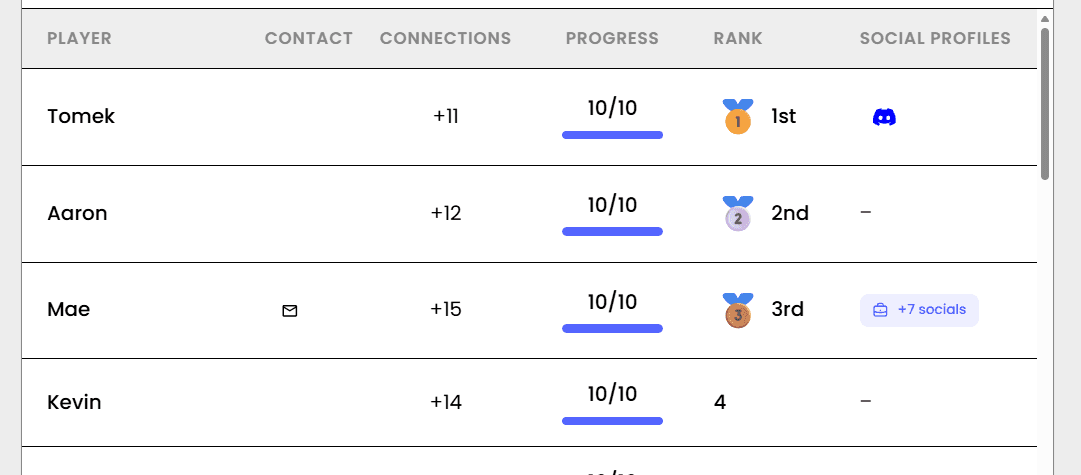
Every connection is saved, so each person gets a list of the people they met - with the contact info they shared and the conversations they had.
TipRecognize the people who met the most new people at the end - it's an easy way to wrap up.
Ready to Use the Company Networking Bingo App at Your Event?
Create a Jam Bingo, add your own prompts, and get a QR code for your event. You’ll be directed to the Create Account page first.
Have questions? Book a 15-minute demo.
Where to Use Company Networking Bingo App
Company All-Hands & Town Halls
All-hands meetings are one of the few times your whole company is in the same room — and most organizations waste it on slides. The Company Networking Bingo App runs alongside your agenda and gets employees actually talking to people they'd never normally meet, all without stealing a minute of your formal program time.
- Turn pre-meeting milling around into productive cross-team connection
- Break employees out of their department bubbles before you ask them to collaborate
- Create energy in the room before the formal content starts
- Give remote attendees joining via screen the exact same experience as in-person ones
Company Offsites & Annual Retreats
Offsites are expensive. The Company Networking Bingo App makes sure you get the most out of every hour you have together — especially the first few, when people haven't loosened up yet and are still defaulting to their usual crew.
- Warm up the room on day one before the strategic work begins
- Ensure people connect across departments, not just within them
- Create shared reference points that teams can build on through the rest of the offsite
- Give introverts and quieter team members a comfortable way into the room
New Employee Onboarding
New hires who make real connections in their first week are significantly more likely to stick around. The Company Networking Bingo App gets them introduced to 15+ colleagues before the end of day one — not just their immediate team, but people across the whole company they'd otherwise take months to meet.
- Help new hires build a real internal network from week one
- Reduce first-week anxiety with a low-pressure way to meet people
- Expose new employees to parts of the company they wouldn't naturally encounter
- Create an immediate sense of belonging before the information overload kicks in
Post-Merger & Acquisition Integration
Two companies becoming one is one of the hardest cultural moments a company can face. The Company Networking Bingo App gives people from both sides a neutral, low-stakes way to meet each other as humans before the org chart anxiety sets in. The game doesn't care which company you came from — and for 20 minutes, neither does anyone else.
- Break down 'us vs. them' dynamics through shared gameplay
- Create early connections across legacy company lines
- Give both sides equal footing from the very first interaction
- Build the interpersonal foundation that makes integration actually work
Cross-Department Collaboration Events
When engineering doesn't know marketing and sales doesn't know product, collaboration suffers. The Company Networking Bingo App is built for exactly this — getting people from different functions talking to each other before you ask them to work together.
- Build the relationships that make cross-functional projects actually work
- Help employees understand what colleagues in other departments actually do
- Reduce the friction that comes from working with strangers
- Create informal connections that make formal collaboration easier
Leadership & Manager Development Programs
A room full of managers who don't know each other is a missed opportunity. The Company Networking Bingo App gets leadership cohorts connecting as people before you ask them to lead together — and the prompts you choose can be tailored to surface exactly the shared experiences and perspectives that make leadership conversations richer.
- Build peer relationships between managers who rarely interact day-to-day
- Create psychological safety in the room before the hard conversations start
- Surface shared leadership experiences through prompt-driven conversation
- Help new managers feel less alone by connecting them with experienced ones
Company Networking Bingo App vs. Traditional Internal Networking
| Feature | Traditional Internal Networking | Company Networking Bingo App |
|---|---|---|
| Who People Talk To | Same team, same friends, every time | Cross-department, cross-level, by design |
| Conversation Quality | "How's your week?" on repeat | Real prompts that lead to real stories |
| Introvert Experience | Miserable — no structure to hide behind | Comfortable — the game gives them a script |
| New Employee Experience | Overwhelmed, unsure who to approach | Immediately included — the game does the introducing |
| Setup for Organizers | Hoping for the best and calling it networking | 5-minute setup, measurable participation data |
| What People Remember Afterward | The free food | The person they met and the conversation they had |
Example Prompts for Company Networking Bingo App
Taken from the Large Corporate Event Icebreaker template. Use them as a starting point, then adapt them to your group.
Make people move
Start prompts with "Find someone who…" so each one sends players across the room to a new person, not back to their own table.
Mix easy and deeper prompts
Open with quick, observable prompts (something they're wearing, where they're from), then add a few that lead to a real story.
Keep them inclusive
Avoid prompts about money, looks, or anything someone could feel left out of. Everyone should be able to answer at least half of them.
Match the length of your event
Around 12–16 prompts fits a 30-minute game. More prompts than time just leaves people unfinished.
- 1
Find someone from a department you've never worked with and ask what a normal day looks like for them
- 2
Find someone who works in a different office or city and ask what their favorite lunch spot near work is
- 3
Find someone who started this year and ask what surprised them most about the company
- 4
Find someone who has been here longer than you and ask what's changed the most since they joined
- 5
Find someone whose job you couldn't explain in one sentence, and ask them to explain it in one sentence
- 6
Find someone you've emailed but never met in person
- 7
Ask someone what project they're most proud of this year
- 8
Ask someone what their first job ever was
- 9
Find someone who has worked in more than one department here
- 10
Ask someone what's one tool or app that saves them hours every week
- 11
Challenge someone to name three things your two teams have in common
- 12
Find someone who has a hidden talent their coworkers don't know about
See all 15 prompts in the Large Corporate Event Icebreaker template · Browse all templates
Other Platforms Like Jam Bingo
Jam Bingo is designed to help people actually get to know each other, not just exchange names. Unlike icebreaker games that focus on quick interactions or surface-level fun, Jam Bingo is built around meaningful conversations that make it easier for people to open up, find common ground, and build real relationships.
| Features | Jam Bingo | Hoogo | SocialPoint.io | Booth Bingo | Eventgamification.com |
|---|---|---|---|---|---|
| Paperless (QR Code Digital) | ✅ | ✅ | ✅ | ✅ | ✅ |
| Custom Branding | ✅ | ✅ | ✅ | ❌ | ❌ |
| Conversation Prompt | ✅ | ❌ | ❌ | ❌ | ❌ |
| Meaningful & Intentional Connections | ✅ | ❌ | ❌ | ❌ | ❌ |
| Contact Sharing (Email, Instagram, Linkedin, etc) | ✅ | ❌ | ❌ | ❌ | ❌ |
| Each person gets a list of everyone they connected with, including contact information and conversations they had. | ✅ | ❌ | ❌ | ❌ | ❌ |
| Introduction Forum | ✅ | ❌ | ❌ | ❌ | ❌ |
| Auto Introductions ("Introduce Me") | ✅ | ❌ | ❌ | ❌ | ❌ |
Frequently Asked Questions
What is the Company Networking Bingo App?
It's a digital icebreaker built for internal company events. Employees scan a QR code to get prompts about their colleagues — and complete them by finding and talking to people who match. It's the fastest way to get cross-department conversations happening at any company gathering.
How is this different from a regular icebreaker?
A regular icebreaker puts people on the spot — stand up, say something about yourself, sit back down. The Company Networking Bingo App is self-directed. Employees choose who to approach, what to talk about, and how much to share. It feels more like a game than a meeting activity, which is exactly why people actually participate.
Will senior leaders and executives actually play?
Yes — and that's one of the most valuable things about it. When a VP is walking around the room with a prompt looking for someone who started in a different country, it completely levels the hierarchy for 20 minutes. Junior employees approach people they'd never normally approach. Senior leaders meet people three levels below them. That dynamic doesn't happen by accident — the game creates it.
What if our company is spread across multiple offices or fully remote?
The Company Networking Bingo App works just as well across locations. For hybrid events, everyone joins via the same link regardless of where they're sitting. For fully remote sessions, run the bingo in video breakout rooms — pairs or small groups find their matches through quick conversations. Distributed teams often get the most out of it because the game creates connections that geography was preventing.
How do we make the prompts feel relevant to our company?
Start with your company's actual story. How long has it been around? What was the pivot moment? Who are the OGs? What teams exist that most people don't know about? Then write prompts around that — 'Find someone who remembers the old office,' 'Find someone who has worked across 3 different time zones,' 'Find someone who has been here through a major product launch.' That kind of specificity makes people feel like the game was made for them — because it was.
Do employees need to download an app?
No downloads, no accounts, no friction. They tap a link or scan a QR code and the game opens instantly in their browser. At a company event, the last thing you want is people fumbling with an app store while the room waits. This just works.
The Simple Way to Get People Talking
Jam Bingo gets people having meaningful conversations and meeting as many new people as possible.
Professional Team Icebreakers for Workplace Events
JamBingo is an interactive team ice breaker activity for professionals that turns uncomfortable first interactions into genuine connections — using gamified conversation prompts that feel natural, not forced.
GuideMental Health Awareness Activities for Workplaces
JamBingo is a gentle conversation tool that helps encourage conversations mental health awareness in the workplace — turning a taboo topic into something teammates can actually talk about without fear or discomfort.
GuideMulti-Office Icebreakers for Company Retreats
Jam Bingo is an ice breaker activity that helps employees from different offices connect & interact naturally (for less awkward networking sessions).
Networking games11 First-Time Coming Together Networking Games for Corporate Events
When a team is meeting for the first time, the right ice breaker does the heavy lifting so people don't have to.
Networking games10 Team Ice Breaker Activities for Your Company Picnic
Move beyond awkward small talk. These unique icebreakers turn any picnic into a genuine connection zone.
Networking games10 Company Annual Gathering Interactive Ice breaker Activities
Your annual gathering should feel like a celebration, not a compliance event. These icebreakers help people actually connect around the year that was — and get excited for what's next.