All-Hands Meeting Icebreaker Tool
Make your in-person all-hands about people, not just slides — get employees talking across teams.

Why All-Hands Meetings Need an Icebreaker
An in-person all-hands is one of the few times the whole company is in one room. But most of it is spent listening to presentations, and people sit with their own team. An all-hands icebreaker uses that time to build cross-team relationships — which is often the real reason to bring everyone together.
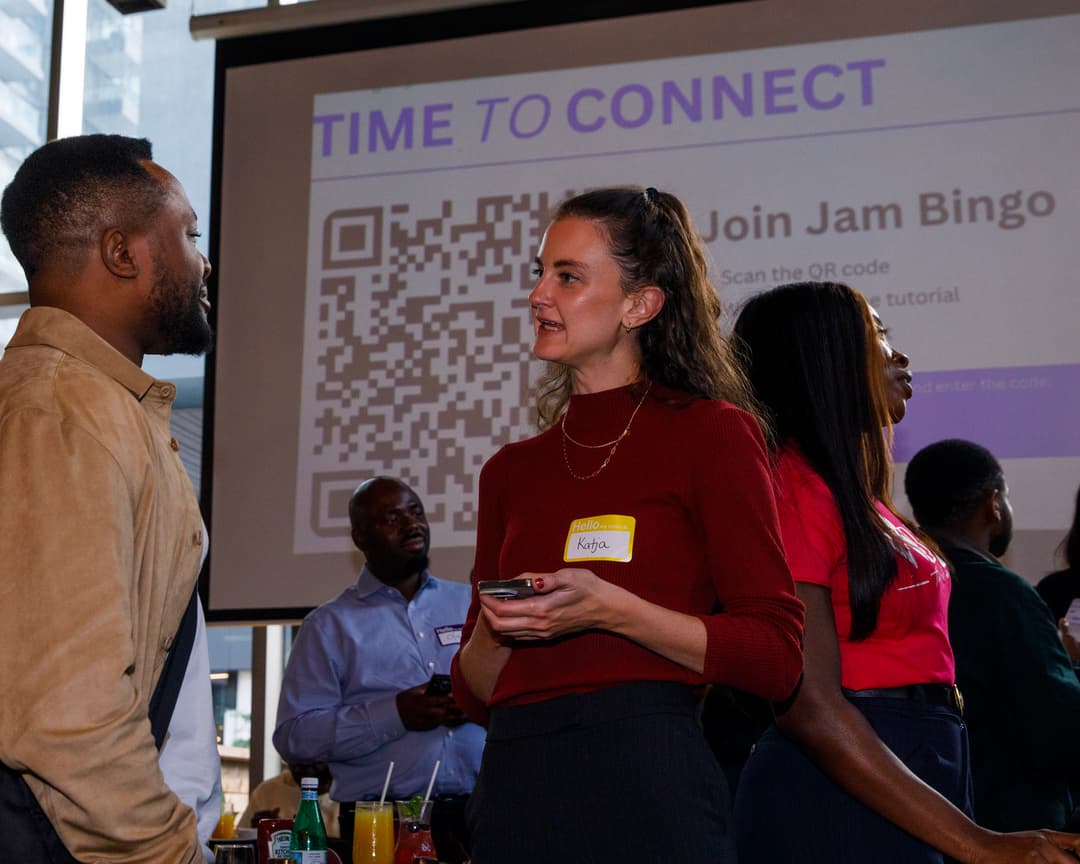
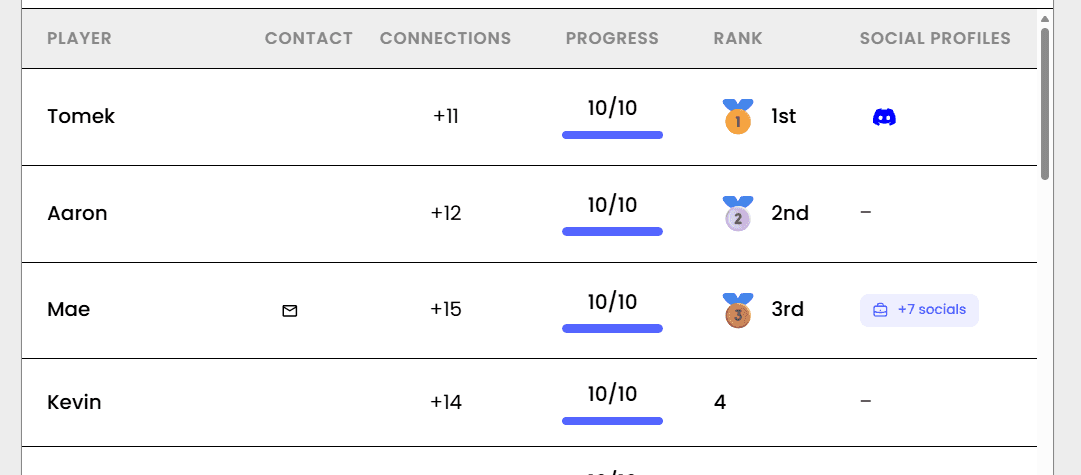
Jam Bingo sends each employee prompts like 'Find someone from a team you've never worked with and ask what they're focused on this quarter.' After each conversation, they scan each other's QR codes to unlock the next prompt. Run it during the reception or break, and share the leaderboard on the main screen.
How?
Jam Bingo is the simplest networking game that gets everyone talking and learning more about each other.
1. during the networking session
Introduce Jam Bingo to get attendees started.
2. Attendees scan to participate
Guests open their phone camera and scan the QR Code.
3. A conversation starter To Connect
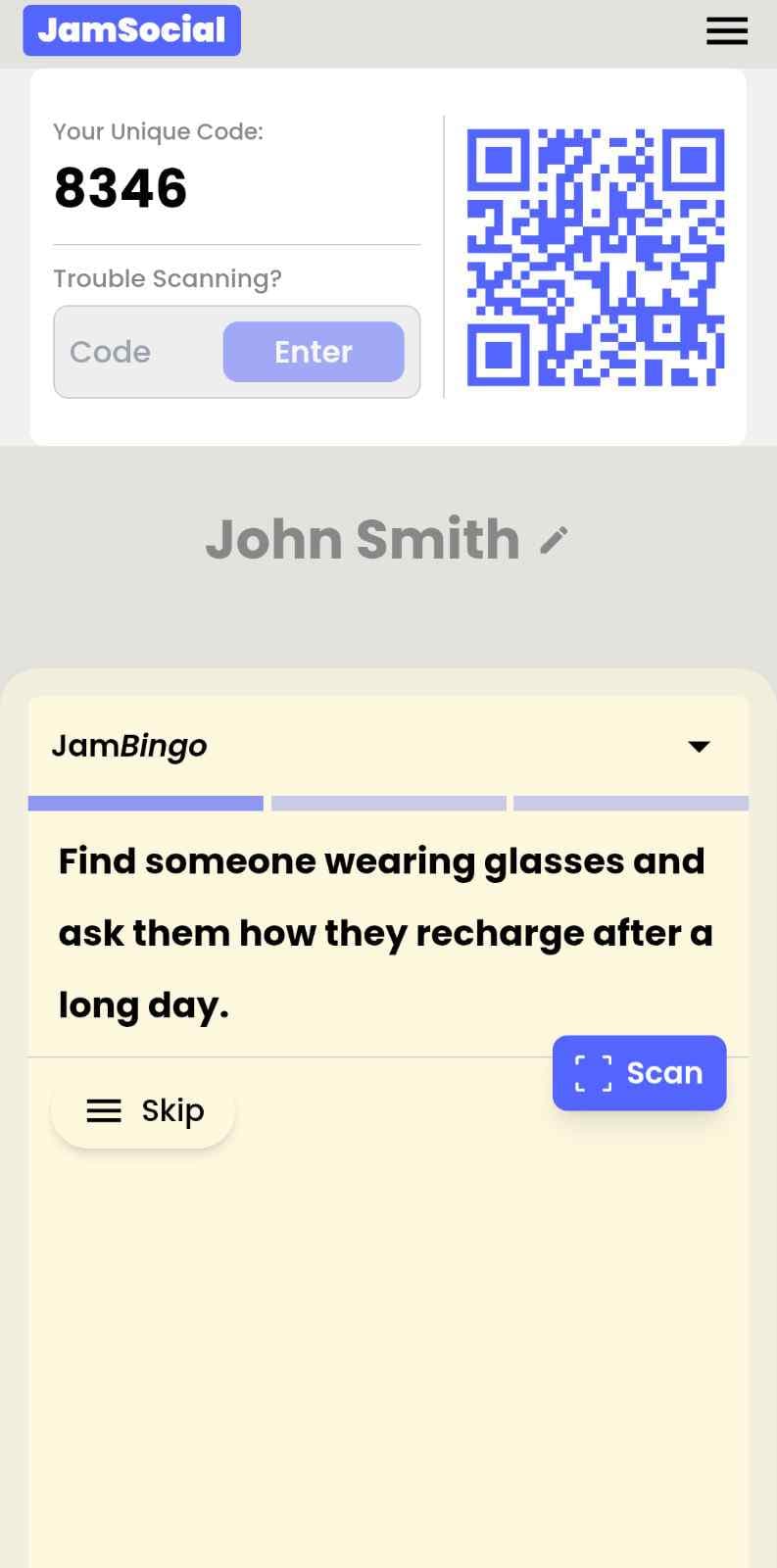
Each guest receives a tailored conversation starter.
4. The Exchange: Get People Talking
After chatting, scan the other person's QR Code to mark the connection and unlock your next prompt.
How to Use the All-Hands Icebreaker at Your Event
The all-hands icebreaker helps the people at your event meet new people, not just the people they came with. Here’s how to use it:
- 01Step 1
Decide How Many New People Each Person Meets
Create a Jam Bingo for your event and choose how many different people you'd like each person to talk with. That's the job of the All-Hands Icebreaker: getting people past the group they came with and into conversations with people they haven't met yet.
TipNot sure? Start with 5 people each - enough to get everyone past the group they came with. - 02Step 2
Add Conversation Prompts
Pick a ready-made template or write your own prompts. Each prompt gives people a reason to find someone new and a question to start the conversation.
TipKeep prompts about people, not trivia - "Find someone who…" sends people across the room to someone new. - 03Step 3
Display Your Jam Bingo QR Code
Put your Jam Bingo QR code on the big screen, at check-in, or on table cards. People scan it with their phone camera to join - no app to download.
TipExplain it once, in one line: scan, find someone who fits your prompt, talk, then scan each other's QR code. - 04Step 4
Let People Meet New People
Each person gets a conversation prompt, finds someone who fits it, and talks with them. Then they scan that person's QR code to get their next prompt and meet someone else.
TipGive it 20 to 45 minutes during a reception, break, or networking session. - 05Step 5
Everyone Leaves With Their Connections
Every connection is saved, so each person gets a list of the people they met - with the contact info they shared and the conversations they had.
TipRecognize the people who met the most new people at the end - it's an easy way to wrap up.
Ready to Use the All-Hands Icebreaker at Your Event?
Create a Jam Bingo, add your own prompts, and get a QR code for your event. You’ll be directed to the Create Account page first.
Have questions? Book a 15-minute demo.
Where to Use All-Hands Icebreaker
In-Person All-Hands
Make the all-hands the day people meet coworkers from other teams.
- Builds cross-team relationships
- Helps new hires meet people
- Adds energy between sessions
Town Halls
Warm up the room before a town hall so people feel connected.
- Friendlier Q&A afterwards
- Mixes departments
- Quick to launch
Company Kickoffs
Start the year with the whole company meeting across teams and offices.
- Breaks down silos
- Works across offices
- Leaderboard on the big screen
All-Hands Icebreaker vs. a Presentation-Only All-Hands
| Feature | Presentation-Only | All-Hands Icebreaker |
|---|---|---|
| Cross-team conversations | Rare | Several per employee |
| New hires | Sit with their own team | Meet people across the company |
| Energy | Drops during long sessions | A break that gets people moving |
| Works for large companies | Yes | Yes — any group size |
| Setup | Slides | Write prompts and show a QR code |
Example Prompts for All-Hands Icebreaker
Taken from the Alumni Society: December Town Hall template. Use them as a starting point, then adapt them to your group.
Make people move
Start prompts with "Find someone who…" so each one sends players across the room to a new person, not back to their own table.
Mix easy and deeper prompts
Open with quick, observable prompts (something they're wearing, where they're from), then add a few that lead to a real story.
Keep them inclusive
Avoid prompts about money, looks, or anything someone could feel left out of. Everyone should be able to answer at least half of them.
Match the length of your event
Around 12–16 prompts fits a 30-minute game. More prompts than time just leaves people unfinished.
- 1
Find someone at their first town hall and welcome them
- 2
Find someone who lives outside the state and ask where
- 3
Find someone who visited campus this year and ask what they saw
- 4
Find someone who reads the alumni newsletter and ask their favorite section
- 5
Find someone from a different decade and guess their graduation year
- 6
Find someone who volunteers on a committee and ask which one
- 7
Ask a board member what they're working on right now
- 8
Ask someone what question they want to ask the panel
- 9
Ask someone who mentors a student what they talk about
- 10
Ask someone with an idea for next year to share it
- 11
Ask someone what's changed most on campus since they graduated
- 12
Ask someone what they'd want the society to focus on next year
See all 26 prompts in the Alumni Society: December Town Hall template · Browse all templates
Other Platforms Like Jam Bingo
Jam Bingo is designed to help people actually get to know each other, not just exchange names. Unlike icebreaker games that focus on quick interactions or surface-level fun, Jam Bingo is built around meaningful conversations that make it easier for people to open up, find common ground, and build real relationships.
| Features | Jam Bingo | Hoogo | SocialPoint.io | Booth Bingo | Eventgamification.com |
|---|---|---|---|---|---|
| Paperless (QR Code Digital) | ✅ | ✅ | ✅ | ✅ | ✅ |
| Custom Branding | ✅ | ✅ | ✅ | ❌ | ❌ |
| Conversation Prompt | ✅ | ❌ | ❌ | ❌ | ❌ |
| Meaningful & Intentional Connections | ✅ | ❌ | ❌ | ❌ | ❌ |
| Contact Sharing (Email, Instagram, Linkedin, etc) | ✅ | ❌ | ❌ | ❌ | ❌ |
| Connect with people who aren't playing (scan their LinkedIn QR code, or enter their name + email or phone) | ✅ | ❌ | ❌ | ❌ | ❌ |
| Each person gets a list of everyone they connected with, including contact information and conversations they had. | ✅ | ❌ | ❌ | ❌ | ❌ |
| Introduction Forum | ✅ | ❌ | ❌ | ❌ | ❌ |
| Auto Introductions ("Introduce Me") | ✅ | ❌ | ❌ | ❌ | ❌ |
Frequently Asked Questions
What is a good icebreaker for an all-hands meeting?
One that uses the time together to connect people across teams. Jam Bingo sends prompts to employees' phones during a break or reception, and each conversation with someone from another team unlocks the next prompt.
When should we run it during the all-hands?
During the pre-meeting reception, a mid-point break, or the social hour after. Avoid running it during presentations.
Does it work for hybrid or virtual all-hands?
Jam Bingo is designed for in-person conversations. It works best when employees are in the same room.
Do employees need to download an app?
No. Employees scan a QR code with their phone camera and join with just their name.
Does it work for large companies?
Yes. Everyone plays on their own phone, so it works the same for 50 or 5,000 employees.
The Simple Way to Get People Talking
Jam Bingo gets people having meaningful conversations and meeting as many new people as possible.
All-Hands Networking Activities for Company Town Halls
JamBingo is a gamified networking tool that helps team members meet colleagues outside their usual circles — turning siloed departments into a connected, collaborative company.
GuideIce Breaker Ideas for Adults at Alumni Society: December Town Hall
Jam Bingo is a simple game that helps alumni society members and university leaders mix and get to know each other at Alumni December Town Hall.
GuideLeadership Meeting Engagement Ideas for Executive Teams
Jam Bingo offers an interactive networking tool that helps leaders break down organizational silos and build authentic relationships across departments.
Networking games10 Unique Networking Games for New Student Engagement
You’ve got hundreds of nervous freshmen coming together at your upcoming event. Here’s how to get them talking and interacting with each other.
Networking games15 Icebreaker Games for a Halloween Company Mixer
Spooky, work-friendly games that get coworkers talking across teams, costume or no costume.
Networking gamesNetworking Games for Law Firm General Meeting
Get your legal teams, partners, and admin staff to interact and get to know each other through a unique networking activity that takes the stress out of corporate announcements.