What is a Digital Trade Show Passport?
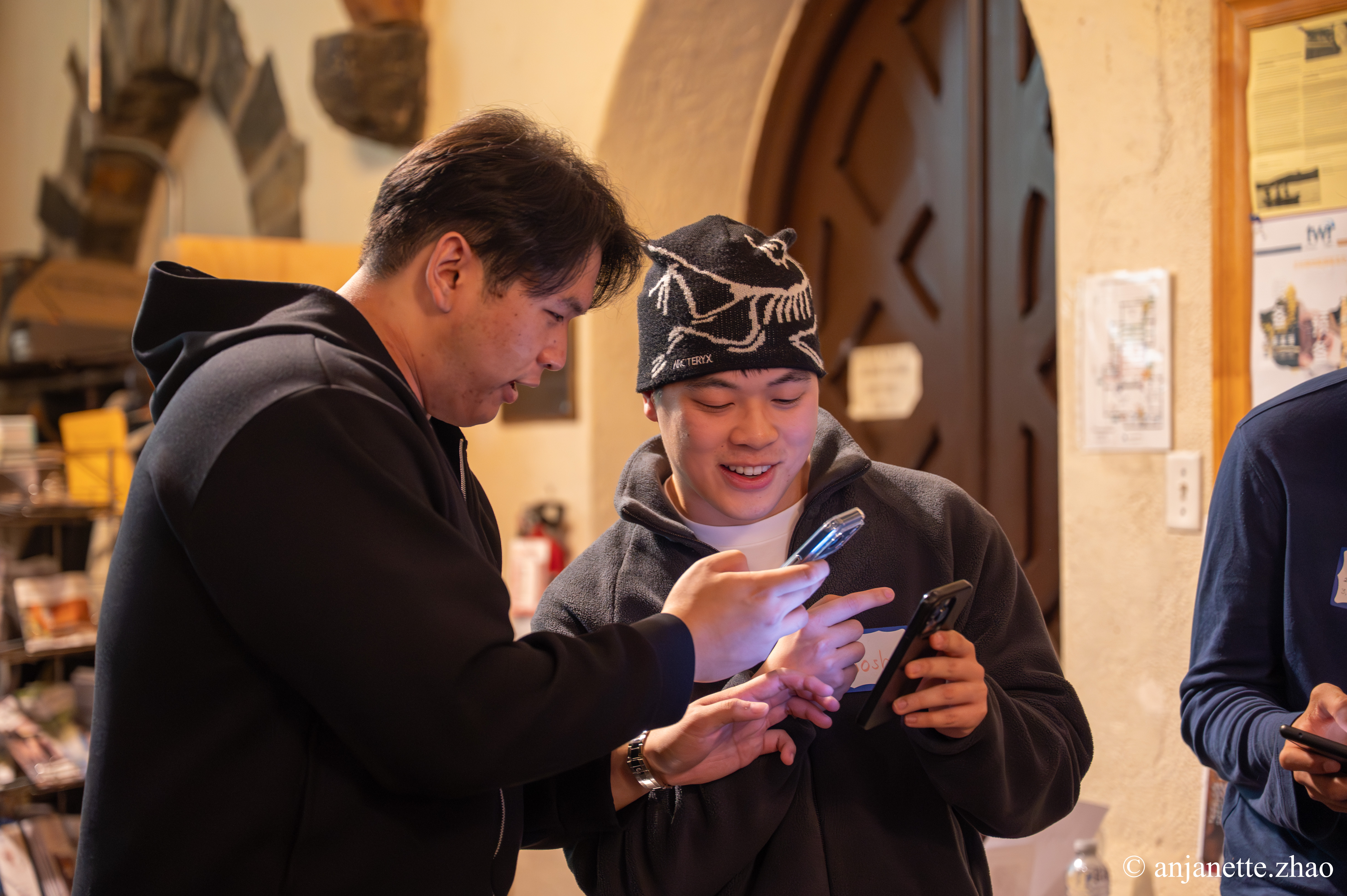
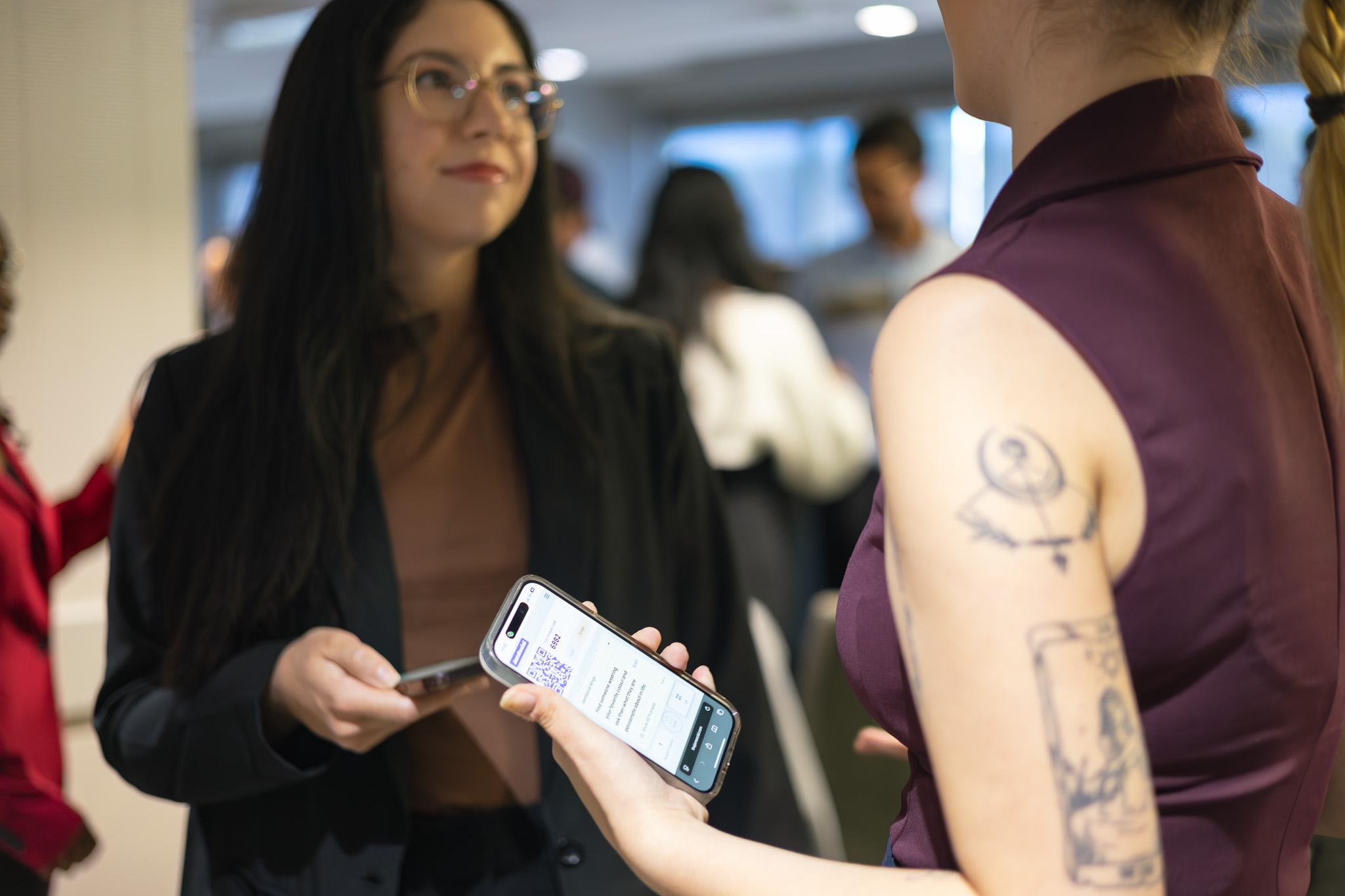
A digital trade show passport replaces the paper stamp card that attendees carry from booth to booth. With Jam Bingo, employees scan one QR code on their phone, get a conversation prompt tied to a partner’s booth, have the conversation, and unlock their next prompt. There’s nothing to print, no app to download, and no stamps to count at the end.
At a company partner showcase, the goal is to get your people talking with as many partners and sponsors as possible. Jam Bingo shows each person the prompts in random order, so employees spread out across every booth instead of crowding the first few—including partners located further back in the venue who wouldn’t naturally get foot traffic.
How Does Digital Trade Show Passport Work?
Digital Trade Show Passport runs on Jam Bingo—the simple, interactive networking activity. It is not a card, it has no squares, and attendees do not fill anything out. Here’s what each attendee does:
- 1
Scan to join
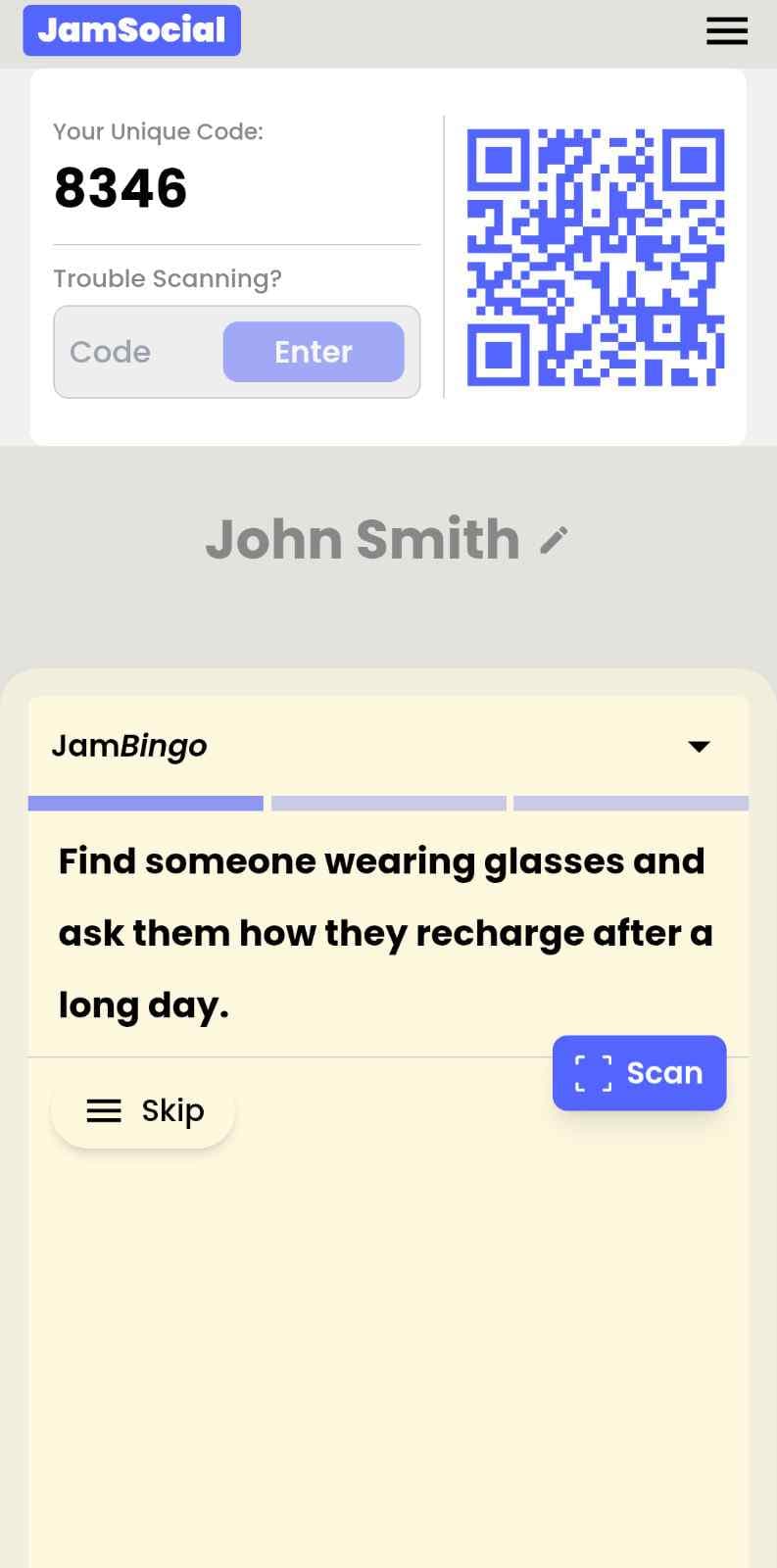
Attendees scan the event’s Jam Bingo QR code (or enter the game code). It runs in the phone’s browser—nothing to download.
- 2
Get a conversation prompt
Each person receives a conversation prompt on their phone, like a question to ask someone new.
- 3
Find someone and talk
They find someone who fits the prompt, have the conversation, then scan that person’s QR code (or enter their code) to unlock the next prompt.
- 4
Repeat and connect
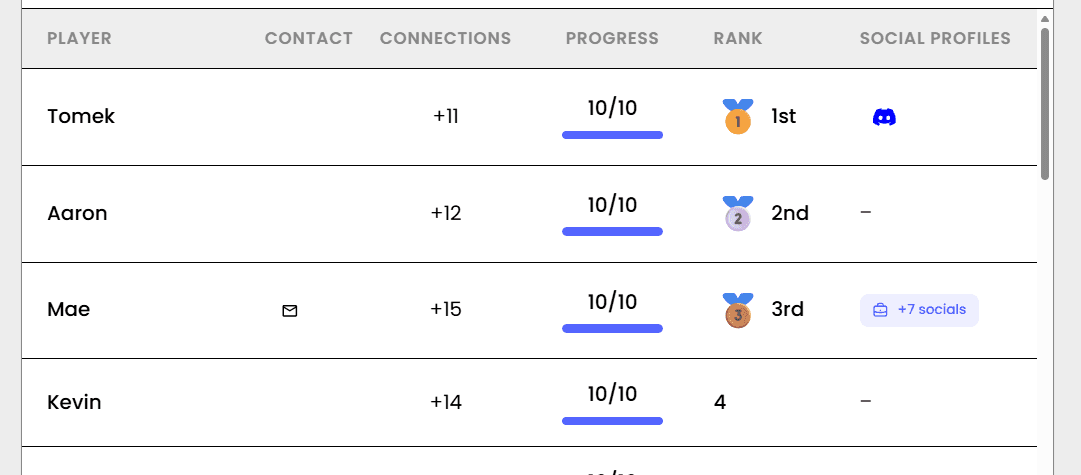
Every connection is saved, and the leaderboard shows who met the most new people—perfect for prizes.

Try the Jam Bingo Demo
See exactly what your attendees will experience. Scan the QR code with your phone, or use game code QW40PM.
How to Use the Digital Trade Show Passport at Your Event
Follow these steps to set up and run the digital trade show passport for your own event.
- 01Step 1
Write one prompt per partner
Create a conversation prompt for each partner or sponsor booth. Evotek wrote 51 prompts for their 51 partners. A prompt can be as simple as: “Find someone from the XYZ booth and ask them about a product or service they offer that most people do not know about.”
TipMake each prompt a question that needs a short, real conversation—not something attendees can answer by reading the booth banner. - 02Step 2
Create your Jam Bingo and get your QR code
Add your partner prompts to a new Jam Bingo. You’ll get a dedicated QR code (and game code) just for your partner showcase.
TipTest it with a few colleagues first so you can answer questions confidently on the day. - 03Step 3
Display the QR code around the venue
Put the QR code on the big screen and TVs around the venue, and place extra printed QR codes around the networking space so everyone can join.
TipEvotek saw a lot more participation once the QR code was on the big screen and extra QR codes were placed around the networking space. - 04Step 4
Have your emcee kick it off
Once everyone has arrived, have your emcee introduce the activity and ask everyone to scan the QR code. Each employee receives their first partner prompt and heads to that booth.
TipAvoid starting while people are still arriving or eating—latecomers will feel lost and participation drops. - 05Step 5
Award prizes with the leaderboard
Jam Bingo validates each connection and shows a leaderboard of who visited the most booths. Use it to award prizes like swag and gift cards at the end.
TipSave the prize announcement for the end, so people don’t rush through their conversations.
Ready to Use the Digital Trade Show Passport at Your Event?
Create a Jam Bingo, add your own prompts, and get a QR code for your event. You’ll be directed to the Create Account page first.
Have questions? Book a 15-minute demo.
Where to Use Digital Trade Show Passport
Annual Company Partner Showcases
Get employees talking with every partner and sponsor at your partner showcase—not just the booths closest to the entrance.
- One prompt per partner booth
- Random prompt order spreads booth traffic
- No stamp cards to print or collect
- Leaderboard for prizes
Sponsor & Exhibitor Halls
Give sponsors real conversations with attendees instead of a quick badge scan.
- Conversation prompts tied to each sponsor
- Traffic for booths at the back of the venue
- Validated connections
- Nothing for attendees to download
Association & Member Tradeshow Mixers
Help members actually visit the businesses exhibiting at your tradeshow mixer. The Edmonton Business Association used Jam Bingo to get members visiting vendor booths.
- Members meet the businesses at each booth
- Better experience for exhibiting vendors
- Prize for whoever connects with the most businesses
- Easy to run for the first time
Digital Trade Show Passport vs. Paper Stamp Cards
| Feature | Paper Stamp Cards | Digital Passport (Jam Bingo) |
|---|---|---|
| Setup | Print, hand out, and collect cards | Display one QR code |
| Booth traffic | People crowd the booths near the entrance | Prompts in random order spread people across every booth |
| Conversations | Get a stamp and move on | A conversation prompt for each partner |
| Verification | Stamps checked by hand | Each connection is validated |
| Picking winners | Count cards by hand | Live leaderboard |
| App download | Not applicable | None—runs in the phone’s browser |
Example Jam Bingo Prompts
Use these as a starting point, or write your own prompts for your event.
- 1
Challenge someone to introduce you to the last person they met
- 2
Find someone wearing a blue top and ask them about their favorite weekend activity
- 3
Find someone wearing a red top and compare your go-to coffee or tea orders
- 4
Find someone wearing a green top and discover what movie or show they've rewatched the most
- 5
Find someone wearing a yellow or orange item and ask about their favorite season and why
- 6
Find someone wearing pattern/stripes and share the best vacation you've ever taken
- 7
Find someone wearing glasses and learn what skill they would love to master overnight
- 8
Find someone wearing a non-smart-watch and ask what their absolute favorite hour of the day is
- 9
Find someone wearing a white top and ask them for their top dish to cook at home
- 10
Find someone wearing a black top and ask what fictional world they would love to live in
Other Platforms Like Jam Bingo
Jam Bingo is designed to help people actually get to know each other, not just exchange names. Unlike icebreaker games that focus on quick interactions or surface-level fun, Jam Bingo is built around meaningful conversations that make it easier for people to open up, find common ground, and build real relationships.
| Features | Jam Bingo | Hoogo | SocialPoint.io | Booth Bingo | Eventgamification.com |
|---|---|---|---|---|---|
| Paperless (QR Code Digital) | ✅ | ✅ | ✅ | ✅ | ✅ |
| Custom Branding | ✅ | ✅ | ✅ | ❌ | ❌ |
| Conversation Prompt | ✅ | ❌ | ❌ | ❌ | ❌ |
| Meaningful & Intentional Connections | ✅ | ❌ | ❌ | ❌ | ❌ |
| Contact Sharing (Email, Instagram, Linkedin, etc) | ✅ | ❌ | ❌ | ❌ | ❌ |
| Each person gets a list of everyone they connected with, including contact information and conversations they had. | ✅ | ❌ | ❌ | ❌ | ❌ |
| Introduction Forum | ✅ | ❌ | ❌ | ❌ | ❌ |
| Auto Introductions ("Introduce Me") | ✅ | ❌ | ❌ | ❌ | ❌ |
Frequently Asked Questions
What is a digital trade show passport?
A digital trade show passport is a phone-based replacement for the paper stamp card attendees carry from booth to booth. With Jam Bingo, attendees scan a QR code, get a conversation prompt tied to a partner’s booth, and unlock the next prompt after each conversation.
How do you get employees to visit every partner booth?
Give every partner its own prompt and show the prompts in random order. Evotek wrote 51 prompts for their 51 partners, and Jam Bingo’s random order spread their 500+ employees across all the booths—including partners further back in the venue.
Do attendees need to download an app?
No. Jam Bingo runs in the phone’s browser. Attendees scan the QR code (or enter the game code) and they’re playing in seconds.
What if someone’s phone camera doesn’t work?
Attendees can enter the other person’s code instead of scanning their QR code, so a camera issue doesn’t stop them from playing.
How do you pick the winners?
Jam Bingo validates each connection and shows a leaderboard of who made the most connections, so you can award prizes like swag or gift cards at the end without counting stamps.
How is this different from a booth check-in or scavenger hunt?
A booth check-in often becomes scan-and-go. Jam Bingo gives each attendee a conversation prompt for the partner, so the booth visit starts with a real conversation.
The Simple Way to Get People Talking
Jam Bingo gets people having meaningful conversations and meeting as many new people as possible.