
Holiday Networking Mixer Game
Festive prompts, real connections, and zero setup for your end-of-year mixer.
Why Use a Networking Game at Your Holiday Mixer
Holiday mixers bring out your biggest crowd, but a full room doesn't mean people are meeting. Most guests stay with coworkers and familiar faces. A networking game gives everyone a festive, low-pressure reason to walk up to someone new.
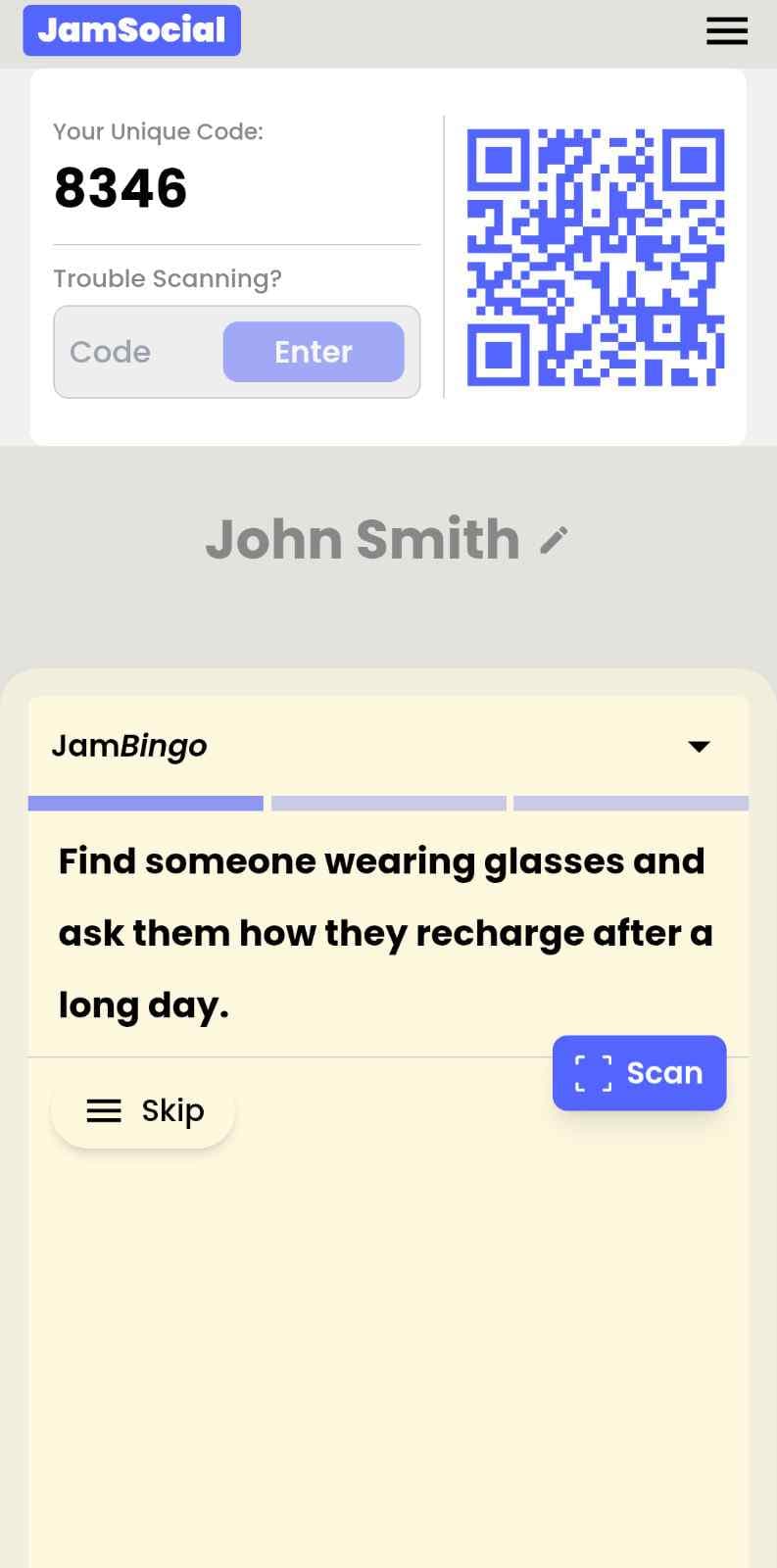
Jam Bingo gives each guest one prompt at a time on their phone, like 'Find someone who could be a good referral partner for your business.' They find a match, chat, and scan each other's QR code to unlock the next prompt. Every scan saves a connection, so guests leave with a list of people to call in January.
How Does Holiday Networking Mixer Game Work?
Holiday Networking Mixer Game runs on Jam Bingo—the simple, interactive networking activity. It is not a card, it has no squares, and attendees do not fill anything out. Here’s what each attendee does:
How is Jam Bingo Played?
Attendees scan the event’s Jam Bingo QR code (or enter the game code). It runs in the phone’s browser—there is no app to download.


How to Use the Holiday Networking Mixer Game at Your Event
Follow these steps to set up and run the holiday networking mixer game for your own event.
- 01Step 1
Pick Holiday Prompts
Start from the Holiday Networking Mixer template. Mix festive openers with business prompts.
TipKeep about one third of prompts festive and two thirds about work and goals. - 02Step 2
Share One QR Code
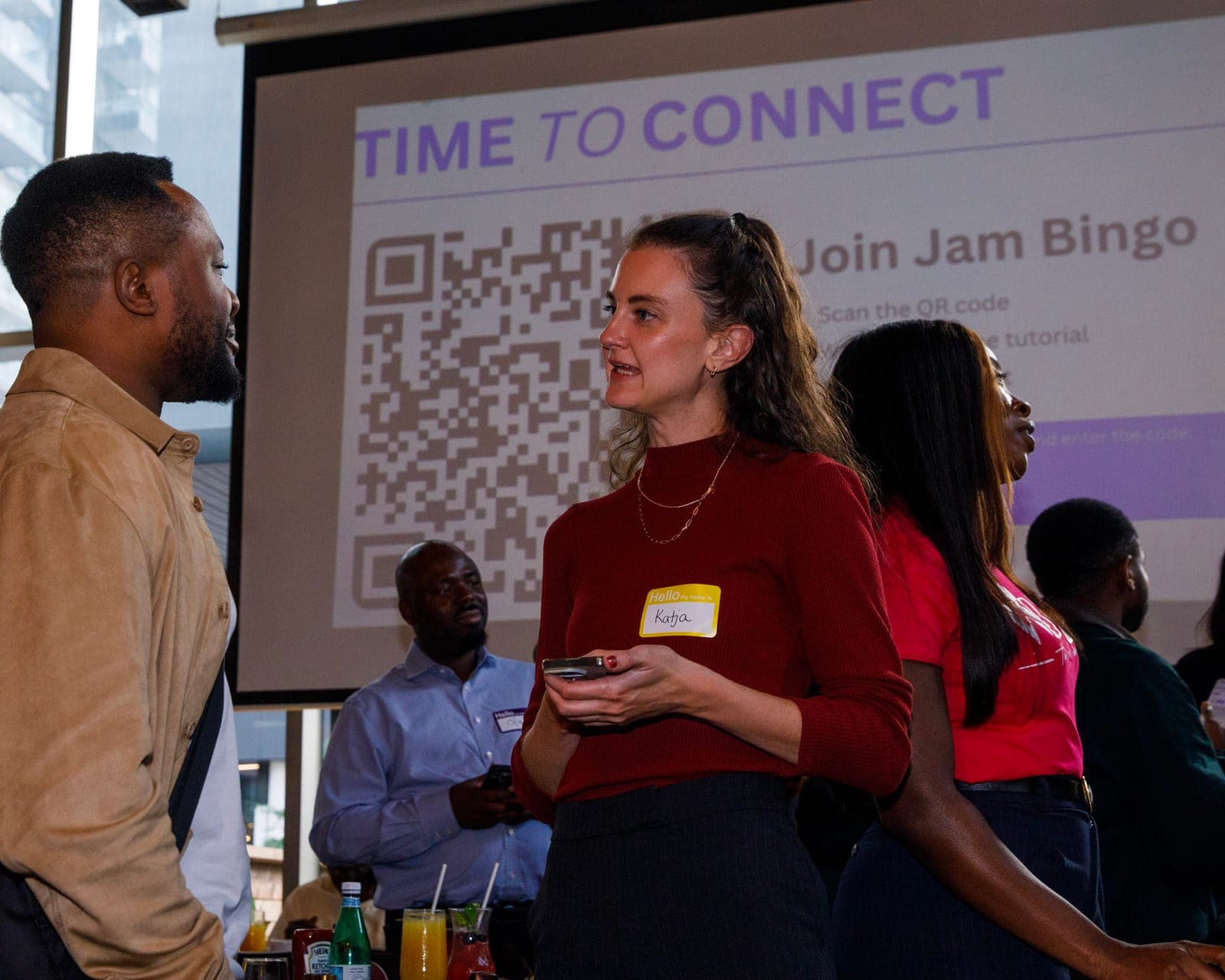
Put the QR code on a screen, table cards, or the bar. Guests scan with their phone camera.
TipLaunch it once most guests have a drink in hand. - 03Step 3
Mingle and Celebrate
Guests match, chat, and scan to connect. Give a small holiday prize to the top connectors.
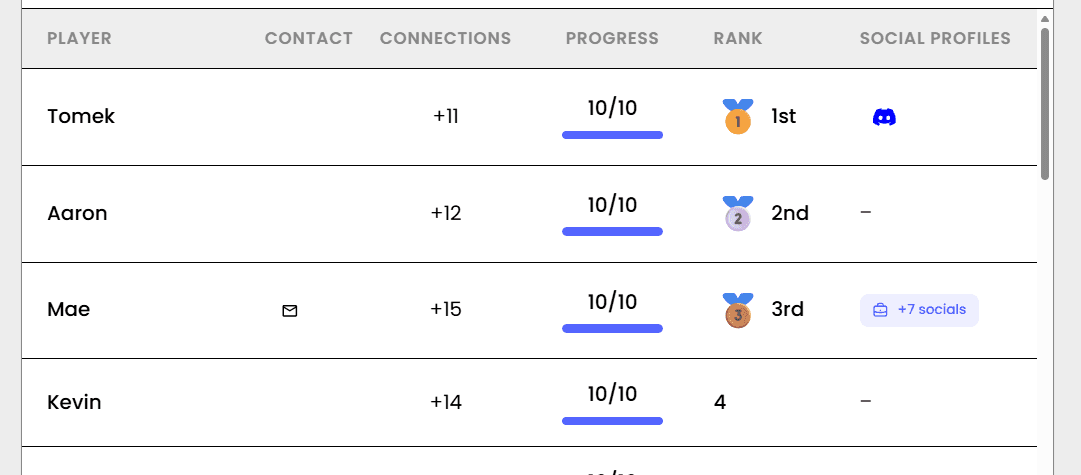
TipShow the live leaderboard to keep energy up.
Ready to Use the Holiday Networking Mixer Game at Your Event?
Create a Jam Bingo, add your own prompts, and get a QR code for your event. You’ll be directed to the Create Account page first.
Have questions? Book a 15-minute demo.
Where to Use Holiday Networking Mixer Game
Chamber Holiday Mixers
Help members and guests meet new business contacts at your biggest event of the year.
- Mixes members and guests
- Sponsor-friendly results
- Zero setup
Association Year-End Receptions
Give members a festive way to meet across chapters, roles, and industries.
- Crosses chapters
- Easy for first-timers
- Saved connections
Client Holiday Parties
Help clients, partners, and your team mingle instead of clustering by company.
- Builds client relationships
- Breaks company clusters
- Feels like a party
Holiday Networking Game vs. Classic Holiday Party Games
| Feature | Ugly Sweater Contests & Trivia | Jam Bingo Holiday Mixer Game |
|---|---|---|
| Goal | Entertainment | Entertainment plus new connections |
| Who talks to whom | Teams of people who already know each other | Guests meet someone new every prompt |
| Setup | Host, mic, scoring | One QR code |
| Group size | Hard past 50 | 30 to 500+ |
| Follow-up | Nothing saved | Every connection saved |
Example Prompts for Holiday Networking Mixer Game
Taken from the Holiday Networking Mixer template. Use them as a starting point, then adapt them to your group.
Make people move
Start prompts with "Find someone who…" so each one sends players across the room to a new person, not back to their own table.
Mix easy and deeper prompts
Open with quick, observable prompts (something they're wearing, where they're from), then add a few that lead to a real story.
Keep them inclusive
Avoid prompts about money, looks, or anything someone could feel left out of. Everyone should be able to answer at least half of them.
Match the length of your event
Around 12–16 prompts fits a 30-minute game. More prompts than time just leaves people unfinished.
- 1
Find someone who works in an industry you know nothing about and ask what their busiest season is
- 2
Find someone who has a holiday tradition at their workplace and ask how it started
- 3
Find someone who is attending this mixer for the first time
- 4
Find someone who closed a big project this year and ask what they learned
- 5
Find someone who can recommend a great local spot for a client lunch
- 6
Find someone who is traveling for the holidays and ask where they're headed
- 7
Find someone who is hiring right now and ask what role they're trying to fill
- 8
Find someone who started a new job or business this year
- 9
Find someone who has a professional goal for next year they're excited about
- 10
Find someone whose favorite holiday treat matches yours
- 11
Find someone who could be a good referral partner for your business
- 12
Find someone who volunteers during the holidays and ask what cause they support
See all 15 prompts in the Holiday Networking Mixer template · Browse all templates
Other Platforms Like Jam Bingo
Jam Bingo is designed to help people actually get to know each other, not just exchange names. Unlike icebreaker games that focus on quick interactions or surface-level fun, Jam Bingo is built around meaningful conversations that make it easier for people to open up, find common ground, and build real relationships.
| Features | Jam Bingo | Hoogo | SocialPoint.io | Booth Bingo | Eventgamification.com |
|---|---|---|---|---|---|
| Paperless (QR Code Digital) | ✅ | ✅ | ✅ | ✅ | ✅ |
| Custom Branding | ✅ | ✅ | ✅ | ❌ | ❌ |
| Conversation Prompt | ✅ | ❌ | ❌ | ❌ | ❌ |
| Meaningful & Intentional Connections | ✅ | ❌ | ❌ | ❌ | ❌ |
| Contact Sharing (Email, Instagram, Linkedin, etc) | ✅ | ❌ | ❌ | ❌ | ❌ |
| Each person gets a list of everyone they connected with, including contact information and conversations they had. | ✅ | ❌ | ❌ | ❌ | ❌ |
| Introduction Forum | ✅ | ❌ | ❌ | ❌ | ❌ |
| Auto Introductions ("Introduce Me") | ✅ | ❌ | ❌ | ❌ | ❌ |
Frequently Asked Questions
What is a holiday networking mixer game?
A game that helps guests at a holiday mixer meet new people. In Jam Bingo, each guest gets one festive or business prompt at a time and scans the QR code of each person they connect with.
Do guests need to download an app?
No. It opens in the phone's browser after scanning a QR code.
How long should it run?
30 to 45 minutes during the main mingling time.
Will it feel too much like work at a party?
No. Holiday prompts keep it light while business prompts make each conversation count.
Can I edit the prompts?
Yes. Start from the template and change anything to fit your guests.
The Simple Way to Get People Talking
Jam Bingo gets people having meaningful conversations and meeting as many new people as possible.
Holiday Networking Mixer Games
Jam Bingo is a holiday networking game that gives every guest a festive, easy reason to meet someone new, one prompt at a time.
GuideSmall Business Mixer Activities for Chambers of Commerce
Jam Bingo is a networking activity that helps 100+ business owners meet beyond their usual circle in about 20 minutes, one prompt at a time.
GuideHouse Party Mingling Games for Holiday Gatherings
JamBingo is a light, gamified activity that helps you encourage mingling at a house party — turning stiff silences and cliques into laughter, connection, and unexpected friendships.
Networking games10 Easy & No-Prep Interactive Networking Games for Professionals
No supplies, no setup, no awkward silence. Just games that get a room full of strangers actually talking.
Networking games25 Icebreakers for an Association AGM & Tradeshow Mixer
These icebreakers turn a formal AGM and tradeshow into meaningful conversations.
Networking games10 Networking Games for Chamber of Commerce New Member Orientation
New member orientations can be painfully awkward. Here are 10 unexpectedly fun icebreakers that help business owners actually connect — so they leave with real relationships, not just a nametag.