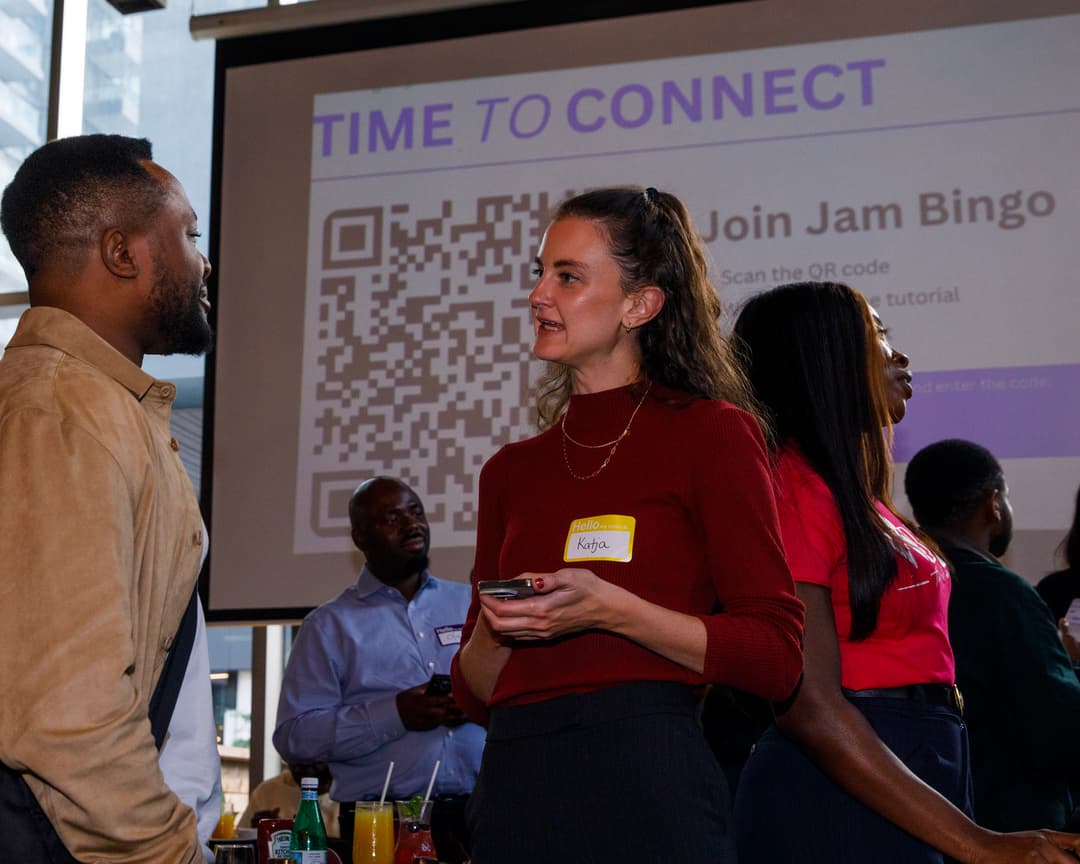
Conversation Starter App
No more small talk. Get people talking and interacting with people outside of their usual circle.
What Is the Conversation Starter App?
Conversation Starter App gets people out of their bubble and interacting with new people. Instead of the usual awkward mingling or small talk, attendees get to learn more about each other. The conversation starter app reveals personality, shared experience, and genuine perspective. People leave feeling a strong sense of belonging.
Most of the time: people show up, stand around, and talk to the people they already know. Or worse, they have the same surface conversation that goes nowhere. The Conversation Starter App fixes this by giving people a shared game that makes approaching anyone in the room feel interactive and fun. Conversations get real. Connections get meaningful. And your event becomes the one people actually remember.
How Does Conversation Starter App Work?
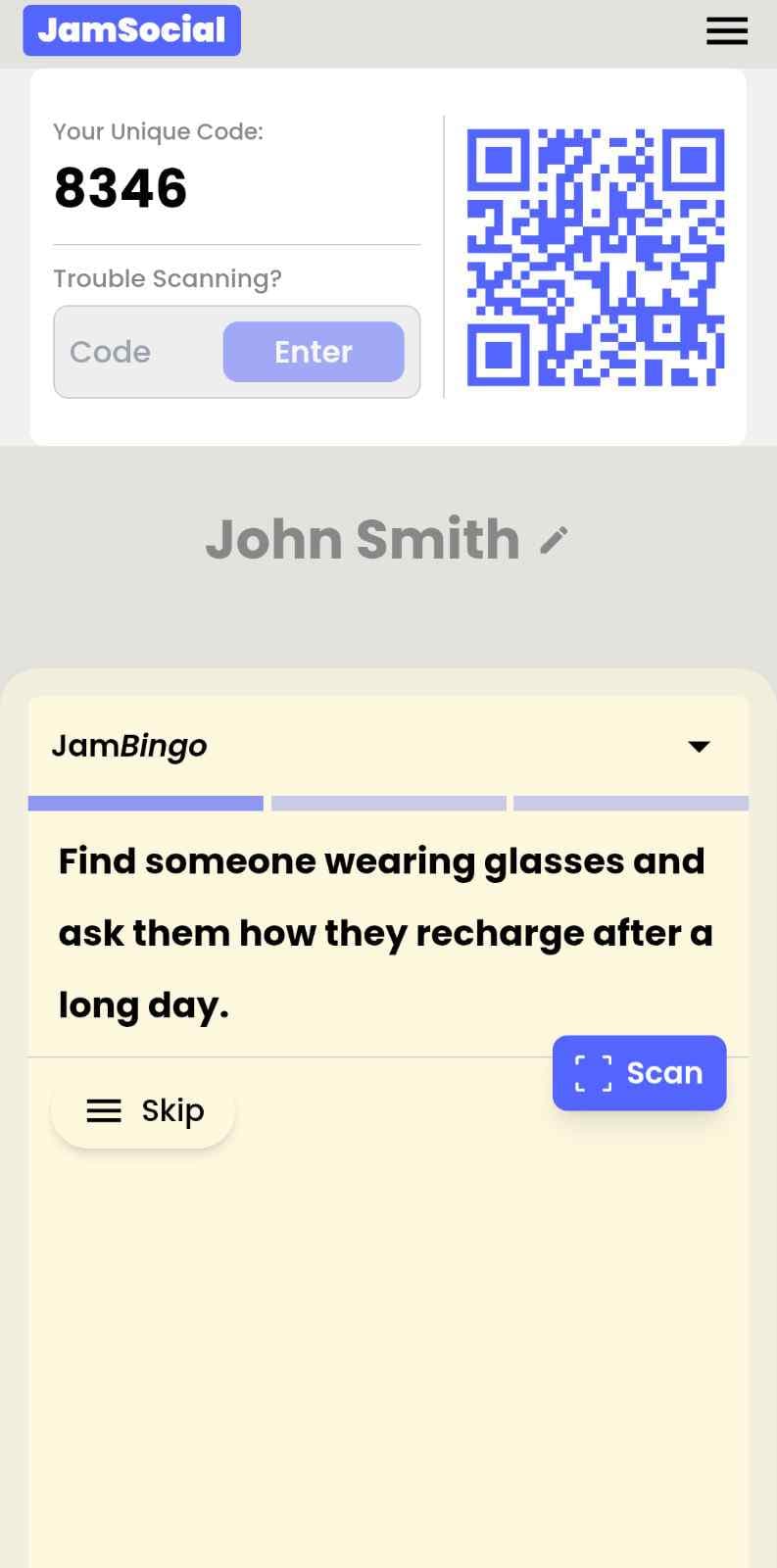
Conversation Starter App runs on Jam Bingo—the simple, interactive networking activity. It is not a card, it has no squares, and attendees do not fill anything out. Here’s what each attendee does:
How is Jam Bingo Played?
Attendees scan the event’s Jam Bingo QR code (or enter the game code). It runs in the phone’s browser—there is no app to download.


How to Use the Conversation Starter App at Your Event
The conversation starter app helps the people at your event meet new people, not just the people they came with. Here’s how to use it:
- 01Step 1
Decide How Many New People Each Person Meets
Create a Jam Bingo for your event and choose how many different people you'd like each person to talk with. That's the job of the Conversation Starter App: getting people past the group they came with and into conversations with people they haven't met yet.
TipNot sure? Start with 5 people each - enough to get everyone past the group they came with. - 02Step 2
Add Conversation Prompts
Pick a ready-made template or write your own prompts. Each prompt gives people a reason to find someone new and a question to start the conversation.
TipKeep prompts about people, not trivia - "Find someone who…" sends people across the room to someone new. - 03Step 3
Display Your Jam Bingo QR Code
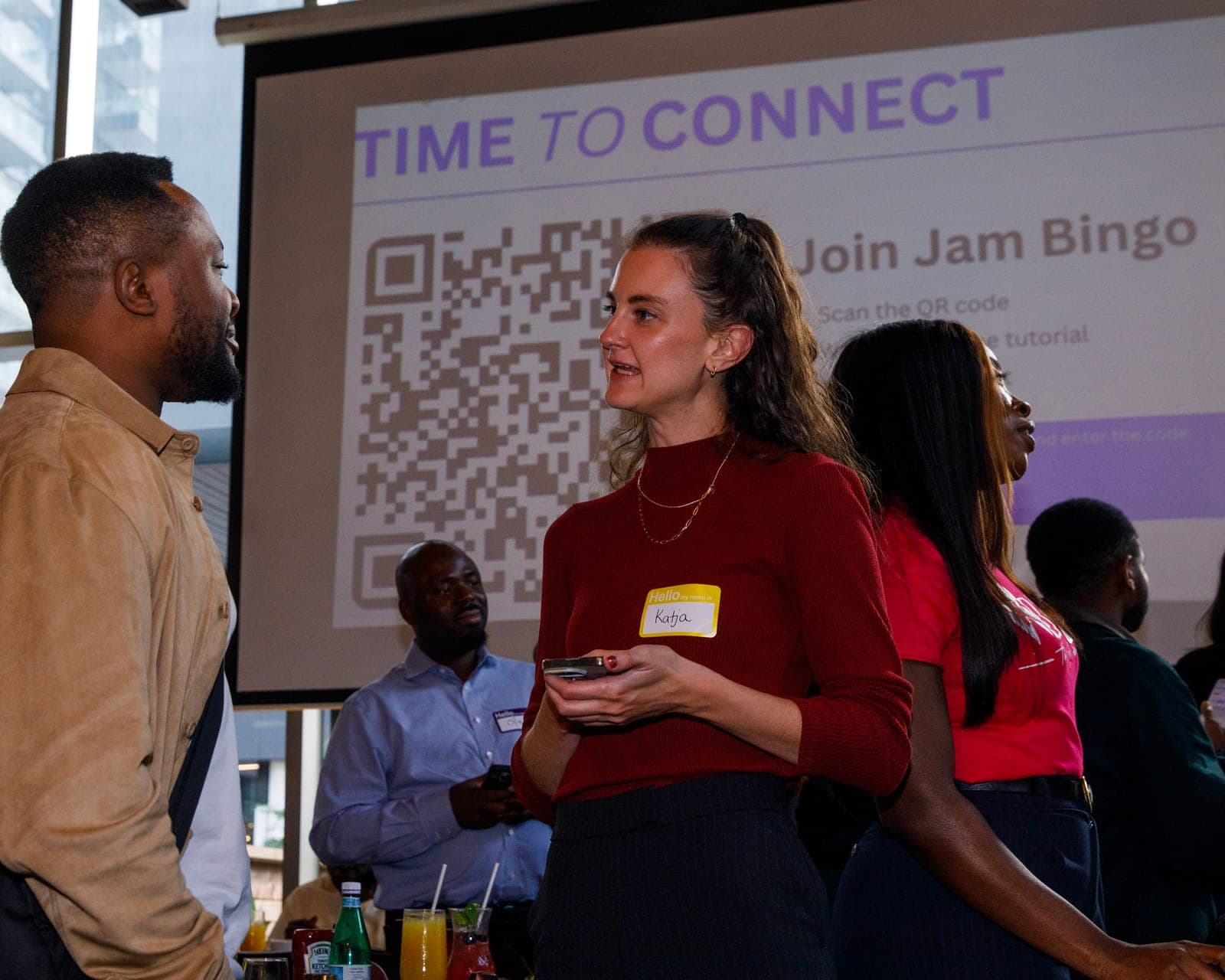
Put your Jam Bingo QR code on the big screen, at check-in, or on table cards. People scan it with their phone camera to join - no app to download.
TipExplain it once, in one line: scan, find someone who fits your prompt, talk, then scan each other's QR code. - 04Step 4
Let People Meet New People
Each person gets a conversation prompt, finds someone who fits it, and talks with them. Then they scan that person's QR code to get their next prompt and meet someone else.
TipGive it 20 to 45 minutes during a reception, break, or networking session. - 05Step 5
Everyone Leaves With Their Connections
Every connection is saved, so each person gets a list of the people they met - with the contact info they shared and the conversations they had.
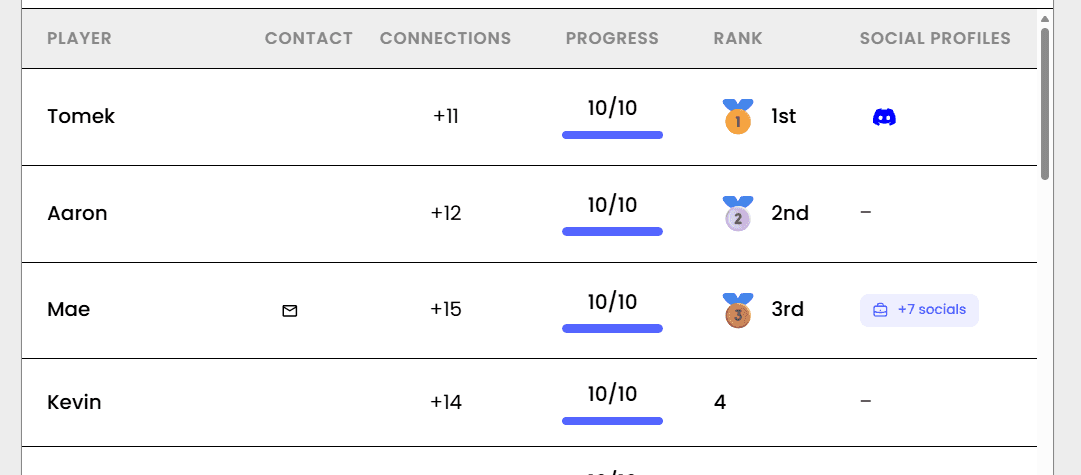
TipRecognize the people who met the most new people at the end - it's an easy way to wrap up.
Ready to Use the Conversation Starter App at Your Event?
Create a Jam Bingo, add your own prompts, and get a QR code for your event. You’ll be directed to the Create Account page first.
Have questions? Book a 15-minute demo.
Where to Use Conversation Starter App
Company All-Hands & Town Halls
Conversation Starter App for Corporate Events is perfect for all-hands meetings where people from different departments need to connect. Break the silos and get people talking across teams in minutes.
- Help people connect across departments they never interact with
- Make new hires feel welcomed and integrated fast
- Create energy and engagement before the formal agenda starts
- Give everyone a reason to talk to someone new
Team Offsites & Retreats
Team offsites are supposed to build connection. But too often, people stick with their cliques. Conversation Starter App for Corporate Events breaks the patterns and gets everyone talking to each other like humans.
- Break down cliques and silos from the very first session
- Help introverts and extroverts connect on equal footing
- Surface shared experiences that build trust fast
- Set a collaborative tone for the whole offsite
Leadership Summits & Executive Offsites
Senior leaders are the hardest to get talking. They have been to a hundred events. They know the drill. Conversation Starter App for Corporate Events gives them something actually interesting to do and someone interesting to talk to.
- Break the title-first dynamic from the first five minutes
- Surface shared experience and perspective that builds real trust
- Give even the most experienced leaders a fresh way to connect
- Create conversations that get referenced weeks later
Hybrid & Virtual Corporate Events
Virtual events make connection even harder. People join on mute and stay that way. Conversation Starter App for Corporate Events works brilliantly for hybrid and virtual formats, getting remote and in-person people talking together.
- Bridge the gap between remote and in-person attendees
- Make virtual participants feel included and engaged
- Create real connection across screens and time zones
- Turn passive viewers into active participants
New Hire Onboarding Cohorts
Starting a new job is overwhelming. Conversation Starter App for Corporate Events helps new hires meet their peers as humans, not just job descriptions. The fastest way to build a cohort bond.
- Accelerate the trust building that normally takes months
- Help new hires understand company culture through the people in it
- Create friendships that make work better from day one
- Turn a formal onboarding into a memorable experience
Industry Conferences & Trade Shows
Conference networking is famously awkward. People stand around, look at badges, and struggle to start conversations. Conversation Starter App for Corporate Events changes everything. It gives everyone a reason to connect.
- Warm up the room in minutes, not hours
- Help attendees actually talk to new people, not just existing contacts
- Create energy and rapport that carries into sessions
- Make your conference the one people actually remember
Conversation Starter App for Corporate Events vs. Traditional Networking
| Feature | Traditional Corporate Networking | Conversation Starter App for Corporate Events |
|---|---|---|
| Conversation Quality | Awkward small talk, job titles first | Real, human, and memorable from the start |
| Approach Anxiety | High. Everyone feels awkward. | Gone. The game gives everyone an opener. |
| New Connections Per Person | 2 to 4 across a whole event | 10 to 15 in one session |
| Introvert Experience | Exhausting. Unstructured pressure. | Comfortable. Self-paced with a clear purpose. |
| Follow Up Rate After Event | Low. Interactions were forgettable. | High. Shared experience creates real recall. |
| Organizer Feedback | 'Good turnout.' That is it. | Live participation data, connection stats, satisfaction scores. |
Example Prompts for Conversation Starter App
Taken from the Corporate Team Dinner template. Use them as a starting point, then adapt them to your group.
Make people move
Start prompts with "Find someone who…" so each one sends players across the room to a new person, not back to their own table.
Mix easy and deeper prompts
Open with quick, observable prompts (something they're wearing, where they're from), then add a few that lead to a real story.
Keep them inclusive
Avoid prompts about money, looks, or anything someone could feel left out of. Everyone should be able to answer at least half of them.
Match the length of your event
Around 12–16 prompts fits a 30-minute game. More prompts than time just leaves people unfinished.
- 1
Find someone who's worked at another company location, and ask them what's making them smile lately
- 2
Find an employee celebrating a work anniversary this month, and ask them what's a small thing that made their day better recently
- 3
Find someone who can name the CEO's first job at the company, and ask them about a place they'd love to visit next
- 4
Find a person who's taken advantage of a unique company benefit, and ask them what they'd want to learn if they had unlimited time
- 5
Find someone who shares your favorite workplace perk, and ask them what's a small thing that made their day better recently
See all 5 prompts in the Corporate Team Dinner template · Browse all templates
Other Platforms Like Jam Bingo
Jam Bingo is designed to help people actually get to know each other, not just exchange names. Unlike icebreaker games that focus on quick interactions or surface-level fun, Jam Bingo is built around meaningful conversations that make it easier for people to open up, find common ground, and build real relationships.
| Features | Jam Bingo | Hoogo | SocialPoint.io | Booth Bingo | Eventgamification.com |
|---|---|---|---|---|---|
| Paperless (QR Code Digital) | ✅ | ✅ | ✅ | ✅ | ✅ |
| Custom Branding | ✅ | ✅ | ✅ | ❌ | ❌ |
| Conversation Prompt | ✅ | ❌ | ❌ | ❌ | ❌ |
| Meaningful & Intentional Connections | ✅ | ❌ | ❌ | ❌ | ❌ |
| Contact Sharing (Email, Instagram, Linkedin, etc) | ✅ | ❌ | ❌ | ❌ | ❌ |
| Each person gets a list of everyone they connected with, including contact information and conversations they had. | ✅ | ❌ | ❌ | ❌ | ❌ |
| Introduction Forum | ✅ | ❌ | ❌ | ❌ | ❌ |
| Auto Introductions ("Introduce Me") | ✅ | ❌ | ❌ | ❌ | ❌ |
Frequently Asked Questions
Will people at a corporate event actually play a conversation game?
Every single time. And that is what surprises organizers the most. The format works precisely because it does not feel like a forced team building exercise. It is a game. It is low stakes. And it gives everyone a socially acceptable reason to walk up to someone they would never approach cold. Once one person starts, everyone follows. The competitive streak in corporate people kicks in fast.
How is this different from regular networking bingo?
The prompts. Standard bingo uses lightweight prompts that work fine for general events. The Conversation Starter App for Corporate Events uses prompts calibrated for professional environments. Ones that surface real perspective, hard won experience, and genuine personality. The conversations go deeper faster because the questions earn it.
Do people need to download anything to play?
No. They scan a QR code with their phone camera and they are playing instantly in their browser. No app store. No account. Nothing to install. For a room full of busy professionals, that zero friction experience matters a lot.
How long should we run it at our event?
20 to 35 minutes is the sweet spot for corporate audiences. Long enough that people find real matches and have genuine conversations. Short enough that it does not overstay its welcome. You can also run it as a continuous layer across the full event. People return to it between conversations all day.
What kind of results can we expect?
Organizers running the Conversation Starter App at corporate events consistently see 80 to 90 percent voluntary participation. Significantly higher post event satisfaction scores. And most tellingly, attendees who specifically mention the conversation game when asked what they would repeat. That does not happen with a cheese board and a name badge.
Can we customize it for our specific company or industry?
Absolutely. And it makes a real difference. Adding 3 to 4 prompts tailored to your industry, your company culture, or the specific group in the room makes the game feel built for them. Not borrowed from a generic template. Takes about 5 minutes to set up and the payoff in engagement is noticeable.
The Simple Way to Get People Talking
Jam Bingo gets people having meaningful conversations and meeting as many new people as possible.
Conversation Starter Activities for Large Groups
Jam Bingo is an interactive networking tool designed to help large groups mingle, skip the awkward small talk, and build real connections fast.
GuideWork Dinner Conversation Starters for Department Dinners
JamBingo is an interactive icebreaker tool that helps colleagues break out of their usual circles at department work dinner.
GuideMeaningful Conversation Starters for Networking Mixers
JamBingo is an interactive networking tool that helps attendees move past small talk and build genuine connections — turning surface-level introductions into memorable, meaningful conversations.
Networking games10 Easy & No-Prep Interactive Networking Games for Professionals
No supplies, no setup, no awkward silence. Just games that get a room full of strangers actually talking.
Networking games11 First-Time Coming Together Networking Games for Corporate Events
When a team is meeting for the first time, the right ice breaker does the heavy lifting so people don't have to.
Networking games10 Company Annual Gathering Interactive Ice breaker Activities
Your annual gathering should feel like a celebration, not a compliance event. These icebreakers help people actually connect around the year that was — and get excited for what's next.