
Digital Bingo Card Generator
Write your prompts once. Every guest gets a random mix on their phone.
Why Use a Digital Bingo Card Generator
Printable bingo card generators still leave you printing, cutting and handing out cards, then checking them by hand. A digital bingo card generator puts the cards on guests' phones, so there's nothing to print and nothing to collect.
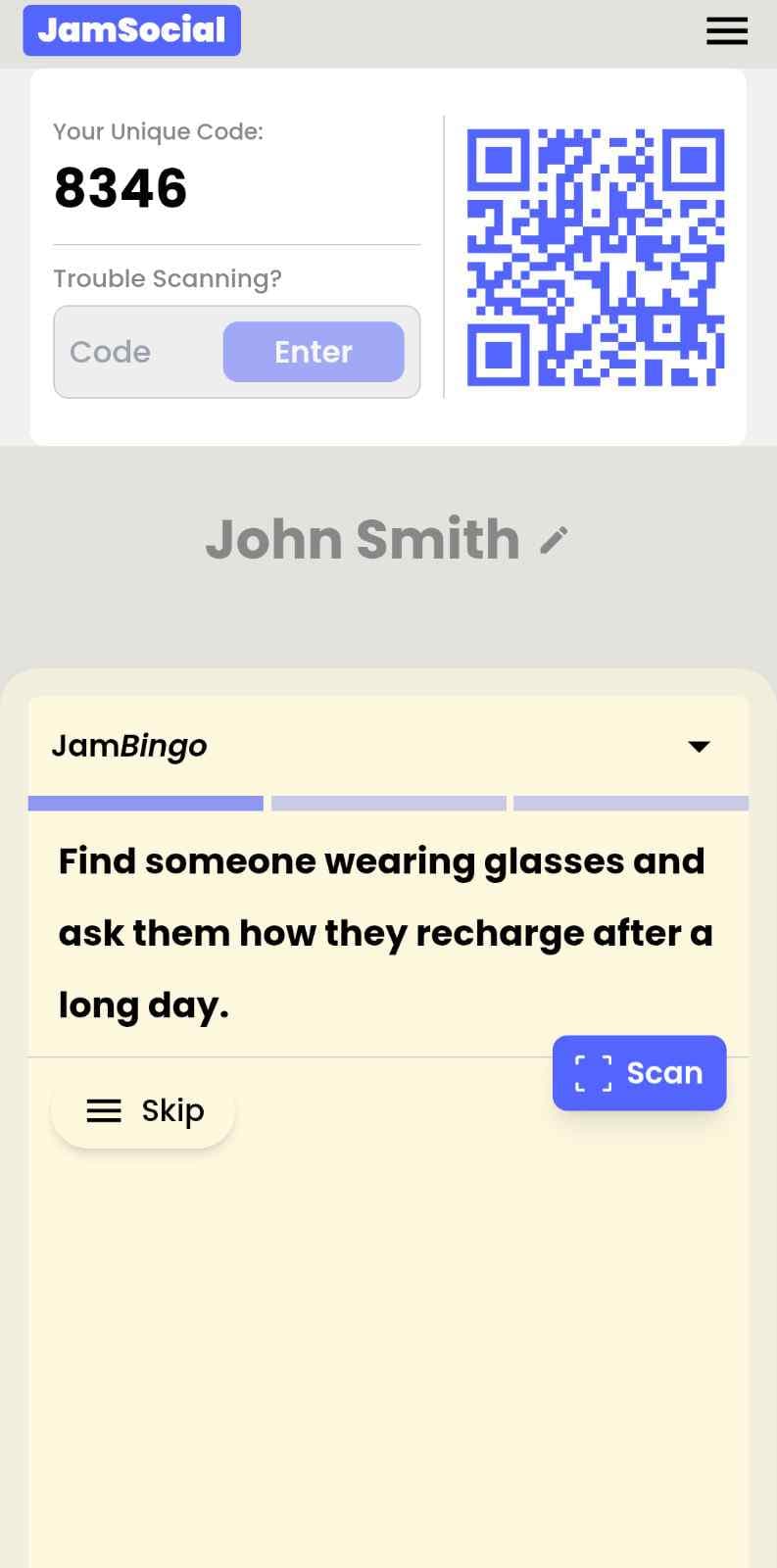
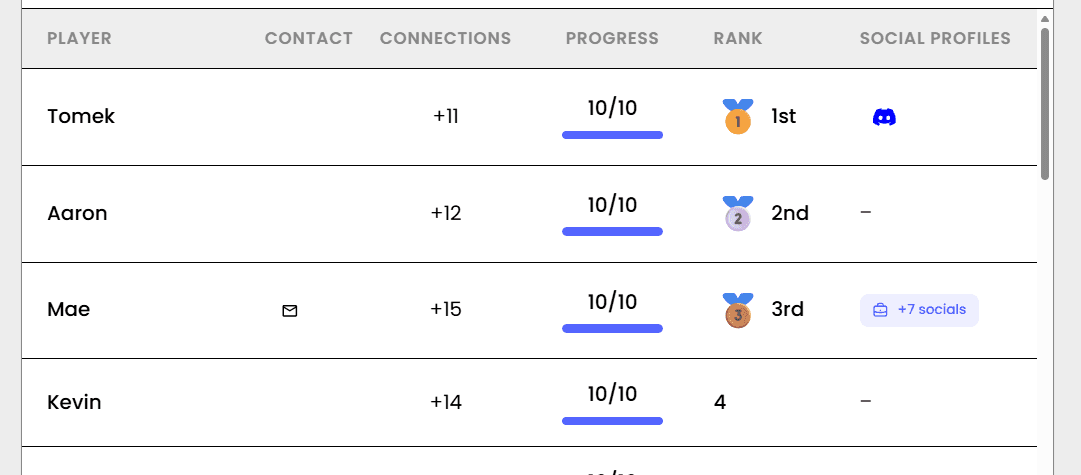
Jam Bingo turns your prompts into a digital bingo game. Each guest scans a QR code and gets one prompt at a time from a random mix, like 'Find someone who has lived in another country.' They find a match, chat, and scan each other's QR code to unlock the next prompt. You see every connection on a live leaderboard.
How Does Digital Bingo Card Generator Work?
Digital Bingo Card Generator runs on Jam Bingo—the simple, interactive networking activity. It is not a card, it has no squares, and attendees do not fill anything out. Here’s what each attendee does:
How is Jam Bingo Played?
Attendees scan the event’s Jam Bingo QR code (or enter the game code). It runs in the phone’s browser—there is no app to download.


How to Use the Digital Bingo Card Generator at Your Event
The digital bingo card generator helps the people at your event meet new people, not just the people they came with. Here’s how to use it:
- 01Step 1
Decide How Many New People Each Person Meets
Create a Jam Bingo for your event and choose how many different people you'd like each person to talk with. That's the job of the Digital Bingo Card Generator: getting people past the group they came with and into conversations with people they haven't met yet.
TipNot sure? Start with 5 people each - enough to get everyone past the group they came with. - 02Step 2
Add Conversation Prompts
Pick a ready-made template or write your own prompts. Each prompt gives people a reason to find someone new and a question to start the conversation.
TipKeep prompts about people, not trivia - "Find someone who…" sends people across the room to someone new. - 03Step 3
Display Your Jam Bingo QR Code
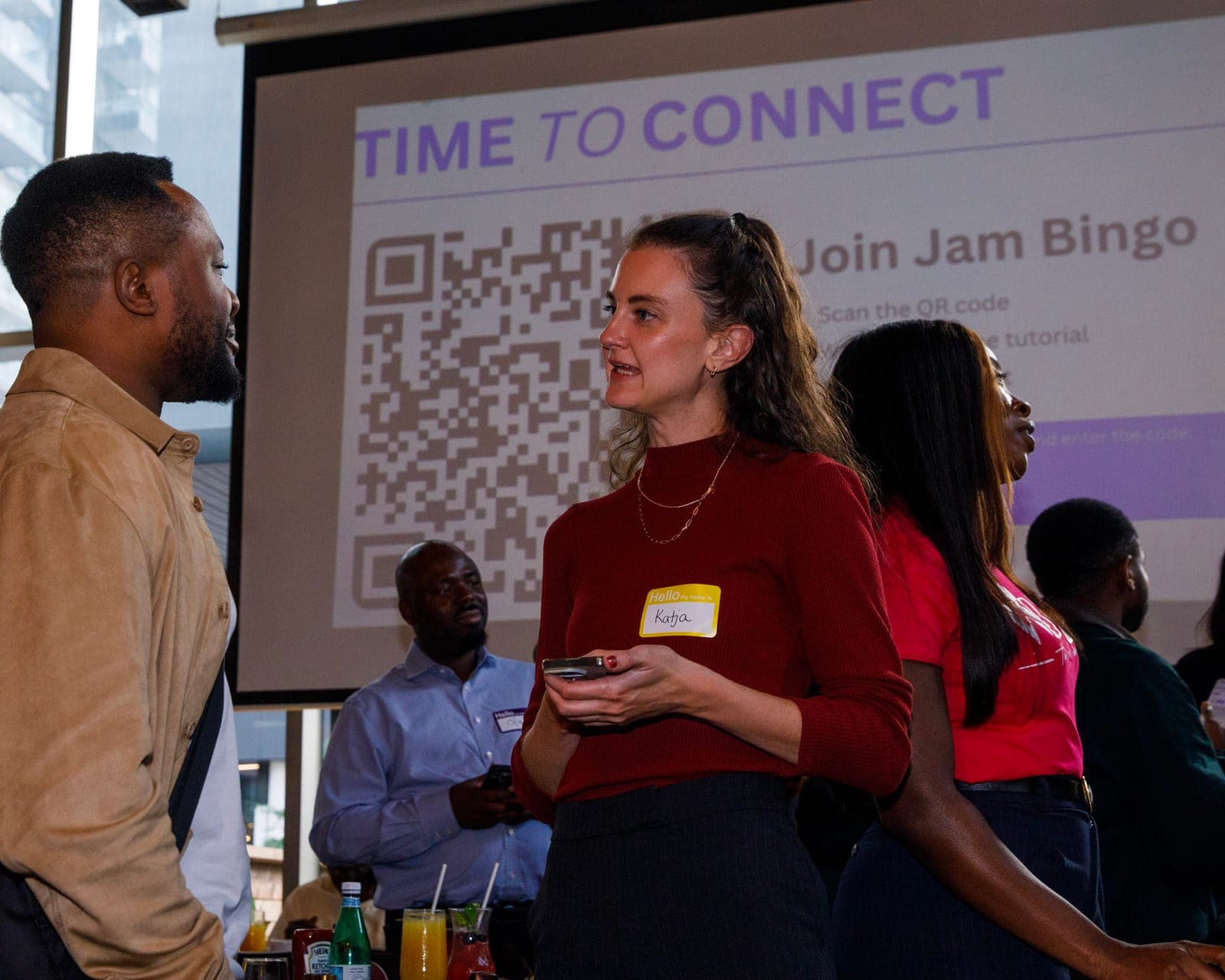
Put your Jam Bingo QR code on the big screen, at check-in, or on table cards. People scan it with their phone camera to join - no app to download.
TipExplain it once, in one line: scan, find someone who fits your prompt, talk, then scan each other's QR code. - 04Step 4
Let People Meet New People
Each person gets a conversation prompt, finds someone who fits it, and talks with them. Then they scan that person's QR code to get their next prompt and meet someone else.
TipGive it 20 to 45 minutes during a reception, break, or networking session. - 05Step 5
Everyone Leaves With Their Connections
Every connection is saved, so each person gets a list of the people they met - with the contact info they shared and the conversations they had.
TipRecognize the people who met the most new people at the end - it's an easy way to wrap up.
Ready to Use the Digital Bingo Card Generator at Your Event?
Create a Jam Bingo, add your own prompts, and get a QR code for your event. You’ll be directed to the Create Account page first.
Have questions? Book a 15-minute demo.
Where to Use Digital Bingo Card Generator
Networking Events
Give every guest a digital bingo card full of conversation starters.
- No printing
- Random prompts per guest
- Saved connections
Company Events
Swap paper human bingo for a digital version at kickoffs and all-hands.
- Breaks silos
- Live leaderboard
- Zero cleanup
Classrooms and Orientations
Generate get-to-know-you bingo for new students in minutes.
- Fast setup
- Works on any phone
- Easy to reuse
Digital Bingo Card Generator vs. Printable Bingo Cards
| Feature | Printable Bingo Cards | Jam Bingo Digital Bingo |
|---|---|---|
| Setup | Generate, print and cut cards | Add prompts, share one QR code |
| Card variety | Same few layouts | Random mix for every guest |
| Proof of a match | Honor system | Scan-to-connect |
| Checking winners | By hand | Live leaderboard |
| After the event | Cards thrown away | Connections saved |
Example Prompts for Digital Bingo Card Generator
Taken from the Networking Event template. Use them as a starting point, then adapt them to your group.
Make people move
Start prompts with "Find someone who…" so each one sends players across the room to a new person, not back to their own table.
Mix easy and deeper prompts
Open with quick, observable prompts (something they're wearing, where they're from), then add a few that lead to a real story.
Keep them inclusive
Avoid prompts about money, looks, or anything someone could feel left out of. Everyone should be able to answer at least half of them.
Match the length of your event
Around 12–16 prompts fits a 30-minute game. More prompts than time just leaves people unfinished.
- 1
Ask someone what their favorite moment has been this year
- 2
Ask someone what accomplishment they are most proud of but rarely talk about
- 3
Ask someone what their most exciting personal or professional goal is right now
- 4
Ask someone how they recharge after a long day
- 5
Ask someone what they’re passionate about outside of work
- 6
Ask someone what advice they would give their younger self
- 7
Ask someone what hobby or interest they’d love to turn into a career
- 8
Ask someone what skill they’ve learned recently that has made the biggest impact in their life
- 9
Ask someone what project they are most excited about right now
- 10
Ask someone what motivates them to keep going on tough days
- 11
Ask someone what book or podcast has inspired them recently
- 12
Ask someone what has been their biggest learning experience this year
See all 60 prompts in the Networking Event template · Browse all templates
Other Platforms Like Jam Bingo
Jam Bingo is designed to help people actually get to know each other, not just exchange names. Unlike icebreaker games that focus on quick interactions or surface-level fun, Jam Bingo is built around meaningful conversations that make it easier for people to open up, find common ground, and build real relationships.
| Features | Jam Bingo | Hoogo | SocialPoint.io | Booth Bingo | Eventgamification.com |
|---|---|---|---|---|---|
| Paperless (QR Code Digital) | ✅ | ✅ | ✅ | ✅ | ✅ |
| Custom Branding | ✅ | ✅ | ✅ | ❌ | ❌ |
| Conversation Prompt | ✅ | ❌ | ❌ | ❌ | ❌ |
| Meaningful & Intentional Connections | ✅ | ❌ | ❌ | ❌ | ❌ |
| Contact Sharing (Email, Instagram, Linkedin, etc) | ✅ | ❌ | ❌ | ❌ | ❌ |
| Each person gets a list of everyone they connected with, including contact information and conversations they had. | ✅ | ❌ | ❌ | ❌ | ❌ |
| Introduction Forum | ✅ | ❌ | ❌ | ❌ | ❌ |
| Auto Introductions ("Introduce Me") | ✅ | ❌ | ❌ | ❌ | ❌ |
Frequently Asked Questions
What is a digital bingo card generator?
A tool that turns your prompts into bingo cards guests play on their phones instead of paper. Jam Bingo gives each guest a random mix of your prompts, one at a time.
Do players need to download an app?
No. Players scan a QR code and play in the browser.
Can I write my own bingo prompts?
Yes. Write your own, or start from a ready-made template and edit it.
Does everyone get a different card?
Yes. Each player gets a random mix of your prompts, so people spread out across the room.
How many people can play?
Jam Bingo works for 20 to 1,000+ players at once.
The Simple Way to Get People Talking
Jam Bingo gets people having meaningful conversations and meeting as many new people as possible.
Online Bingo for Networking at Job Search Workshops for Newcomers
Jam Bingo is an online bingo game for networking that helps newcomer job seekers practice introductions and build a support network during your workshop.
GuideRising Leaders for Climate Action Online Bingo for Networking
Jam Bingo is an online bingo game for networking that helps youth climate leaders from different schools and grades get to know each other fast.
GuideOnline Bingo for Networking at Senior and Youth Connect
Jam Bingo is an online bingo game for networking that pairs youth and seniors in real conversations about art, life, and lived experience.