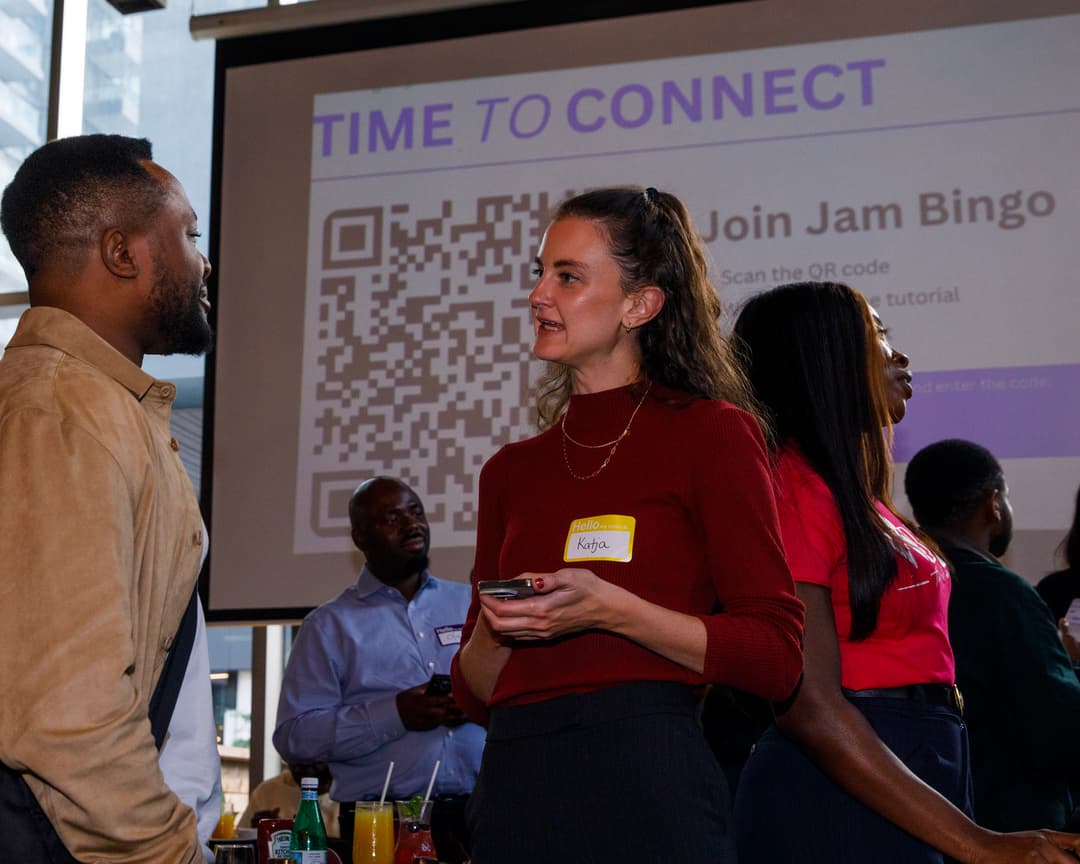
Digital Get To Know You Bingo
A simple way to run “Get to Know You” Bingo. Suddenly, everyone’s actually talking to each other.

What Is Digital Get To Know You Bingo?
Digital Get To Know You Bingo is exactly what it sounds like — a bingo-style icebreaker played with mobile devices. No paper cards, no markers, no losing your card halfway through the event. You create a game with interactive prompts like 'Find someone who's been to three different countries' or 'Ask someone about their hidden talent.'
Digital Get To Know You Bingo makes it easy for attendees to have meaningful conversations. They walk up to strangers because the game gives them a reason. They have actual conversations because the prompts are designed to spark stories, not one-word answers.
How?
Jam Bingo is the simplest networking game that gets everyone talking and learning more about each other.
1. during the networking session
Introduce Jam Bingo to get attendees started.
2. Attendees scan to participate
Guests open their phone camera and scan the QR Code.
3. A conversation starter To Connect
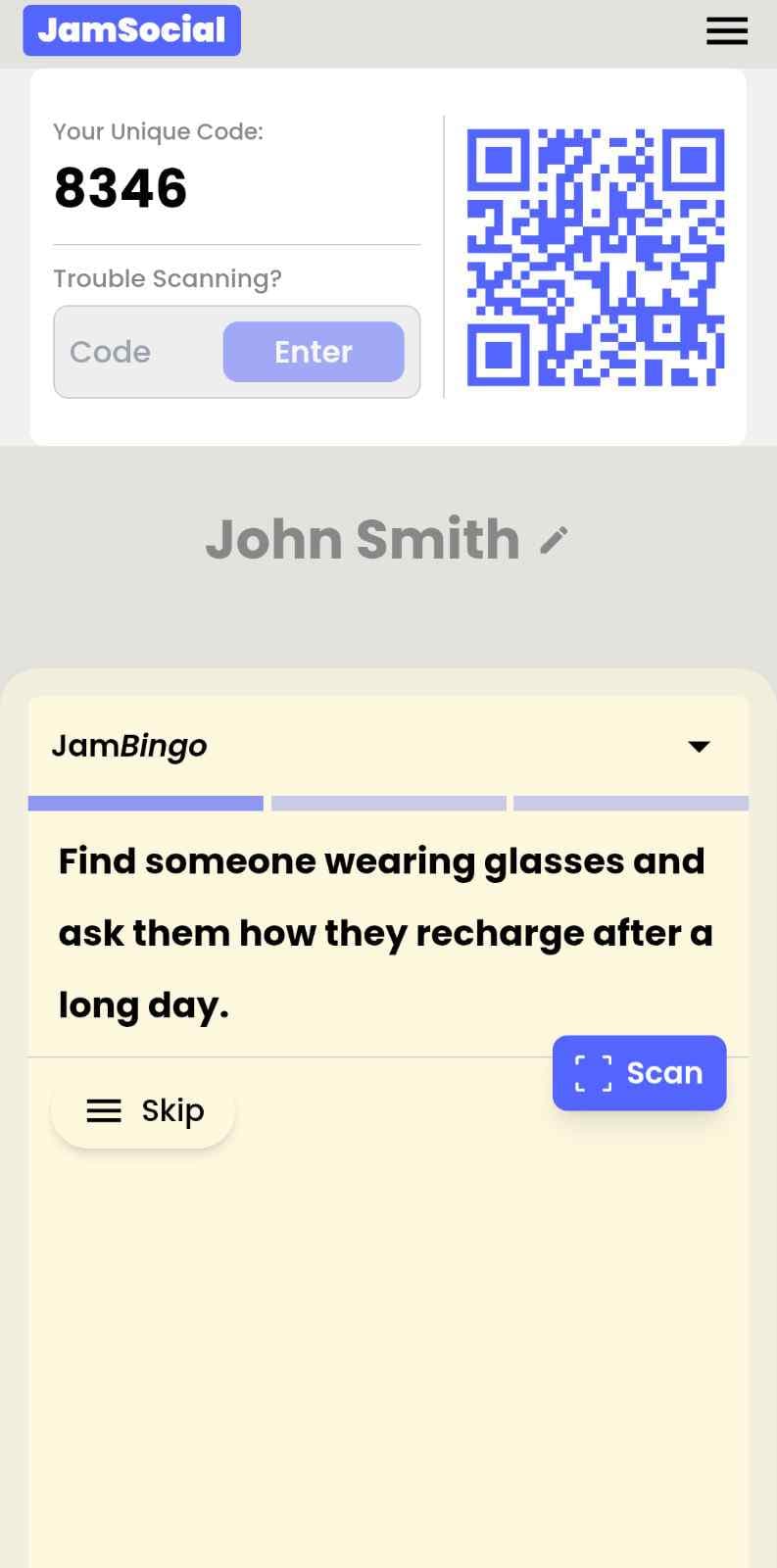
Each guest receives a tailored conversation starter.
4. The Exchange: Get People Talking
After chatting, scan the other person's QR Code to mark the connection and unlock your next prompt.
How to Use the Digital Get To Know You Bingo at Your Event
The digital get to know you bingo helps the people at your event meet new people, not just the people they came with. Here’s how to use it:
- 01Step 1
Decide How Many New People Each Person Meets
Create a Jam Bingo for your event and choose how many different people you'd like each person to talk with. That's the job of the Digital Get To Know You Bingo: getting people past the group they came with and into conversations with people they haven't met yet.
TipNot sure? Start with 5 people each - enough to get everyone past the group they came with. - 02Step 2
Add Conversation Prompts
Pick a ready-made template or write your own prompts. Each prompt gives people a reason to find someone new and a question to start the conversation.
TipKeep prompts about people, not trivia - "Find someone who…" sends people across the room to someone new. - 03Step 3
Display Your Jam Bingo QR Code
Put your Jam Bingo QR code on the big screen, at check-in, or on table cards. People scan it with their phone camera to join - no app to download.
TipExplain it once, in one line: scan, find someone who fits your prompt, talk, then scan each other's QR code. - 04Step 4
Let People Meet New People
Each person gets a conversation prompt, finds someone who fits it, and talks with them. Then they scan that person's QR code to get their next prompt and meet someone else.
TipGive it 20 to 45 minutes during a reception, break, or networking session. - 05Step 5
Everyone Leaves With Their Connections
Every connection is saved, so each person gets a list of the people they met - with the contact info they shared and the conversations they had.
TipRecognize the people who met the most new people at the end - it's an easy way to wrap up.
Ready to Use the Digital Get To Know You Bingo at Your Event?
Create a Jam Bingo, add your own prompts, and get a QR code for your event. You’ll be directed to the Create Account page first.
Have questions? Book a 15-minute demo.
Where to Use Digital Get To Know You Bingo
Team Building & Company Offsites
You've got a room full of people who've worked together for years but don't actually know each other. Digital get to know you bingo changes that in 20 minutes. People discover shared hobbies, unexpected connections, and reasons to actually want to grab lunch together.
- Break down silos between departments
- Help remote and office employees connect
- Replace awkward icebreakers with actual fun
- Build trust that carries into work projects
First Day of Class & Student Orientation
First day is always awkward. Students sit in silence, scroll their phones, and leave without knowing a single name. Digital get to know you bingo gets them out of their seats, talking to each other, and actually learning names within the first 15 minutes.
- Break the ice on day one without the cringe
- Help shy students participate without pressure
- Build classroom community fast
- Make group projects less painful (they already know each other)
Networking Events & Professional Mixers
Nobody likes standing around holding a drink, pretending to check their phone. Digital get to know you bingo gives everyone a reason to walk up to strangers and start real conversations. Your event goes from 'awkward mixer' to 'wow, I actually met people there.'
- Eliminate the 'what do I say?' problem
- Get people mingling within minutes
- Help introverts participate comfortably
- Make your event memorable for the right reasons
Remote Team Happy Hours & Virtual Events
Virtual happy hours are usually painful — awkward silences, people talking over each other, everyone wishing they could leave. Share a digital get to know you bingo link in the chat and suddenly people have something to talk about. Way better than another round of 'so how's the weather where you are?'
- Give remote teams a real reason to talk
- Replace awkward silence with actual conversation
- Help new hires feel included
- Make virtual events something people actually attend
Weddings & Family Gatherings
You've got cousins who haven't seen each other in years, in-laws who've never met, plus college friends. Digital get to know you bingo helps everyone mix instead of staying in their little groups. Plus it fills those awkward gaps between the ceremony and reception.
- Blend different friend groups and families
- Give guests something fun to do during downtime
- Help shy relatives feel included
- Create shared memories people talk about afterward
Church Small Groups & Retreats
Small groups are supposed to build community, but they often start with people sitting in awkward silence. Digital get to know you bingo gets everyone laughing, sharing stories, and actually opening up before you even get to the discussion questions.
- Break the ice naturally before deeper conversations
- Help new members feel welcomed immediately
- Get everyone participating, not just the talkative few
- Make retreats feel fun, not forced
Digital Get To Know You Bingo vs Traditional Icebreakers
| Feature | Traditional Icebreakers | Digital Get To Know You Bingo |
|---|---|---|
| Awkwardness Level | High — all eyes on you | Low — private, self-guided |
| Setup Time | 30-60 minutes of planning | 5 minutes to generate QR code |
| Participation Rate | 60-70% (many opt out) | 80-95% voluntary |
| People Actually Meet | Rarely — same cliques | Constantly — game forces mingling |
| Paper or Digital? | Paper cards (lost, messy) | On their phone (always there) |
| Works for Remote? | Not really | Yes — share link in chat |
Example Prompts for Digital Get To Know You Bingo
Taken from the Office Team Building template. Use them as a starting point, then adapt them to your group.
Make people move
Start prompts with "Find someone who…" so each one sends players across the room to a new person, not back to their own table.
Mix easy and deeper prompts
Open with quick, observable prompts (something they're wearing, where they're from), then add a few that lead to a real story.
Keep them inclusive
Avoid prompts about money, looks, or anything someone could feel left out of. Everyone should be able to answer at least half of them.
Match the length of your event
Around 12–16 prompts fits a 30-minute game. More prompts than time just leaves people unfinished.
- 1
Find someone who's worked here longer than your manager, and ask them what their idea of a perfect meal is
- 2
Find a coworker who shares your hobby outside work, and ask them what they're looking forward to this week
- 3
Find someone who can name three company values, and ask them what a perfect weekend looks like for them
- 4
Find a person who's worked in another department, and ask them what their favorite way to spend a Friday night is
- 5
Find someone who's never tried the breakroom coffee, and ask them what movie or show they'd recommend right now
See all 5 prompts in the Office Team Building template · Browse all templates
Other Platforms Like Jam Bingo
Jam Bingo is designed to help people actually get to know each other, not just exchange names. Unlike icebreaker games that focus on quick interactions or surface-level fun, Jam Bingo is built around meaningful conversations that make it easier for people to open up, find common ground, and build real relationships.
| Features | Jam Bingo | Hoogo | SocialPoint.io | Booth Bingo | Eventgamification.com |
|---|---|---|---|---|---|
| Paperless (QR Code Digital) | ✅ | ✅ | ✅ | ✅ | ✅ |
| Custom Branding | ✅ | ✅ | ✅ | ❌ | ❌ |
| Conversation Prompt | ✅ | ❌ | ❌ | ❌ | ❌ |
| Meaningful & Intentional Connections | ✅ | ❌ | ❌ | ❌ | ❌ |
| Contact Sharing (Email, Instagram, Linkedin, etc) | ✅ | ❌ | ❌ | ❌ | ❌ |
| Connect with people who aren't playing (scan their LinkedIn QR code, or enter their name + email or phone) | ✅ | ❌ | ❌ | ❌ | ❌ |
| Each person gets a list of everyone they connected with, including contact information and conversations they had. | ✅ | ❌ | ❌ | ❌ | ❌ |
| Introduction Forum | ✅ | ❌ | ❌ | ❌ | ❌ |
| Auto Introductions ("Introduce Me") | ✅ | ❌ | ❌ | ❌ | ❌ |
Frequently Asked Questions
What exactly is digital get to know you bingo?
It's a bingo-style icebreaker that lives on people's phones. You create prompts like 'Find someone who speaks another language' or 'Ask someone about their favorite trip.' People scan a QR code to get their first prompt, then walk around finding people who match each one. Every match means a conversation. Every conversation means someone actually gets to know someone new.
Do people need to download an app?
Nope. That's the beauty of digital — it just works in their browser. They scan a QR code with their phone camera (the one already in their pocket) and the game opens instantly. No app store, no login, no 'please enter your email.' Zero friction means way more people actually play.
Can I use this for remote or hybrid teams?
Absolutely. For remote teams, just share the game link in your Slack channel or Zoom chat instead of using a QR code. Everyone plays on their own, then you can do a quick share-out at the end. Works great for virtual happy hours, distributed team meetings, and hybrid offsites where some people are in the room and some are on Zoom.
What kind of prompts work best?
The magic is in the prompts. Avoid yes/no stuff like 'Has a pet.' Instead use 'Can tell you a funny story about their pet.' The difference is storytelling. People remember stories, not facts. Our prompt library has hundreds of proven options, or you can write your own in minutes.
How long does a game take?
You set the pace. 9 prompts usually take 15-20 minutes of active mingling. 16 prompts might take 30-40 minutes. You can also leave it running all day at a conference — people play during breaks and coffee sessions.
Can I see who participated and how they did?
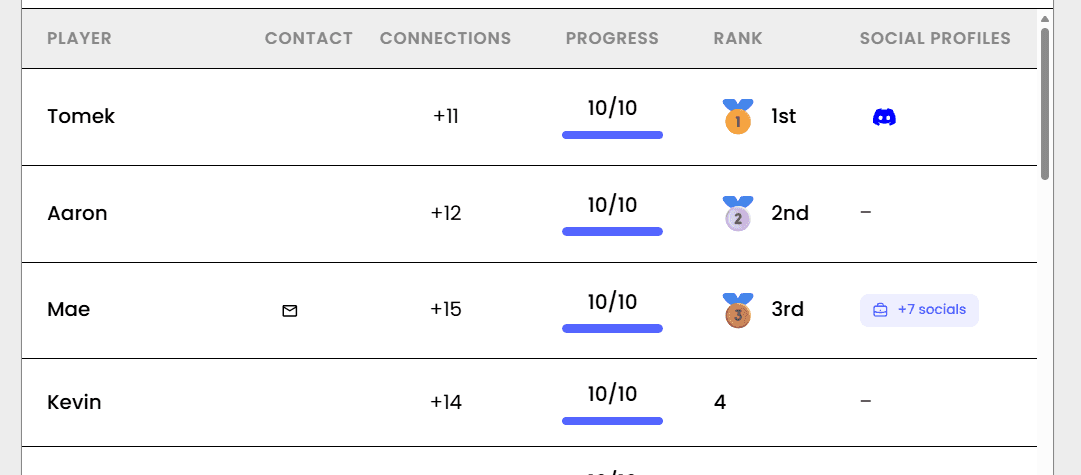
Yes. The organizer dashboard shows live stats — how many people are playing, which prompts are most popular, who's winning. After the event, you can export data to see participation rates and engagement metrics. Great for reporting back to stakeholders or just proving your icebreaker wasn't a waste of time.
The Simple Way to Get People Talking
Jam Bingo gets people having meaningful conversations and meeting as many new people as possible.
Networking Icebreaker Activities for SPARK Speed Networking Online
Jam Bingo is a networking icebreaker game that gives SPARK's online attendees a reason to connect beyond their breakout rooms.
GuideQR Code Get to Know Each Other Bingo for Building Industry Gala & Awards After-Party
Jam Bingo is a simple game that helps builders, architects, developers, and award winners mix and get to know each other at Building Industry Gala After-Party.
GuideFootball Team Bonding Games for Club Pre-Season
JamBingo is a gamified team bonding activity that helps football club players and staff talk and interact with each other.
Networking games10 Easy & No-Prep Interactive Networking Games for Professionals
No supplies, no setup, no awkward silence. Just games that get a room full of strangers actually talking.
Networking games10 Company Annual Gathering Interactive Ice breaker Activities
Your annual gathering should feel like a celebration, not a compliance event. These icebreakers help people actually connect around the year that was — and get excited for what's next.
Networking games15 Icebreaker Games for a Halloween Company Mixer
Spooky, work-friendly games that get coworkers talking across teams, costume or no costume.