
Find Somebody Who Virtual Game
The classic icebreaker — now fully digital. No paper, no printing, no chasing down sheets. Just conversations.
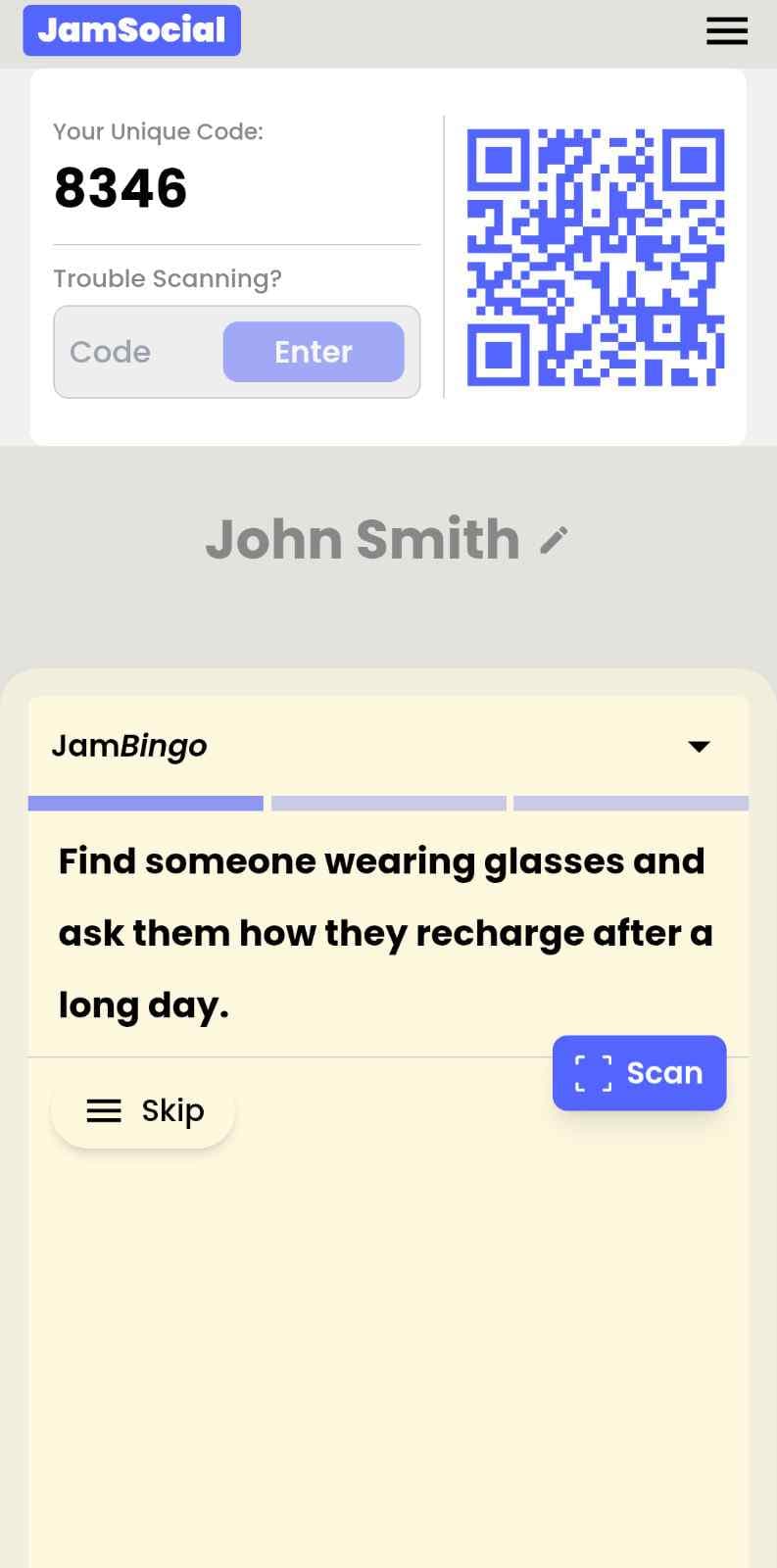
What Is the Find Somebody Who Virtual Game?
The Find Somebody Who Virtual Game is the digital version of the icebreaker everyone already knows. Instead of handing out paper sheets that get lost, ignored, or stuffed in a pocket — participants get conversation prompts on their phone. They walk around, ask questions, find people who match each prompt, and unlock the next one after every conversation. Same energy as the classic, zero paper, works in any room or on any screen. Teachers, facilitators, HR teams, and event organizers use it because it's the one icebreaker people actually want to play — and now it runs entirely from their phone.
Here's the thing about the classic Find Somebody Who on paper: half the room loses the sheet in the first five minutes, and the other half feels awkward carrying it around. The virtual game fixes all of that. Everything lives on their phone, which they already have in their hand anyway. The prompts are right there, one at a time, and the whole thing feels more like a game than a worksheet. The conversations it starts are exactly the same — actually better, because people aren't distracted trying to hold onto a piece of paper.
How Does Find Somebody Who Virtual Game Work?
Find Somebody Who Virtual Game runs on Jam Bingo—the simple, interactive networking activity. It is not a card, it has no squares, and attendees do not fill anything out. Here’s what each attendee does:
How is Jam Bingo Played?
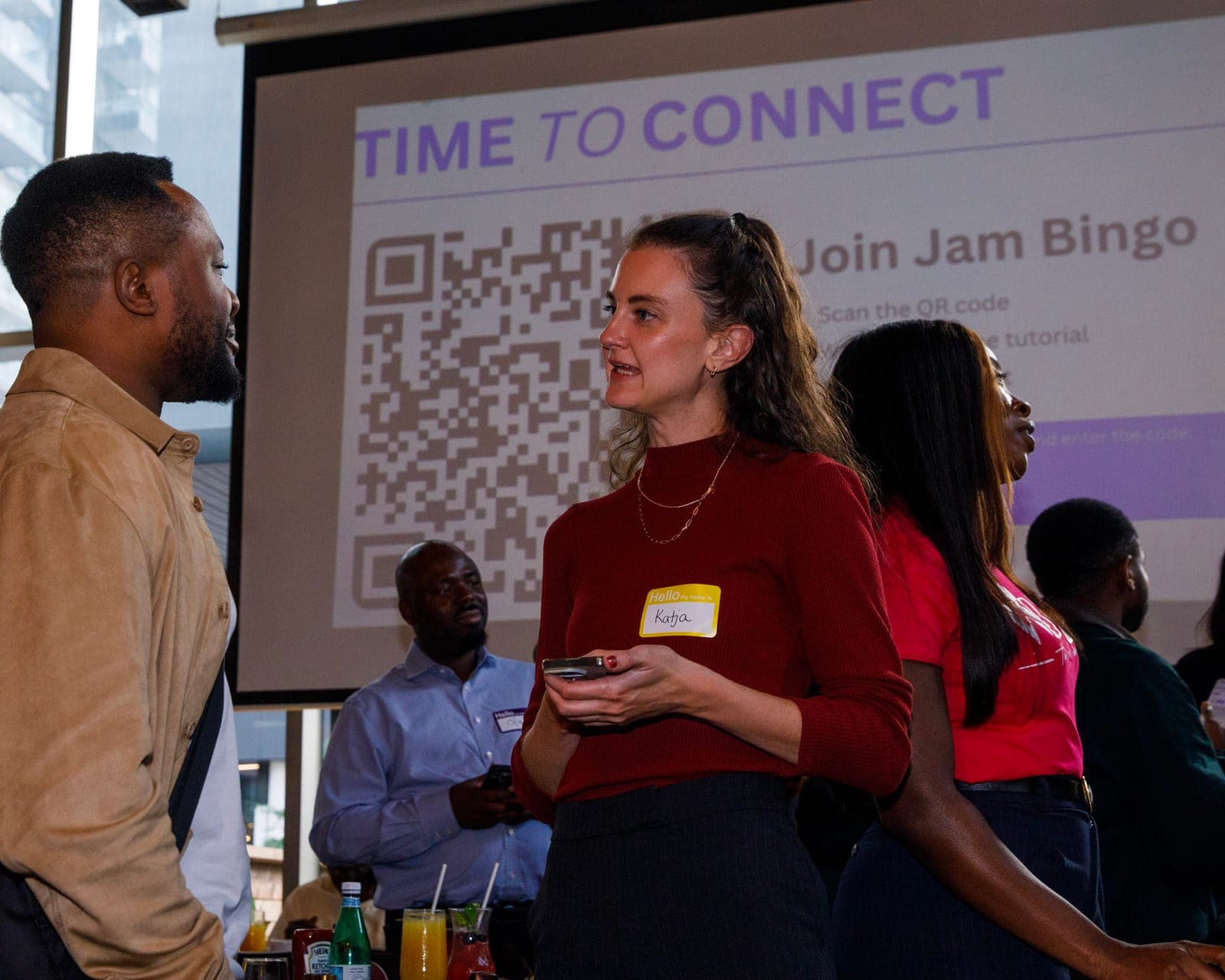
Attendees scan the event’s Jam Bingo QR code (or enter the game code). It runs in the phone’s browser—there is no app to download.


How to Use the Find Somebody Who Virtual Game at Your Event
The find somebody who virtual game helps the people at your event meet new people, not just the people they came with. Here’s how to use it:
- 01Step 1
Decide How Many New People Each Person Meets
Create a Jam Bingo for your event and choose how many different people you'd like each person to talk with. That's the job of the Find Somebody Who Virtual Game: getting people past the group they came with and into conversations with people they haven't met yet.
TipNot sure? Start with 5 people each - enough to get everyone past the group they came with. - 02Step 2
Add Conversation Prompts
Pick a ready-made template or write your own prompts. Each prompt gives people a reason to find someone new and a question to start the conversation.
TipKeep prompts about people, not trivia - "Find someone who…" sends people across the room to someone new. - 03Step 3
Display Your Jam Bingo QR Code
Put your Jam Bingo QR code on the big screen, at check-in, or on table cards. People scan it with their phone camera to join - no app to download.
TipExplain it once, in one line: scan, find someone who fits your prompt, talk, then scan each other's QR code. - 04Step 4
Let People Meet New People
Each person gets a conversation prompt, finds someone who fits it, and talks with them. Then they scan that person's QR code to get their next prompt and meet someone else.
TipGive it 20 to 45 minutes during a reception, break, or networking session. - 05Step 5
Everyone Leaves With Their Connections
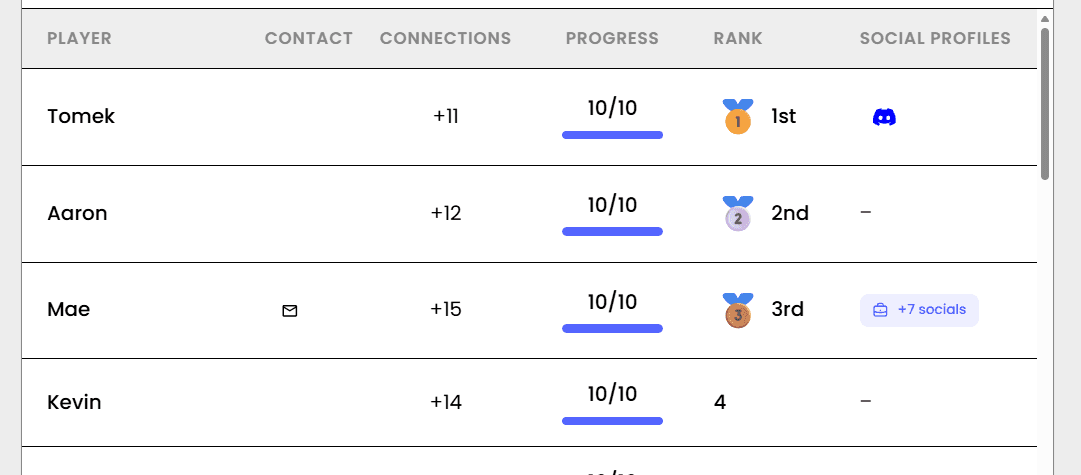
Every connection is saved, so each person gets a list of the people they met - with the contact info they shared and the conversations they had.
TipRecognize the people who met the most new people at the end - it's an easy way to wrap up.
Ready to Use the Find Somebody Who Virtual Game at Your Event?
Create a Jam Bingo, add your own prompts, and get a QR code for your event. You’ll be directed to the Create Account page first.
Have questions? Book a 15-minute demo.
Where to Use Find Somebody Who Virtual Game
Classroom & Workshop Icebreakers
The Find Somebody Who Virtual Game is the easiest way to open a class or workshop without the paper shuffle. Students or participants scan in as they arrive, play for 10–15 minutes, and walk into your session already warmed up and already knowing a few people in the room.
- Eliminate the printing and distributing ritual before every session
- Get students or participants talking before you've said a word
- Tailor prompts to what you're about to cover so the icebreaker actually connects to the content
- Works for 10 people in a seminar room or 200 in a lecture hall
Virtual & Hybrid Team Meetings
The Find Somebody Who Virtual Game was built for exactly this — running a great icebreaker when half the team is in a room and half is on a screen. Everyone gets the same digital game card, nobody is left out of the paper version that's being passed around a table, and the breakout room format creates real one-on-one connection between people who might never otherwise talk.
- Level the playing field completely between in-person and remote participants
- Replace 'let's go around and share one fun fact' with something people actually enjoy
- Create genuine connection between teammates who only know each other from Slack
- Works as a meeting opener, a team social activity, or a standalone check-in
Corporate Onboarding
Week one is overwhelming. The Find Somebody Who Virtual Game gives new hires a structured, low-pressure way to meet colleagues without the awkwardness of cold introductions — and it works whether onboarding is in-person, remote, or a mix of both.
- Help new hires meet 15+ colleagues in their first 30 minutes
- Create immediate peer connections before the information overload kicks in
- Works for a single new hire or a cohort of 50 starting on the same day
- Remote new hires get the exact same experience as in-office ones
Conferences & Networking Events
Most conference networking sessions are just people standing around on their phones pretending to be busy. The Find Somebody Who Virtual Game gives attendees an actual reason to walk up to someone new — and a ready-made conversation starter for every single interaction.
- Replace name-tag staring with purposeful, prompt-driven conversations
- Work across an entire conference day — the game stays on their phone
- Reduce approach anxiety for introverts and first-time attendees
- Give organizers real participation data instead of just hoping it went well
School & University Orientation
Orientation is the one moment where everyone is equally new and equally nervous. The Find Somebody Who Virtual Game is perfect for it — it gets students moving, talking, and finding their people fast, without anyone having to stand up and introduce themselves to the whole room.
- Break the ice for hundreds of new students without complicated facilitation
- Works across large orientation sessions — no room too big
- Create natural conversation groups before formal programming starts
- Give students who struggle with cold introductions a comfortable way in
Community Events & Social Mixers
Whether it's a neighborhood meetup, a community org social, or a faith group gathering — the Find Somebody Who Virtual Game gives everyone a reason to talk to someone they've never met. No paper, no awkward facilitation, just a QR code and a room that warms up on its own.
- Welcome newcomers without putting them on the spot
- Give regulars a new way to connect with people they've seen but never spoken to
- Works indoors, outdoors, across multiple rooms — game lives on their phone
- Create a shared experience that people actually talk about afterward
Find Somebody Who Virtual Game vs. The Paper Version
| Feature | Paper Version | Find Somebody Who Virtual Game |
|---|---|---|
| Setup Time | 30–60 min printing, cutting, distributing | 5 min — link or QR code, done |
| Participation Rate | 50–65% (sheets get lost or ignored) | 85–95% — game lives on their phone |
| Works Remotely | No — completely breaks down on Zoom | Yes — same experience in person or online |
| Energy in the Room | Awkward, people aren't sure what to do with the sheet | People are moving and talking within 2 minutes |
| After the Activity | Sheets in the bin, nothing to show for it | Participation data, completion rates, engagement stats |
| Environmental Impact | Paper waste for every session | Zero — completely paperless |
Example Prompts for Find Somebody Who Virtual Game
Taken from the Large Corporate Event Icebreaker template. Use them as a starting point, then adapt them to your group.
Make people move
Start prompts with "Find someone who…" so each one sends players across the room to a new person, not back to their own table.
Mix easy and deeper prompts
Open with quick, observable prompts (something they're wearing, where they're from), then add a few that lead to a real story.
Keep them inclusive
Avoid prompts about money, looks, or anything someone could feel left out of. Everyone should be able to answer at least half of them.
Match the length of your event
Around 12–16 prompts fits a 30-minute game. More prompts than time just leaves people unfinished.
- 1
Find someone from a department you've never worked with and ask what a normal day looks like for them
- 2
Find someone who works in a different office or city and ask what their favorite lunch spot near work is
- 3
Find someone who started this year and ask what surprised them most about the company
- 4
Find someone who has been here longer than you and ask what's changed the most since they joined
- 5
Find someone whose job you couldn't explain in one sentence, and ask them to explain it in one sentence
- 6
Find someone you've emailed but never met in person
- 7
Ask someone what project they're most proud of this year
- 8
Ask someone what their first job ever was
- 9
Find someone who has worked in more than one department here
- 10
Ask someone what's one tool or app that saves them hours every week
- 11
Challenge someone to name three things your two teams have in common
- 12
Find someone who has a hidden talent their coworkers don't know about
See all 15 prompts in the Large Corporate Event Icebreaker template · Browse all templates
Other Platforms Like Jam Bingo
Jam Bingo is designed to help people actually get to know each other, not just exchange names. Unlike icebreaker games that focus on quick interactions or surface-level fun, Jam Bingo is built around meaningful conversations that make it easier for people to open up, find common ground, and build real relationships.
| Features | Jam Bingo | Hoogo | SocialPoint.io | Booth Bingo | Eventgamification.com |
|---|---|---|---|---|---|
| Paperless (QR Code Digital) | ✅ | ✅ | ✅ | ✅ | ✅ |
| Custom Branding | ✅ | ✅ | ✅ | ❌ | ❌ |
| Conversation Prompt | ✅ | ❌ | ❌ | ❌ | ❌ |
| Meaningful & Intentional Connections | ✅ | ❌ | ❌ | ❌ | ❌ |
| Contact Sharing (Email, Instagram, Linkedin, etc) | ✅ | ❌ | ❌ | ❌ | ❌ |
| Each person gets a list of everyone they connected with, including contact information and conversations they had. | ✅ | ❌ | ❌ | ❌ | ❌ |
| Introduction Forum | ✅ | ❌ | ❌ | ❌ | ❌ |
| Auto Introductions ("Introduce Me") | ✅ | ❌ | ❌ | ❌ | ❌ |
Frequently Asked Questions
What is the Find Somebody Who Virtual Game?
It's the digital version of the classic Find Somebody Who icebreaker. Instead of paper sheets, everyone plays on their phone — scanning a QR code or tapping a link to get their prompts. Same activity, none of the paper headaches.
How is this different from the paper version?
A few ways that actually matter. No setup time — you're not printing and distributing anything. No lost sheets — the game lives on their phone. It works remotely — you can run the exact same activity in a Zoom breakout room. And you get data afterward — participation rates, which prompts got completed, how long people played. The paper version gives you none of that.
Does it actually work online, or is it just an in-person thing?
It works really well online — you just run it through breakout rooms instead of having people walk around. Pairs or small groups get a few minutes together to find their matches through conversation. The prompts work exactly the same way, the game card is on their screen, and the conversations are just as real. A lot of facilitators actually prefer the virtual version because the breakout structure forces more one-on-one depth.
Do participants need to download anything?
Nothing. They scan a QR code or tap a link and the game opens in their browser. No app store, no account, no loading screen to sit through while the energy dies. It just opens and works.
What kinds of groups and sessions is this best for?
Honestly, any situation where you want people to actually talk to each other before the main thing starts. Classroom icebreakers, corporate onboarding, team offsites, networking events, conference workshops, orientation days, wellness sessions, community meetups — if there are people in a room (or on a call) who don't know each other well, this is your opener.
How do I make the prompts actually good?
The best prompts lead to a story. 'Find somebody who has lived in another country' is better than 'Find somebody who likes to travel.' 'Find somebody who has changed careers completely' is better than 'Find somebody who likes their job.' Anything that starts with 'has ever' or 'can tell you about' tends to open people up way more than opinion or preference questions.
The Simple Way to Get People Talking
Jam Bingo gets people having meaningful conversations and meeting as many new people as possible.
Networking Icebreaker Activities for SPARK Speed Networking Online
Jam Bingo is a networking icebreaker game that gives SPARK's online attendees a reason to connect beyond their breakout rooms.
GuideInteractive QR Code Networking Game for the Digital Marketing & AI Summit
Jam Bingo is a QR code networking game that helps San Diego business owners connect between workshops and learn from each other.
GuideInteractive QR Code Networking Game for AI Tech & Startup Night
Jam Bingo is a QR code networking game that helps AI founders, investors, and builders find the people they actually need to meet during your opening networking block.
Networking games10 Company Annual Gathering Interactive Ice breaker Activities
Your annual gathering should feel like a celebration, not a compliance event. These icebreakers help people actually connect around the year that was — and get excited for what's next.
Networking games10 Easy & No-Prep Interactive Networking Games for Professionals
No supplies, no setup, no awkward silence. Just games that get a room full of strangers actually talking.
Networking games25 Icebreakers for an Association AGM & Tradeshow Mixer
These icebreakers turn a formal AGM and tradeshow into meaningful conversations.