Digital Leadership Bingo
Your team scans one QR code and plays leadership bingo on their phones.
Why Use Digital Leadership Bingo
Leadership offsites and manager trainings bring together leaders from different teams who rarely talk outside meetings. Leadership bingo gets them sharing how they lead, what they've learned and what they're working on.
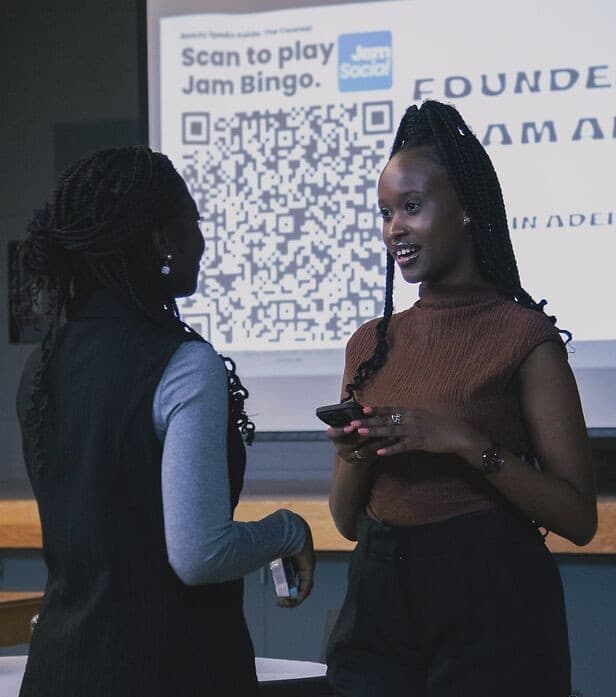
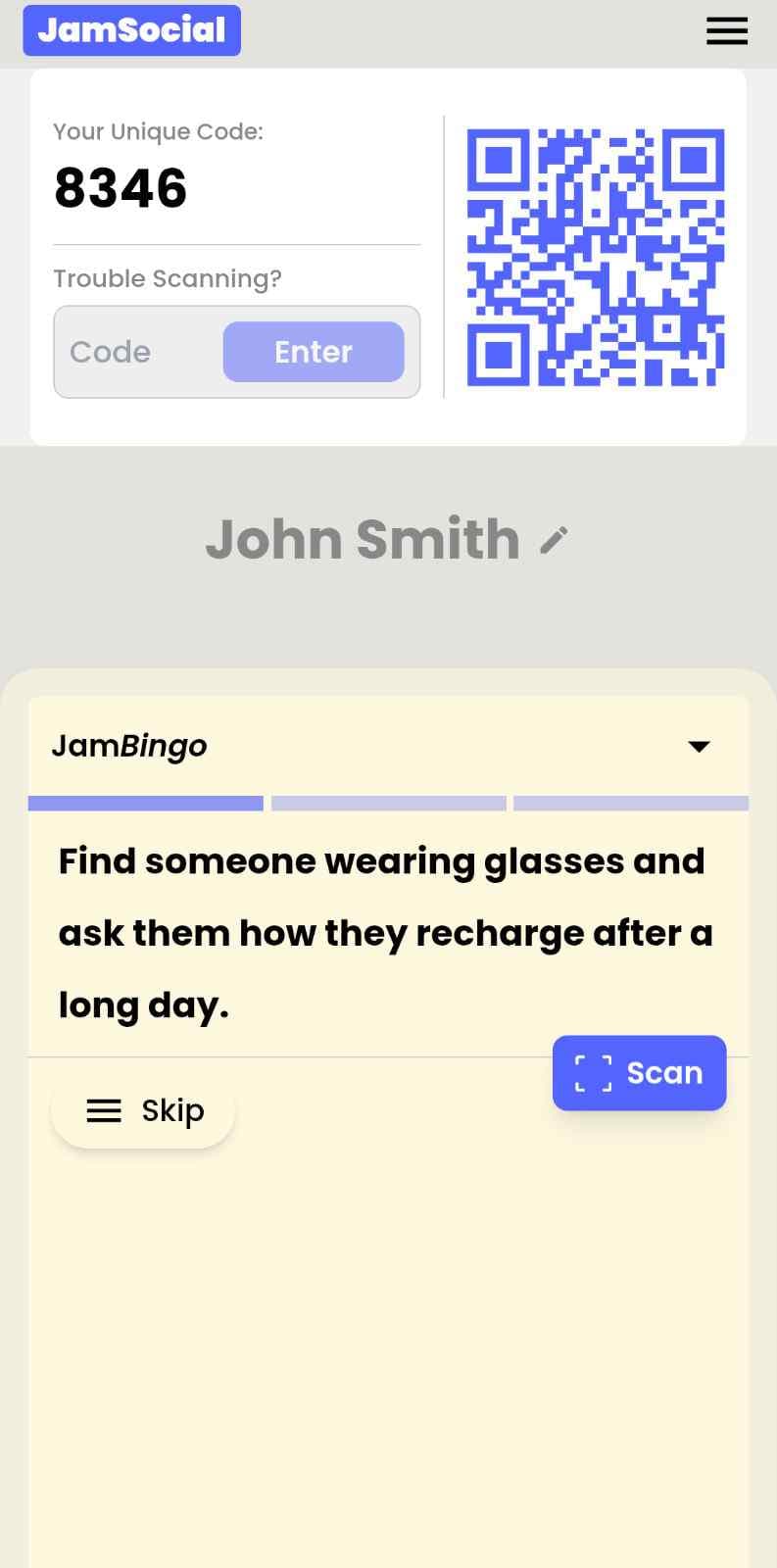
Your team scans a QR code and each person gets a leadership prompt, like 'Find a leader who has given tough feedback this month and ask how they framed it.' They talk, scan each other's QR codes and unlock the next prompt. No printing, no app download, and every connection is saved.
How?
Jam Bingo is the simplest networking game that gets everyone talking and learning more about each other.
1. A conversation starter: to connect
Each guest receives a tailored conversation starter.
2. The Reveal: learn more about others
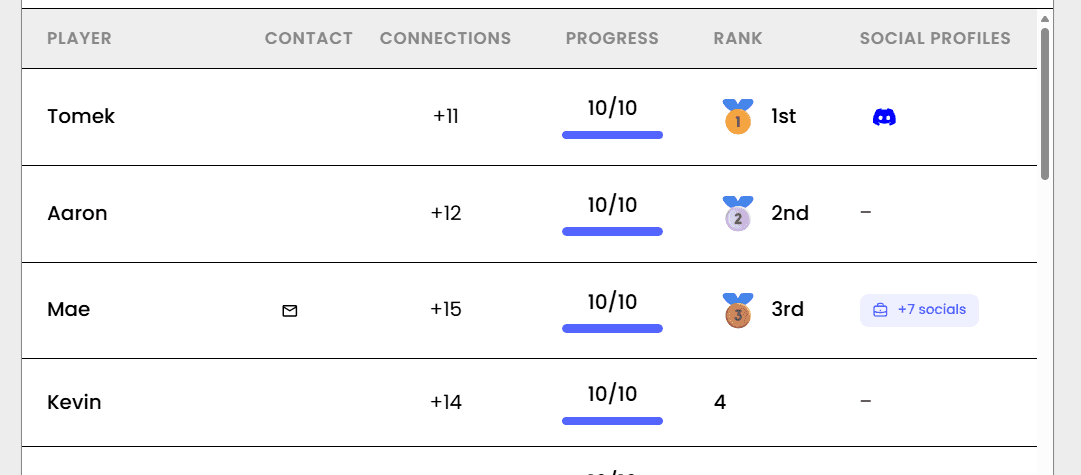
Connecting with someone reveals what others have learned about them.
3. Meet different people: outside of your bubble
Everyone meets someone new, not just the people they already know.
How to Use the Digital Leadership Bingo at Your Event
The digital leadership bingo helps the people at your event meet new people, not just the people they came with. Here’s how to use it:
- 01Step 1
Decide How Many New People Each Person Meets
Create a Jam Bingo for your event and choose how many different people you'd like each person to talk with. That's the job of the Digital Leadership Bingo: getting people past the group they came with and into conversations with people they haven't met yet.
TipNot sure? Start with 5 people each - enough to get everyone past the group they came with. - 02Step 2
Add Conversation Prompts
Pick a ready-made template or write your own prompts. Each prompt gives people a reason to find someone new and a question to start the conversation.
TipKeep prompts about people, not trivia - "Find someone who…" sends people across the room to someone new. - 03Step 3
Display Your Jam Bingo QR Code
Put your Jam Bingo QR code on the big screen, at check-in, or on table cards. People scan it with their phone camera to join - no app to download.
TipExplain it once, in one line: scan, find someone who fits your prompt, talk, then scan each other's QR code. - 04Step 4
Let People Meet New People
Each person gets a conversation prompt, finds someone who fits it, and talks with them. Then they scan that person's QR code to get their next prompt and meet someone else.
TipGive it 20 to 45 minutes during a reception, break, or networking session. - 05Step 5
Everyone Leaves With Their Connections
Every connection is saved, so each person gets a list of the people they met - with the contact info they shared and the conversations they had.
TipRecognize the people who met the most new people at the end - it's an easy way to wrap up.
Ready to Use the Digital Leadership Bingo at Your Event?
Create a Jam Bingo, add your own prompts, and get a QR code for your event. You’ll be directed to the Create Account page first.
Have questions? Book a 15-minute demo.
Where to Use Digital Leadership Bingo
Leadership Offsites
Help leaders from different teams learn how each other leads.
- Crosses teams
- Leadership prompts
- Connections saved
Manager Trainings
Warm up a training cohort with real conversations about leading people.
- Peer learning
- Easy to run
- Everyone talks
Leadership Development Programs
Kick off a cohort so participants know each other from day one.
- Builds trust
- Saved contacts
- Scan to join
Digital Leadership Bingo vs. Paper Leadership Bingo
| Feature | Paper Leadership Bingo | Digital Leadership Bingo |
|---|---|---|
| Joining | Hand out cards and pens | Team scans a QR code |
| Prompts | Full card at once | One leadership prompt at a time |
| Proof | Signatures | QR scan between leaders |
| After the session | Cards thrown away | Connections saved |
Example Prompts for Digital Leadership Bingo
Taken from the Business Ops Kickoff: Welcome Mixer for Leadership Team template. Use them as a starting point, then adapt them to your group.
Make people move
Start prompts with "Find someone who…" so each one sends players across the room to a new person, not back to their own table.
Mix easy and deeper prompts
Open with quick, observable prompts (something they're wearing, where they're from), then add a few that lead to a real story.
Keep them inclusive
Avoid prompts about money, looks, or anything someone could feel left out of. Everyone should be able to answer at least half of them.
Match the length of your event
Around 12–16 prompts fits a 30-minute game. More prompts than time just leaves people unfinished.
- 1
Find someone wearing bright colors and ask them what their favorite moment has been this year
- 2
Find someone with a unique accessory and ask them what accomplishment they are most proud of but rarely talk about
- 3
Find someone with a coffee cup and ask them what their most exciting personal or professional goal is right now
- 4
Find someone wearing glasses and ask them how they recharge after a long day
- 5
Find someone with long hair and ask them what book or podcast has inspired them recently
- 6
Find someone wearing a jacket and ask them what their favorite way to unwind or practice self-care is
- 7
Find someone with tennis shoes and ask them what personal value or belief they hold most strongly
- 8
Find someone tall and ask them how they like to be shown appreciation
- 9
Find someone from a different state than you and ask them where their favorite vacation location is
- 10
Find someone wearing the color blue and determine a hobby that you have in common, and ask them what song they can't stop listening to right now
See all 10 prompts in the Business Ops Kickoff: Welcome Mixer for Leadership Team template · Browse all templates
Other Platforms Like Jam Bingo
Jam Bingo is designed to help people actually get to know each other, not just exchange names. Unlike icebreaker games that focus on quick interactions or surface-level fun, Jam Bingo is built around meaningful conversations that make it easier for people to open up, find common ground, and build real relationships.
| Features | Jam Bingo | Hoogo | SocialPoint.io | Booth Bingo | Eventgamification.com |
|---|---|---|---|---|---|
| Paperless (QR Code Digital) | |||||
| Custom Branding | |||||
| Conversation Prompt | |||||
| Meaningful & Intentional Connections | |||||
| Contact Sharing (Email, Instagram, Linkedin, etc) | |||||
| Connect with people who aren't playing (scan their LinkedIn QR code, or enter their name + email or phone) | |||||
| Each person gets a list of everyone they connected with, including contact information and conversations they had. | |||||
| Introduction Forum | |||||
| Auto Introductions ("Introduce Me") |
Frequently Asked Questions
What is digital leadership bingo?
Leadership bingo played on phones. Your team scans a QR code, gets leadership prompts, talks one on one and scans each other to connect.
How does the team join?
Show one QR code on screen. Everyone scans it with their phone camera and plays in the browser.
What leadership prompts work best?
Prompts about feedback, hiring, mistakes, mentors and habits, with a question to ask.
Where is it used?
Leadership offsites, manager trainings, leadership development programs and executive retreats.
How long does it take?
About 20 to 30 minutes.
The Simple Way to Get People Talking
Jam Bingo gets people having meaningful conversations and meeting as many new people as possible.
Financial Advisor Icebreakers for Wealth Management Summits
Jam Bingo is an interactive networking tool that gets groups of people to connect and mingle. Attendees scan a QR code, receive a conversation prompt, complete it by connecting with another person, and unlock the next prompt.
GuideLeadership Offsite Icebreakers for Executive Teams
JamBingo is a digital QR code networking game built specifically for leadership offsites — giving executives and managers a structured, genuinely fun way to connect as humans before the strategy sessions begin, so the real work lands better when it does.
GuideMid-Year Kickoff Icebreakers for Global Leadership Teams
Jam Bingo is a large group ice breaker that gets leaders out of their seats and into real conversations — so your mid-year kick off starts with the energy and openness your working sessions actually need.
Networking games10 Networking Games for Marketing Department Retreat
Break down silos, spark creative collisions, and turn your marketing team into a real crew — all before lunch.
Networking games15 Icebreaker Games for a Halloween Company Mixer
Spooky, work-friendly games that get coworkers talking across teams, costume or no costume.
Networking games25 Icebreakers for an Association AGM & Tradeshow Mixer
These icebreakers turn a formal AGM and tradeshow into meaningful conversations.