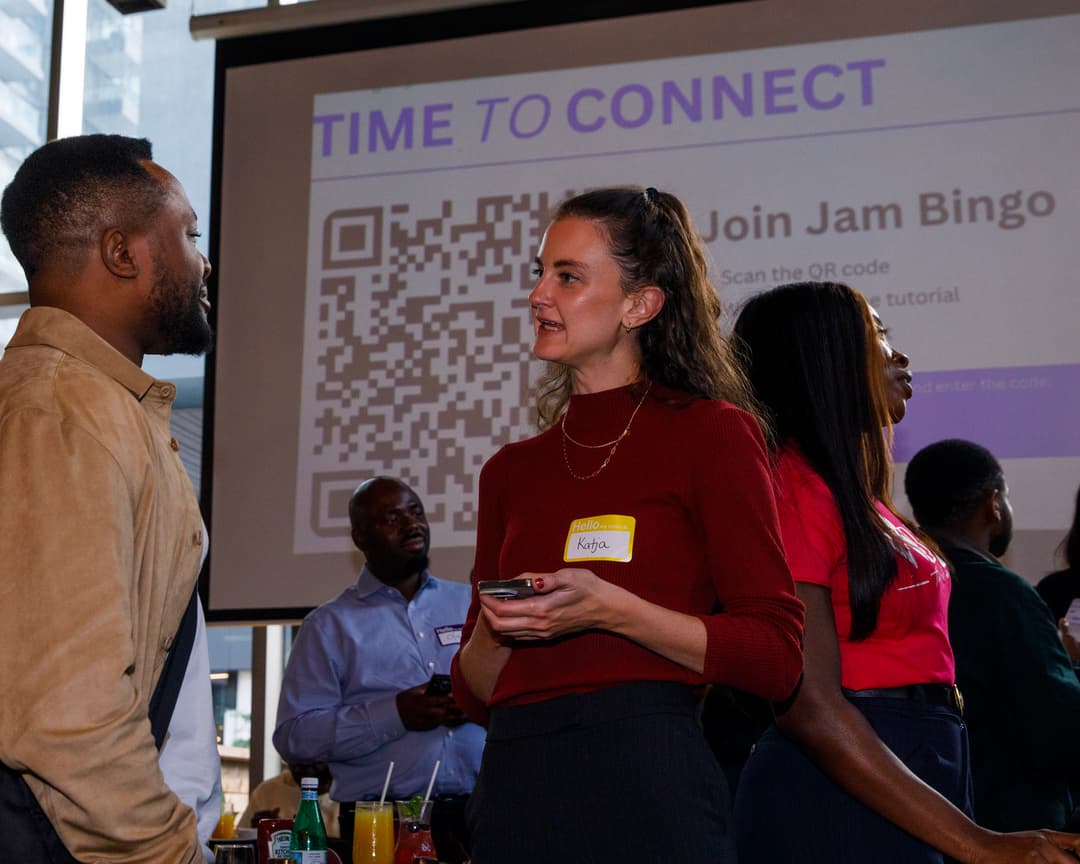
Orientation Bingo App
Help new students, employees, and attendees meet people naturally from day one.

What Is the Orientation Bingo App?
Orientation Bingo App is a simple social icebreaker game designed to help people meet and interact during orientation events. Instead of awkward introductions or people sitting quietly on their phones, participants move around completing bingo prompts by talking to others. It creates an easy, low-pressure way for people to connect and feel included right away.
The hardest part of any orientation is helping people feel comfortable enough to start conversations. Orientation Bingo App solves that by giving everyone a reason to interact. Whether it's students, employees, or community members, the game helps people break the ice naturally without forcing uncomfortable introductions.
How?
Jam Bingo is the simplest networking game that gets everyone talking and learning more about each other.
1. during the networking session
Introduce Jam Bingo to get attendees started.
2. Attendees scan to participate
Guests open their phone camera and scan the QR Code.
3. A conversation starter To Connect
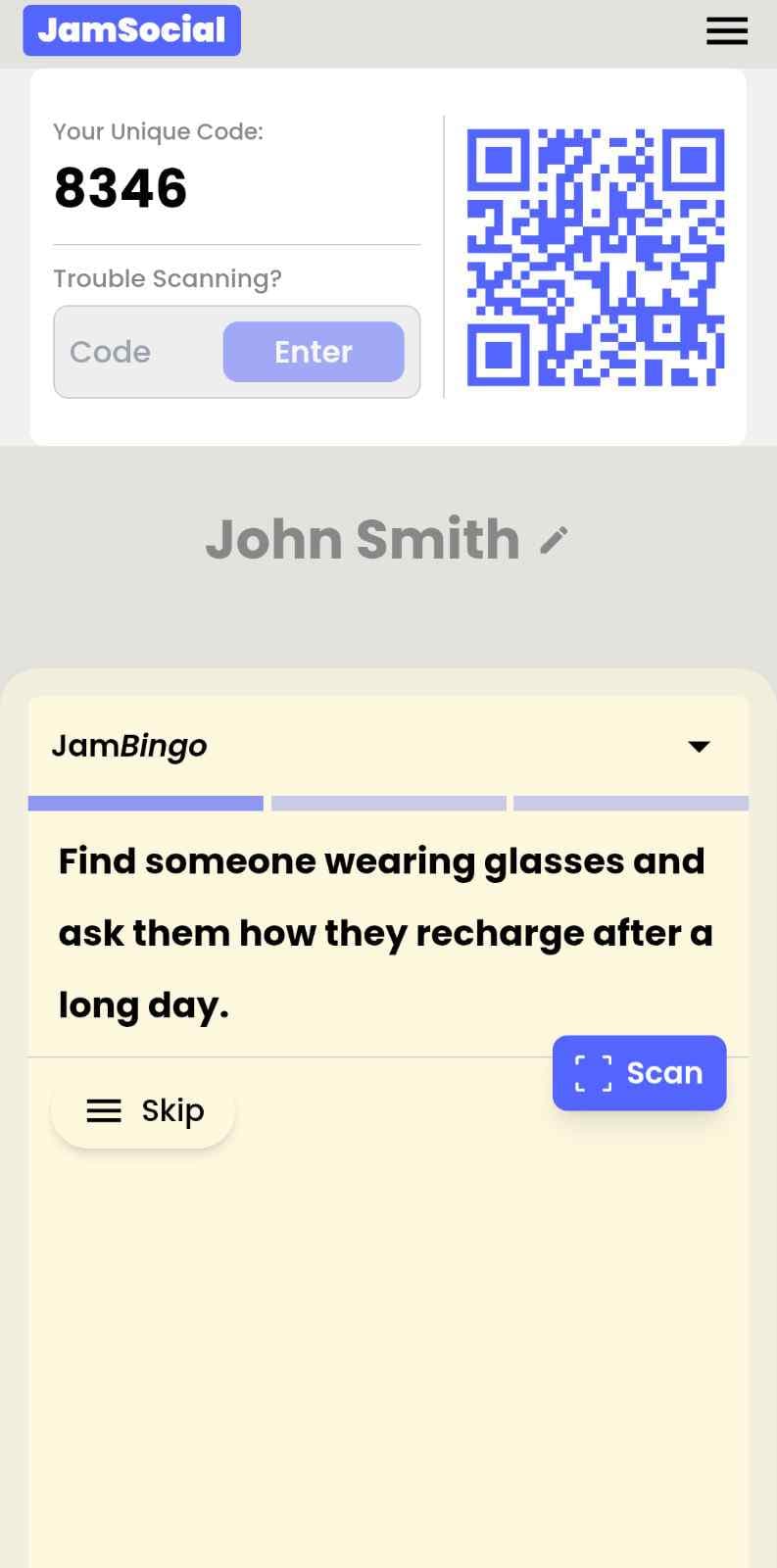
Each guest receives a tailored conversation starter.
4. The Exchange: Get People Talking
After chatting, scan the other person's QR Code to mark the connection and unlock your next prompt.
How to Use the Orientation Bingo App at Your Event
The orientation bingo app helps the people at your event meet new people, not just the people they came with. Here’s how to use it:
- 01Step 1
Decide How Many New People Each Person Meets
Create a Jam Bingo for your event and choose how many different people you'd like each person to talk with. That's the job of the Orientation Bingo App: getting people past the group they came with and into conversations with people they haven't met yet.
TipNot sure? Start with 5 people each - enough to get everyone past the group they came with. - 02Step 2
Add Conversation Prompts
Pick a ready-made template or write your own prompts. Each prompt gives people a reason to find someone new and a question to start the conversation.
TipKeep prompts about people, not trivia - "Find someone who…" sends people across the room to someone new. - 03Step 3
Display Your Jam Bingo QR Code
Put your Jam Bingo QR code on the big screen, at check-in, or on table cards. People scan it with their phone camera to join - no app to download.
TipExplain it once, in one line: scan, find someone who fits your prompt, talk, then scan each other's QR code. - 04Step 4
Let People Meet New People
Each person gets a conversation prompt, finds someone who fits it, and talks with them. Then they scan that person's QR code to get their next prompt and meet someone else.
TipGive it 20 to 45 minutes during a reception, break, or networking session. - 05Step 5
Everyone Leaves With Their Connections
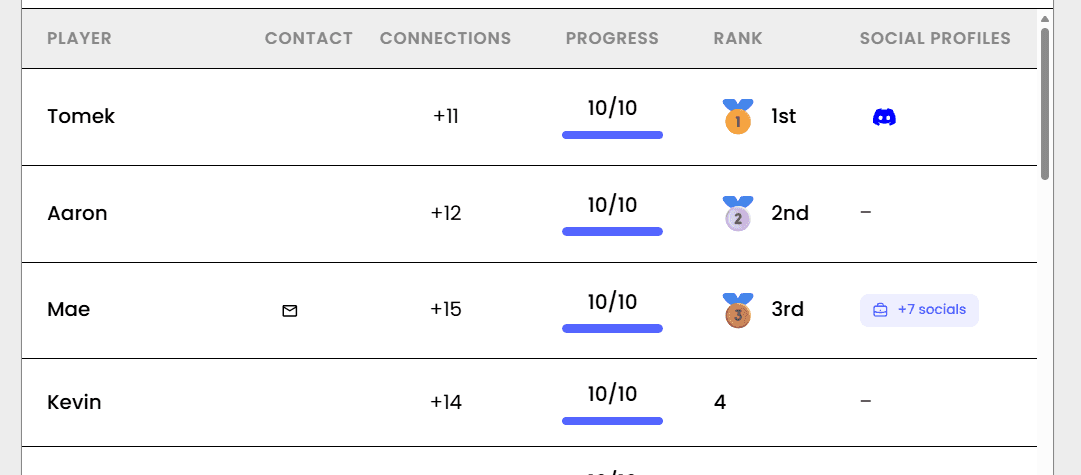
Every connection is saved, so each person gets a list of the people they met - with the contact info they shared and the conversations they had.
TipRecognize the people who met the most new people at the end - it's an easy way to wrap up.
Ready to Use the Orientation Bingo App at Your Event?
Create a Jam Bingo, add your own prompts, and get a QR code for your event. You’ll be directed to the Create Account page first.
Have questions? Book a 15-minute demo.
Where to Use Orientation Bingo App
Orientation Bingo App for Student Orientation
Help new students meet classmates, make friends, and feel comfortable during orientation week. Orientation Bingo App turns awkward first-day interactions into real conversations.
- Help students meet people quickly
- Reduce first-day anxiety
- Encourage participation during orientation
- Create a more welcoming campus environment
Orientation Bingo App for Employee Onboarding
Make onboarding feel more human by helping new employees connect with coworkers naturally instead of sitting through awkward introductions.
- Help new hires build relationships faster
- Reduce onboarding awkwardness
- Encourage cross-team interaction
- Improve employee engagement early
Orientation Bingo App for Camps & Youth Programs
Help campers and participants make friends quickly during the first day of camp or youth programs.
- Break the ice naturally
- Encourage shy participants to join in
- Build group energy quickly
- Create a more social atmosphere
Orientation Bingo App for Conferences & Training Events
Help attendees meet each other before sessions begin. Orientation Bingo App creates energy and conversation right from the start.
- Increase attendee engagement
- Encourage networking early
- Warm up the room quickly
- Make events more interactive
Orientation Bingo App for Community Welcome Events
Help new members, volunteers, or residents feel welcomed and included by making introductions easier and more interactive.
- Help people feel included faster
- Encourage community interaction
- Reduce social awkwardness
- Increase participation at events
Orientation Bingo App for Remote & Hybrid Teams
Help remote employees or hybrid teams get to know each other in a fun and structured way during onboarding and orientation sessions.
- Create connection across remote teams
- Help employees learn about coworkers
- Make virtual onboarding less awkward
- Encourage interaction beyond work roles
Orientation Bingo App vs Traditional Orientation Activities
| Feature | Traditional Orientation | Orientation Bingo App |
|---|---|---|
| Interaction Style | Passive introductions | Active conversations |
| Participation | Often limited | High engagement |
| Comfort Level | Can feel awkward | Low-pressure and fun |
| Meeting New People | Small group interaction | Encourages broad mingling |
| Ease of Setup | Manual facilitation required | Quick online setup |
| Overall Experience | Forgettable | Interactive and memorable |
Example Prompts for Orientation Bingo App
Taken from the New Hire Onboarding template. Use them as a starting point, then adapt them to your group.
Make people move
Start prompts with "Find someone who…" so each one sends players across the room to a new person, not back to their own table.
Mix easy and deeper prompts
Open with quick, observable prompts (something they're wearing, where they're from), then add a few that lead to a real story.
Keep them inclusive
Avoid prompts about money, looks, or anything someone could feel left out of. Everyone should be able to answer at least half of them.
Match the length of your event
Around 12–16 prompts fits a 30-minute game. More prompts than time just leaves people unfinished.
- 1
Find someone who joined a different team this week and ask them what they'll be working on
- 2
Find someone who has been at the company for more than three years and ask them for their best piece of advice
- 3
Find someone who moved to a new city for this job and ask them what they've discovered so far
- 4
Find someone who worked in a completely different industry before and ask them what they miss about it
- 5
Find someone who has the same start date as you and ask them what they're most excited to learn
- 6
Find a buddy or mentor in the room and ask them what they wish they had known in their first month
- 7
Find someone who will work in a different office or location and ask them what their team is like
- 8
Find someone who has a favorite productivity tip and ask them to teach it to you
- 9
Find someone who has a fun fact nobody at work knows yet and ask them to share it
- 10
Find someone who has already found a great lunch spot nearby and ask them for a recommendation
- 11
Find someone whose role you don't fully understand and ask them to explain it in one sentence
- 12
Find someone who has a hobby outside of work and ask them how they got into it
See all 15 prompts in the New Hire Onboarding template · Browse all templates
Other Platforms Like Jam Bingo
Jam Bingo is designed to help people actually get to know each other, not just exchange names. Unlike icebreaker games that focus on quick interactions or surface-level fun, Jam Bingo is built around meaningful conversations that make it easier for people to open up, find common ground, and build real relationships.
| Features | Jam Bingo | Hoogo | SocialPoint.io | Booth Bingo | Eventgamification.com |
|---|---|---|---|---|---|
| Paperless (QR Code Digital) | ✅ | ✅ | ✅ | ✅ | ✅ |
| Custom Branding | ✅ | ✅ | ✅ | ❌ | ❌ |
| Conversation Prompt | ✅ | ❌ | ❌ | ❌ | ❌ |
| Meaningful & Intentional Connections | ✅ | ❌ | ❌ | ❌ | ❌ |
| Contact Sharing (Email, Instagram, Linkedin, etc) | ✅ | ❌ | ❌ | ❌ | ❌ |
| Each person gets a list of everyone they connected with, including contact information and conversations they had. | ✅ | ❌ | ❌ | ❌ | ❌ |
| Introduction Forum | ✅ | ❌ | ❌ | ❌ | ❌ |
| Auto Introductions ("Introduce Me") | ✅ | ❌ | ❌ | ❌ | ❌ |
Frequently Asked Questions
What is the Orientation Bingo App?
It’s a digital icebreaker game that helps people interact, meet others, and feel more comfortable during orientation events.
Do participants need to download anything?
No. Participants can join instantly through a QR code or link directly from their browser.
Who is Orientation Bingo App designed for?
It works great for student orientations, employee onboarding, camps, training programs, conferences, and community welcome events.
Does it actually help people interact?
Yes. The prompts are designed to naturally encourage conversations and reduce the awkwardness people often feel during orientation events.
Can we customize the bingo prompts?
Absolutely. You can create prompts specific to your school, company, event, or organization.
The Simple Way to Get People Talking
Jam Bingo gets people having meaningful conversations and meeting as many new people as possible.
Nursing Orientation Icebreakers for New Student Cohorts
JamBingo is an interactive ice breaker that helps nursing students at orientation get to interact and connect — turning nervous first-year nursing students into a supportive cohort that talks, laughs, and studies together.
Guide500-Student Networking Games for Orientation & Welcome Week
Jam Bingo is an interactive networking tool designed to help large groups of students skip awkward silences and connect naturally across campus majors.
GuideNetworking Icebreaker Activities for the College Autism Summit
Jam Bingo is a calm, self-paced networking icebreaker game that helps higher-ed autism support professionals find peers from other campuses at the preconference reception.
Networking games10 Unique Networking Games for New Student Engagement
You’ve got hundreds of nervous freshmen coming together at your upcoming event. Here’s how to get them talking and interacting with each other.
Networking games10 Networking Games for Chamber of Commerce New Member Orientation
New member orientations can be painfully awkward. Here are 10 unexpectedly fun icebreakers that help business owners actually connect — so they leave with real relationships, not just a nametag.
Networking games10 Easy & No-Prep Interactive Networking Games for Professionals
No supplies, no setup, no awkward silence. Just games that get a room full of strangers actually talking.