

Why Professional Networking Bingo Works
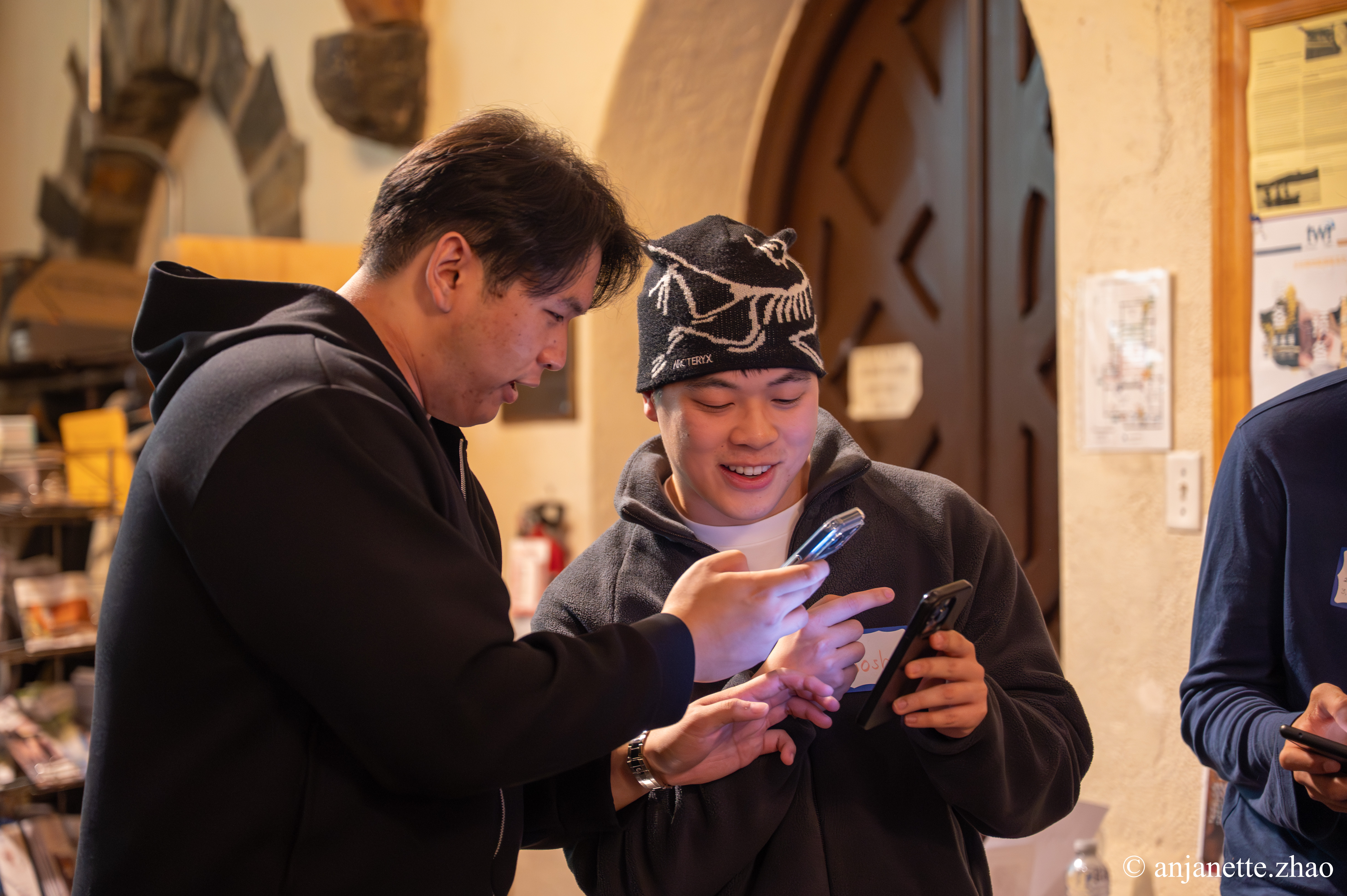
Professional networking bingo takes the hardest part of networking, the first hello, and makes it easy. Instead of 'So, what do you do?', attendees get a prompt like 'Find someone who changed industries and ask what made them switch.' They walk up with a reason, the conversation starts on something interesting, and they leave with contacts they actually remember.
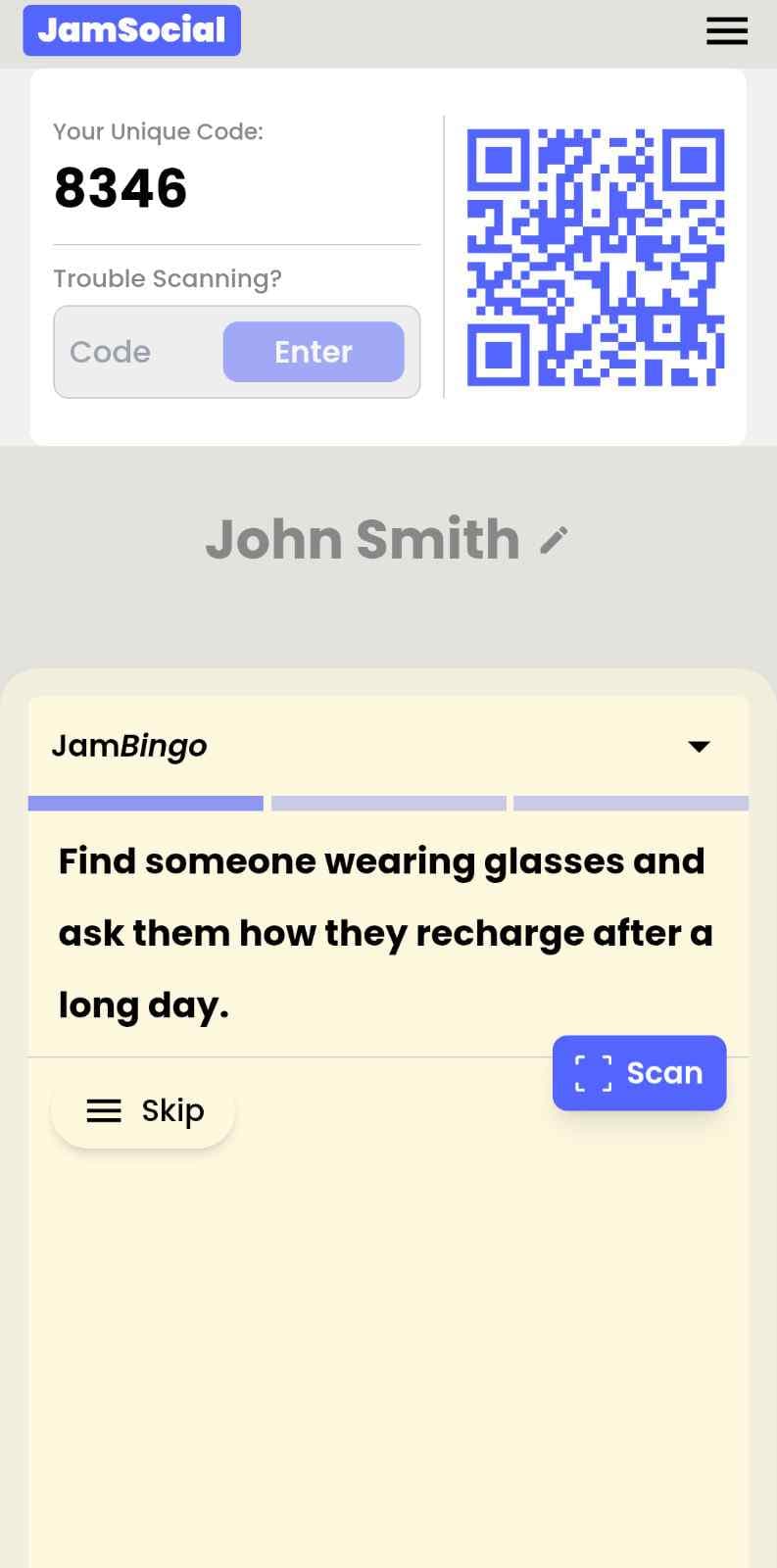
Jam Bingo sends each attendee one networking prompt at a time. When they find a match, they chat and scan each other's QR codes to unlock the next prompt. Every scan saves the other person's contact details, so nobody needs to trade business cards. It feels like a light game, but it keeps the focus on real professional conversations.
How Does Professional Networking Bingo Work?
Professional Networking Bingo runs on Jam Bingo—the simple, interactive networking activity. It is not a card, it has no squares, and attendees do not fill anything out. Here’s what each attendee does:
- 1
Scan to join
Attendees scan the event’s Jam Bingo QR code (or enter the game code). It runs in the phone’s browser—nothing to download.
- 2
Get a conversation prompt
Each person receives a conversation prompt on their phone, like a question to ask someone new.
- 3
Find someone and talk
They find someone who fits the prompt, have the conversation, then scan that person’s QR code (or enter their code) to unlock the next prompt.
- 4
Repeat and connect
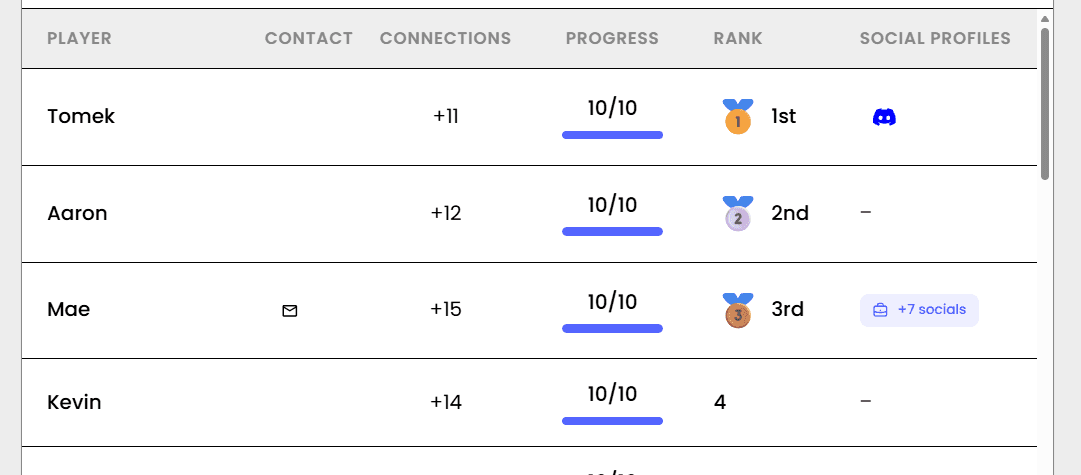
Every connection is saved, and the leaderboard shows who met the most new people—perfect for prizes.

Try the Jam Bingo Demo
See exactly what your attendees will experience. Scan the QR code with your phone, or use game code QW40PM.
How to Use the Professional Networking Bingo at Your Event
Follow these steps to set up and run the professional networking bingo for your own event.
- 01Step 1
Write Prompts That Fit Your Industry
Start from a template or write your own. Mix career prompts ('Find someone who manages a team') with personal ones ('Find someone who has a side project') so conversations stay professional but not stiff.
TipAdd prompts that connect people who can help each other, like 'Find someone hiring this year' or 'Find someone looking for a mentor.' - 02Step 2
Share One QR Code
Put the QR code on the main screen, at check-in, or on name badges. Attendees scan with their phone camera and join with their name. No app download.
TipAsk attendees to add their job title when they join so matches know who they're talking to. - 03Step 3
Let Attendees Network
Attendees find matches, chat, and scan to unlock new prompts. Wrap up by recognizing the top connectors.
TipRemind everyone at the end that their connections are saved, so they can follow up the next day.
Ready to Use the Professional Networking Bingo at Your Event?
Create a Jam Bingo, add your own prompts, and get a QR code for your event. You’ll be directed to the Create Account page first.
Have questions? Book a 15-minute demo.
Where to Use Professional Networking Bingo
Industry Mixers and Meetups
Professional networking bingo helps attendees meet people outside their usual circle at industry mixers.
- Better conversations
- Mixes new and returning members
- Saved contacts
Conference Networking Sessions
Use professional networking bingo to turn a networking break into real connections between attendees, speakers, and sponsors.
- Self-running at scale
- More connections per attendee
- Measurable results
Corporate Client Events
Professional networking bingo gets clients, partners, and your team talking at receptions and appreciation events.
- Easy icebreaker for guests
- Your team meets more clients
- Polished, no-paper setup
Professional Networking Bingo vs. Traditional Networking
| Feature | Traditional Networking | Professional Networking Bingo |
|---|---|---|
| Opening line | "So, what do you do?" | A prompt that starts a real story |
| Who you meet | People you already know | New people across the room |
| Introverts | Wait to be approached | Have a clear reason to say hi |
| Business cards | Lost by the next day | Contacts saved with every scan |
| Connections per person | 2 to 3 | Often 8 or more |
| Results for organizers | Hard to measure | Players, connections, and a leaderboard |
Example Prompts for Professional Networking Bingo
Taken from the Business Networking template. Use them as a starting point, then adapt them to your group.
Make people move
Start prompts with "Find someone who…" so each one sends players across the room to a new person, not back to their own table.
Mix easy and deeper prompts
Open with quick, observable prompts (something they're wearing, where they're from), then add a few that lead to a real story.
Keep them inclusive
Avoid prompts about money, looks, or anything someone could feel left out of. Everyone should be able to answer at least half of them.
Match the length of your event
Around 12–16 prompts fits a 30-minute game. More prompts than time just leaves people unfinished.
- 1
Find someone who has started more than one business, and ask them what they're most excited about right now
- 2
Find someone who has won an award for their entrepreneurial efforts, and ask them what's the best advice they've ever gotten
- 3
Find someone who has volunteered for a charity or nonprofit organization, and ask them what's the best trip they've ever taken
- 4
Find someone who has read more than 10 books in the past year, and ask them what song they can't stop listening to right now
- 5
Find someone who has traveled to more than three countries, and ask them what they're looking forward to this week
- 6
Find someone who can speak more than two languages, and ask them about a place they'd love to visit next
- 7
Find someone who has worked in a different industry before starting their current venture, and ask them what a fun fact about themselves is
- 8
Find someone who has a personal story about why they started their business, and ask them what their idea of a perfect meal is
- 9
Find someone who has a hidden talent, like juggling or doing magic tricks, and ask them what their favorite way to spend a Friday night is
- 10
Find someone who would share their biggest fear/success about their business, and ask them what a fun fact about themselves is
- 11
Find someone who has been on a podcast about their startup, and ask them what their go-to comfort food is
- 12
Find someone who is working on startup that has a social impact, and ask them what their favorite way to spend a Friday night is
See all 65 prompts in the Business Networking template · Browse all templates
Other Platforms Like Jam Bingo
Jam Bingo is designed to help people actually get to know each other, not just exchange names. Unlike icebreaker games that focus on quick interactions or surface-level fun, Jam Bingo is built around meaningful conversations that make it easier for people to open up, find common ground, and build real relationships.
| Features | Jam Bingo | Hoogo | SocialPoint.io | Booth Bingo | Eventgamification.com |
|---|---|---|---|---|---|
| Paperless (QR Code Digital) | ✅ | ✅ | ✅ | ✅ | ✅ |
| Custom Branding | ✅ | ✅ | ✅ | ❌ | ❌ |
| Conversation Prompt | ✅ | ❌ | ❌ | ❌ | ❌ |
| Meaningful & Intentional Connections | ✅ | ❌ | ❌ | ❌ | ❌ |
| Contact Sharing (Email, Instagram, Linkedin, etc) | ✅ | ❌ | ❌ | ❌ | ❌ |
| Each person gets a list of everyone they connected with, including contact information and conversations they had. | ✅ | ❌ | ❌ | ❌ | ❌ |
| Introduction Forum | ✅ | ❌ | ❌ | ❌ | ❌ |
| Auto Introductions ("Introduce Me") | ✅ | ❌ | ❌ | ❌ | ❌ |
Frequently Asked Questions
What is professional networking bingo?
It's a networking activity where attendees look for people who match prompts, like 'Find someone who has started a business.' With Jam Bingo, attendees get one prompt at a time on their phone and scan each other's QR codes to unlock the next one.
Is it too casual for a professional event?
Not if the prompts fit your crowd. You control every prompt, so you can keep it focused on careers, industries, and goals, with just enough personality to keep it from feeling stiff.
Do attendees need to download an app?
No. They scan a QR code with their phone camera and play in the browser.
How do attendees follow up after the event?
Every time two people scan each other, their contact details are saved. Attendees leave with a list of everyone they talked to.
How many people can play professional networking bingo?
Any group size. It works for a 30-person breakfast or a 500-person conference reception.
How long should it run?
20 to 45 minutes is the sweet spot. Long enough to meet several new people, short enough to leave time for open networking.
The Simple Way to Get People Talking
Jam Bingo gets people having meaningful conversations and meeting as many new people as possible.
Business Networking Icebreakers
Jam Bingo is an interactive tool that provides a fresh networking activity for professionals, making it simple for attendees to skip the awkward small talk and start engaging in meaningful conversations.
GuideNon-Structured Networking Game for Interactive Business Events
Jam Bingo is an interactive networking tool designed to help professionals mingle naturally at business events without rigid rules or awkward agendas.
GuideSimple Icebreaker Activity for Pharma Professional Networking Session
Jam Bingo gives pharmaceutical professionals an interactive networking tool to skip awkward small talk and start meaningful conversations across departments.
Icebreaker games10 Easy & No-Prep Interactive Networking Games for Professionals
No supplies, no setup, no awkward silence. Just games that get a room full of strangers actually talking.
Icebreaker games10 Company Annual Gathering Interactive Ice breaker Activities
Your annual gathering should feel like a celebration, not a compliance event. These icebreakers help people actually connect around the year that was — and get excited for what's next.
Icebreaker games25 Icebreakers for an Association AGM & Tradeshow Mixer
These icebreakers turn a formal AGM and tradeshow into meaningful conversations.