
Mobile Icebreaker Bingo
The phone-based icebreaker that works on every device — no app, no paper, no hassle. Just scan and play.
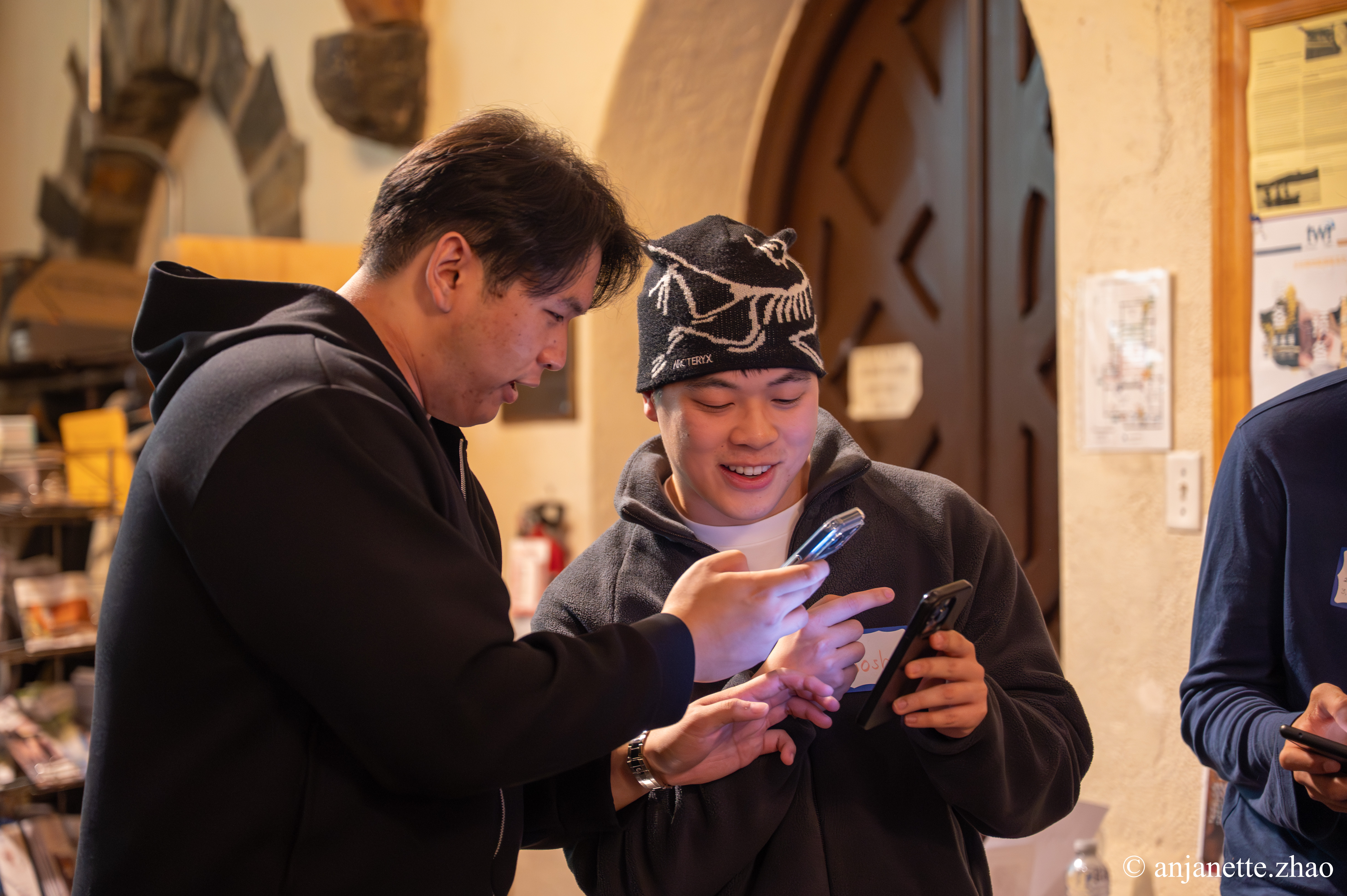
Scan To Join
Game Code: QW40PM
What Is Mobile Icebreaker Bingo?
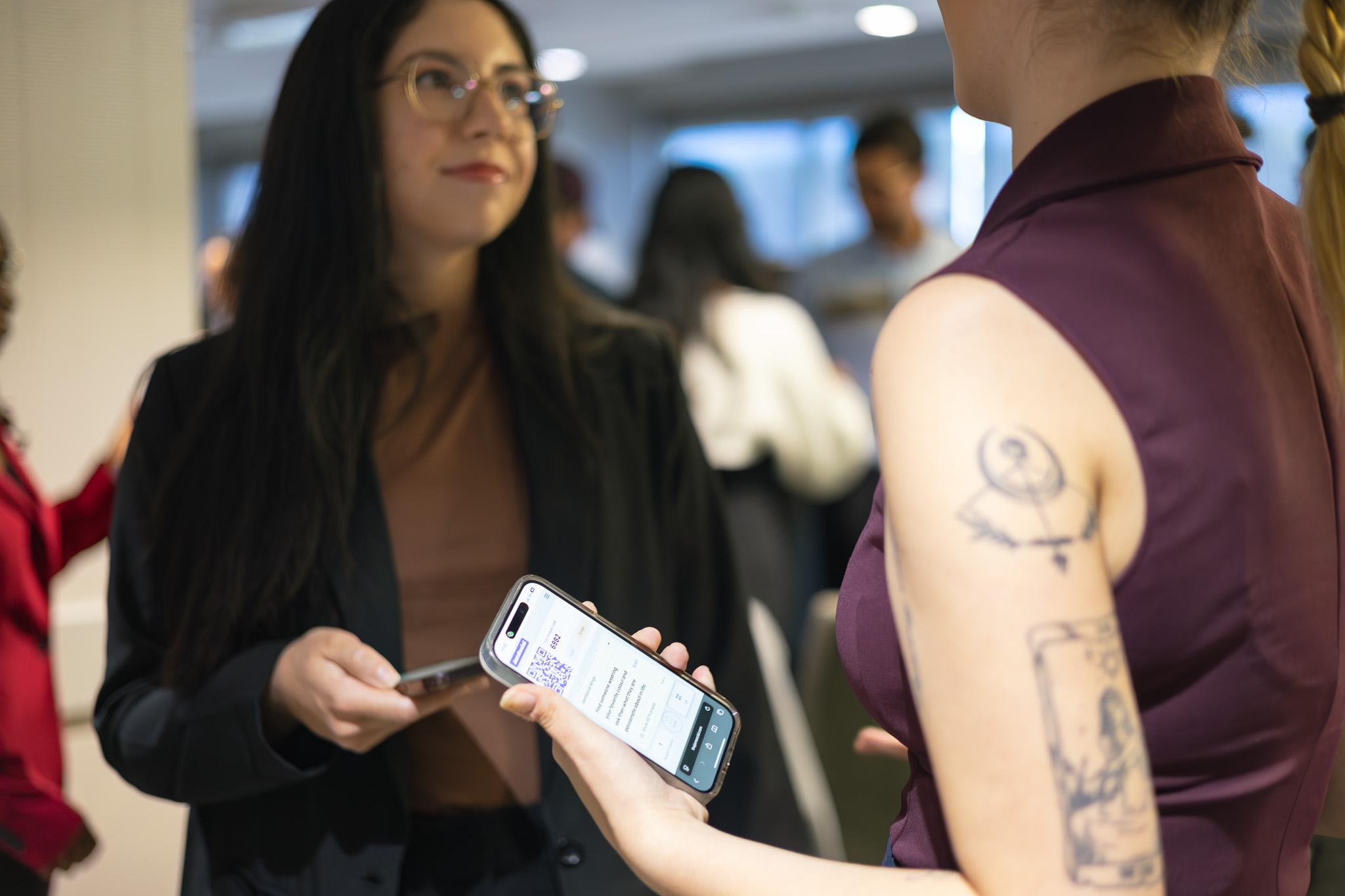
Mobile Icebreaker Bingo is a smartphone-based version of the classic people bingo game. Players join instantly by scanning a QR code with their phone camera — no app download, no account creation, no paper. They get conversation prompts on their phone and start mingling to find people who match each one. The game lives in their mobile browser, always ready. Perfect for any event where you want people talking, laughing, and actually meeting each other.
Everyone carries a phone. Mobile Icebreaker Bingo leverages that ubiquity to remove every barrier to participation. No printing costs. No lost cards. No 'I forgot my pen.' No 'I don't have that app.' Just scan, play, and connect. Events using mobile icebreakers see participation rates 3-5x higher than paper alternatives — because there's literally nothing standing in the way.
How Does Mobile Icebreaker Bingo Work?
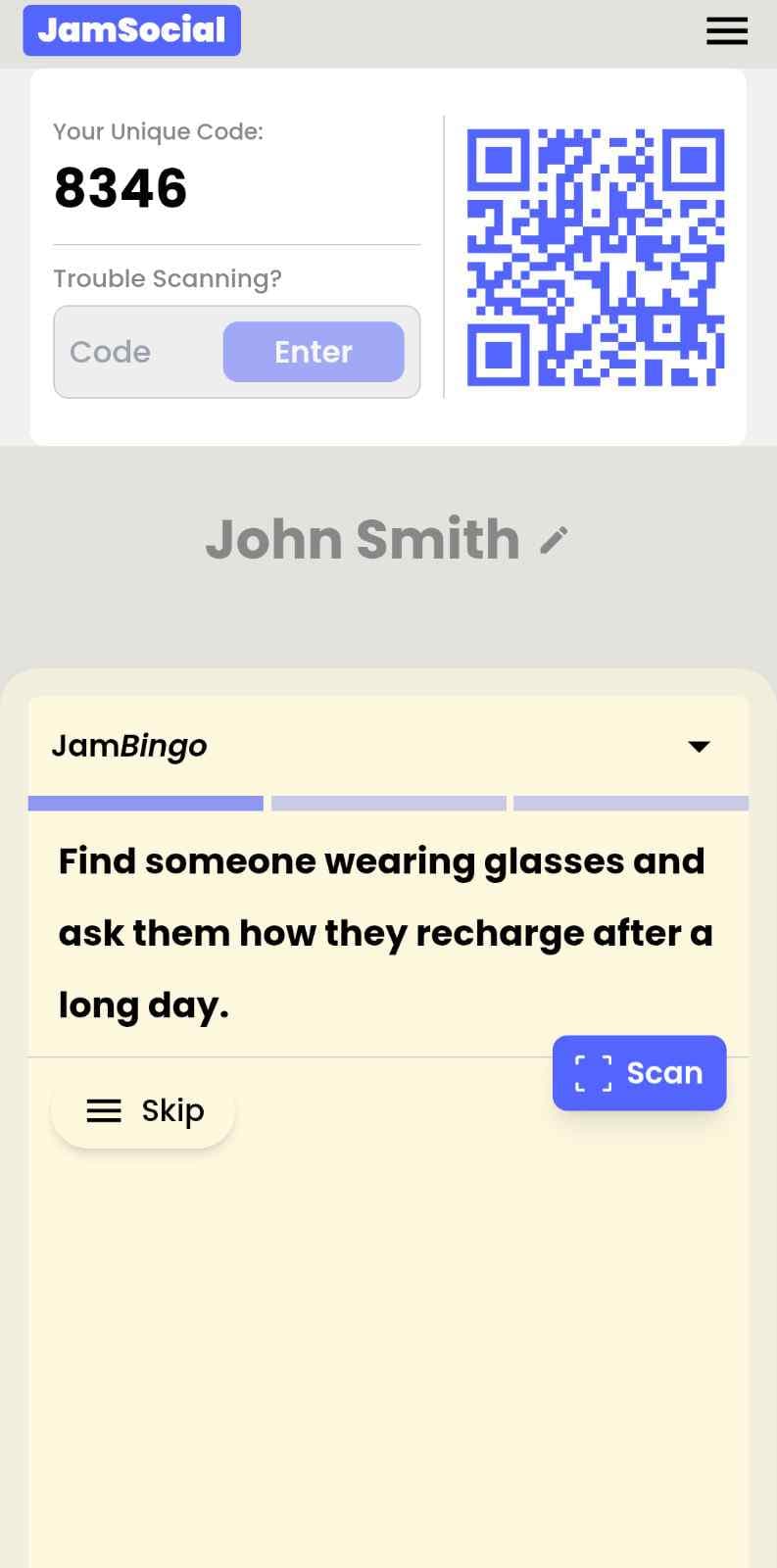
Mobile Icebreaker Bingo runs on Jam Bingo—the simple, interactive networking activity. It is not a card, it has no squares, and attendees do not fill anything out. Here’s what each attendee does:
- 1
Scan to join
Attendees scan the event’s Jam Bingo QR code (or enter the game code). It runs in the phone’s browser—nothing to download.
- 2
Get a conversation prompt
Each person receives a conversation prompt on their phone, like a question to ask someone new.
- 3
Find someone and talk
They find someone who fits the prompt, have the conversation, then scan that person’s QR code (or enter their code) to unlock the next prompt.
- 4
Repeat and connect
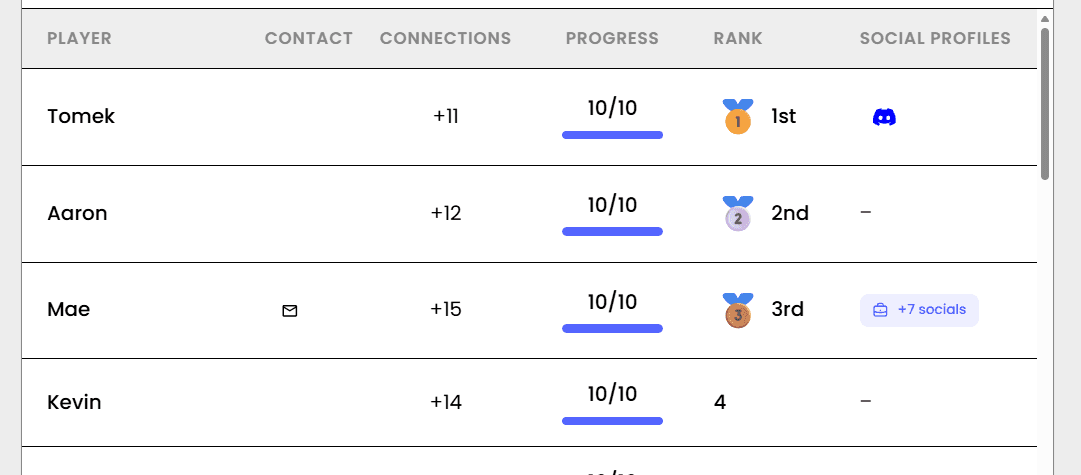
Every connection is saved, and the leaderboard shows who met the most new people—perfect for prizes.

How to Use the Mobile Icebreaker Bingo at Your Event
Follow these steps to set up and run the mobile icebreaker bingo for your own event.
- 01Step 1
Choose Your Mobile Bingo Prompts
Select from 500+ conversation prompts or create your own. Mix easy prompts like 'Has a pet' with more unique ones like 'Has lived in another country' to keep people moving and talking.
TipUse 12-16 prompts for a 30-minute game — enough to stay lively without overwhelming mobile players. - 02Step 2
Generate Your QR Code
Click create. You'll get a unique QR code and mobile-optimized game link instantly. The game automatically adapts to any phone screen size.
TipTest the QR code with your own phone first — ensure it scans easily from 3-4 feet away. - 03Step 3
Display the QR Code at Your Event
Put it on screens, print it on signs, or share it in event chats. Post it everywhere attendees gather — entrance, tables, registration, session rooms.
TipPlace QR codes at eye level with good lighting for easy scanning from any mobile device. - 04Step 4
Watch Players Connect on Their Phones
Attendees scan, get their first prompt in their mobile browser, and start mingling. The game runs itself while your event comes alive with conversation.
TipAnnounce winners every 10-15 minutes to keep mobile engagement high throughout the event.
Ready to Use the Mobile Icebreaker Bingo at Your Event?
Create a Jam Bingo, add your own prompts, and get a QR code for your event. You’ll be directed to the Create Account page first.
Have questions? Book a 15-minute demo.
Where to Use Mobile Icebreaker Bingo
Conferences & Industry Events
Turn dead networking time into active connection time. One QR code and every attendee has a reason to talk to strangers — all from their mobile phones.
- Increase attendee satisfaction scores significantly
- Keep people on the expo floor and in sessions longer
- Create memorable experiences that drive repeat attendance
- Provide measurable networking ROI to organizers
- Works for 100 to 10,000+ attendees
Corporate Events & Offsites
Help employees from different departments, offices, or levels actually get to know each other. Mobile-first means everyone participates — no tech barriers.
- Break down silos between departments instantly
- Help remote and office employees finally meet
- Make offsites feel valuable, not just another meeting
- Give introverts a comfortable way to participate
- No IT setup or corporate app store approvals needed
Classrooms & Student Events
Help students learn names and find common ground on day one. Mobile-first means every student can participate — no paper, no passing out cards.
- Reduce first-day anxiety for all students
- Help students learn 10+ names in 20 minutes
- Create classroom community from the first minute
- Engage shy students who'd normally stay quiet
- Works on school-issued devices or personal phones
Team Building & Staff Events
Warm up the room and keep energy high. Mobile icebreaker bingo is the fastest way to get colleagues talking, laughing, and learning about each other.
- Kickstart participation instantly from any phone
- Keep energy levels high throughout the event
- Encourage peer-to-peer interaction naturally
- Blend seamlessly into any agenda
- No props, no setup, no cleanup
Weddings & Social Gatherings
Bring different friend groups and families together. Mobile-first means guests can play from their phones without awkward instructions or paper cards.
- Help guests from different circles actually meet
- Create fun, memorable moments during cocktail hour
- Fill downtime with structured, optional interaction
- Make everyone feel included, not stuck in a corner
- No 'lost card' problems — it's always on their phone
Networking Mixers & Happy Hours
Make networking feel less transactional and more natural. One QR code at the entrance and everyone has a reason to approach strangers from their phone.
- Reduce 'what do I say?' anxiety for attendees
- Help introverts network comfortably from their phones
- Turn awkward mingling into purposeful conversation
- Make your event known as 'the one where you actually meet people'
- Works at bars, restaurants, rooftops, or outdoor venues
Mobile Icebreaker Bingo vs. Traditional Icebreakers
| Feature | Paper Icebreakers | Mobile App Icebreakers | Mobile Icebreaker Bingo |
|---|---|---|---|
| Setup Time | Hours | less than 5 minutes | |
| Mobile Experience | None | Browser — works on any phone | |
| Player Friction | Need pen/card | Scan QR — that's it |
Example Prompts for Mobile Icebreaker Bingo
Taken from the Office Team Building template. Use them as a starting point, then adapt them to your group.
Make people move
Start prompts with "Find someone who…" so each one sends players across the room to a new person, not back to their own table.
Mix easy and deeper prompts
Open with quick, observable prompts (something they're wearing, where they're from), then add a few that lead to a real story.
Keep them inclusive
Avoid prompts about money, looks, or anything someone could feel left out of. Everyone should be able to answer at least half of them.
Match the length of your event
Around 12–16 prompts fits a 30-minute game. More prompts than time just leaves people unfinished.
- 1
Find someone who's worked here longer than your manager, and ask them what their idea of a perfect meal is
- 2
Find a coworker who shares your hobby outside work, and ask them what they're looking forward to this week
- 3
Find someone who can name three company values, and ask them what a perfect weekend looks like for them
- 4
Find a person who's worked in another department, and ask them what their favorite way to spend a Friday night is
- 5
Find someone who's never tried the breakroom coffee, and ask them what movie or show they'd recommend right now
See all 5 prompts in the Office Team Building template · Browse all templates
Other Platforms Like Jam Bingo
Jam Bingo is designed to help people actually get to know each other, not just exchange names. Unlike icebreaker games that focus on quick interactions or surface-level fun, Jam Bingo is built around meaningful conversations that make it easier for people to open up, find common ground, and build real relationships.
| Features | Jam Bingo | Hoogo | SocialPoint.io | Booth Bingo | Eventgamification.com |
|---|---|---|---|---|---|
| Paperless (QR Code Digital) | ✅ | ✅ | ✅ | ✅ | ✅ |
| Custom Branding | ✅ | ✅ | ✅ | ❌ | ❌ |
| Conversation Prompt | ✅ | ❌ | ❌ | ❌ | ❌ |
| Meaningful & Intentional Connections | ✅ | ❌ | ❌ | ❌ | ❌ |
| Contact Sharing (Email, Instagram, Linkedin, etc) | ✅ | ❌ | ❌ | ❌ | ❌ |
| Each person gets a list of everyone they connected with, including contact information and conversations they had. | ✅ | ❌ | ❌ | ❌ | ❌ |
| Introduction Forum | ✅ | ❌ | ❌ | ❌ | ❌ |
| Auto Introductions ("Introduce Me") | ✅ | ❌ | ❌ | ❌ | ❌ |
Frequently Asked Questions
What is Mobile Icebreaker Bingo and how does it work?
Mobile Icebreaker Bingo is a phone-based version of the classic people bingo game. Players scan a QR code with their phone camera, get a conversation prompt, then mingle to find someone who matches it. After the conversation, they scan that person's QR code to unlock the next prompt. The leaderboard shows who made the most connections. No app download, no paper, no account — just scan and play.
Do players need to download an app?
No. Everything works in the mobile browser. Players scan the QR code with their phone's camera — no app store, no download, no account creation. The game opens instantly and saves their progress automatically. Zero friction means 85-95% participation rates.
Does it work on both iPhones and Android phones?
Yes. The game is built with responsive web technology that works on every modern smartphone — iPhone, Samsung, Google Pixel, OnePlus, and all other Android devices. Any phone with a camera and browser can play.
What if someone has a poor internet connection?
The game runs in the phone's browser, so there's nothing to install. After the initial QR scan, players keep unlocking prompts as they meet people. If someone's camera isn't working, they can enter the other person's code instead of scanning.
What types of events work best for mobile icebreaker bingo?
Corporate events, conferences, classrooms, weddings, team building sessions, networking mixers, student orientations, trade shows, happy hours, and any gathering where you want people to actually meet each other. Works for 10 people or 10,000.
How many people can play mobile icebreaker bingo at once?
From 4 to 10,000+. The mobile-optimized platform scales effortlessly. Small groups get to know each other deeply. Large events become connected communities. Everyone plays together on their own phones.
What results can I expect for my event?
Organizers typically report: 85-95% attendee participation (voluntary), 3-5x more conversations than unstructured mingling, significantly higher post-event satisfaction scores, and attendees actually thanking you for the experience.
Can I customize Mobile Icebreaker Bingo with my branding?
Yes. Enterprise plans include custom branding: your logo, brand colors, and even a custom domain for the game URL. The mobile experience matches your event's look and feel perfectly.
The Simple Way to Get People Talking
Jam Bingo gets people having meaningful conversations and meeting as many new people as possible.
Smartphone Interactive Games for Interactive Fitness Festivals
JamBingo turns any fitness festival into a high-energy, phone-in-hand social experience — giving attendees a reason to explore every activity zone, meet fellow participants, and stay engaged from warm-up to cool-down.
GuideTeam Building Ice Breakers for Quarterly Planning
JamBingo is a gamified team connection tool that warms up your team before the hard work begins — encouraging each team member to learn more about each other.
GuideTeam Building Networking Activity for Conference Receptions
JamBingo is a simple, interactive networking activity that transforms conference receptions into structured team building experiences — helping attendees connect naturally from the very first hour.
Icebreaker games10 Easy & No-Prep Interactive Networking Games for Professionals
No supplies, no setup, no awkward silence. Just games that get a room full of strangers actually talking.
Icebreaker games10 Team Ice Breaker Activities for Your Company Picnic
Move beyond awkward small talk. These unique icebreakers turn any picnic into a genuine connection zone.
Icebreaker games10 Unique Icebreaker Games for New Student Engagement
You’ve got hundreds of nervous freshmen coming together at your upcoming event. Here’s how to get them talking and interacting with each other.