
What Is a Volunteer Icebreaker App?
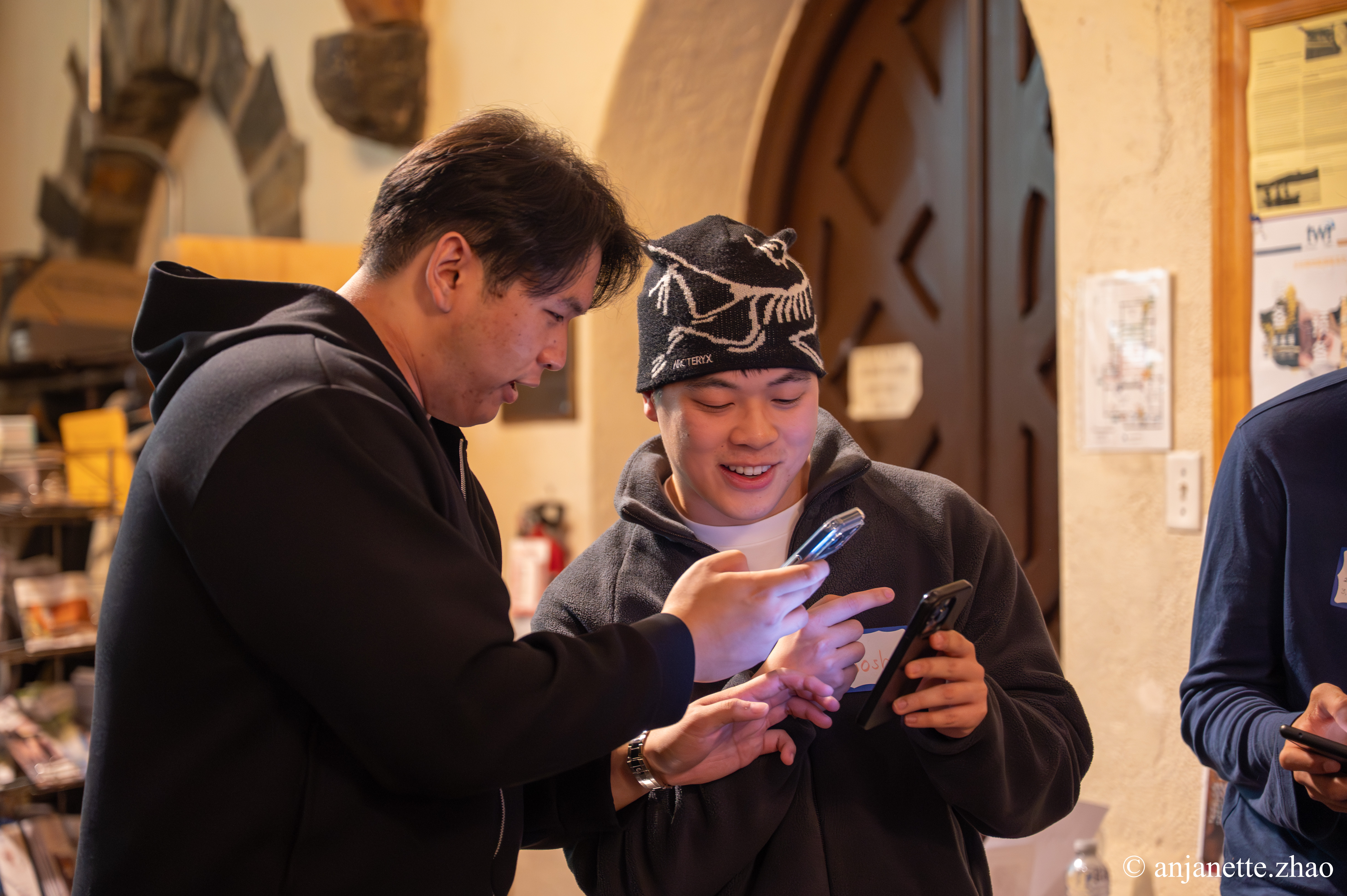
A volunteer icebreaker app gives every volunteer a conversation prompt on their phone and sends them to find someone new to talk to. Volunteers who know each other stay longer, show up more often, and bring friends. But most volunteers only ever meet the two people on their shift. An icebreaker app turns orientation or an appreciation night into a room full of new connections.
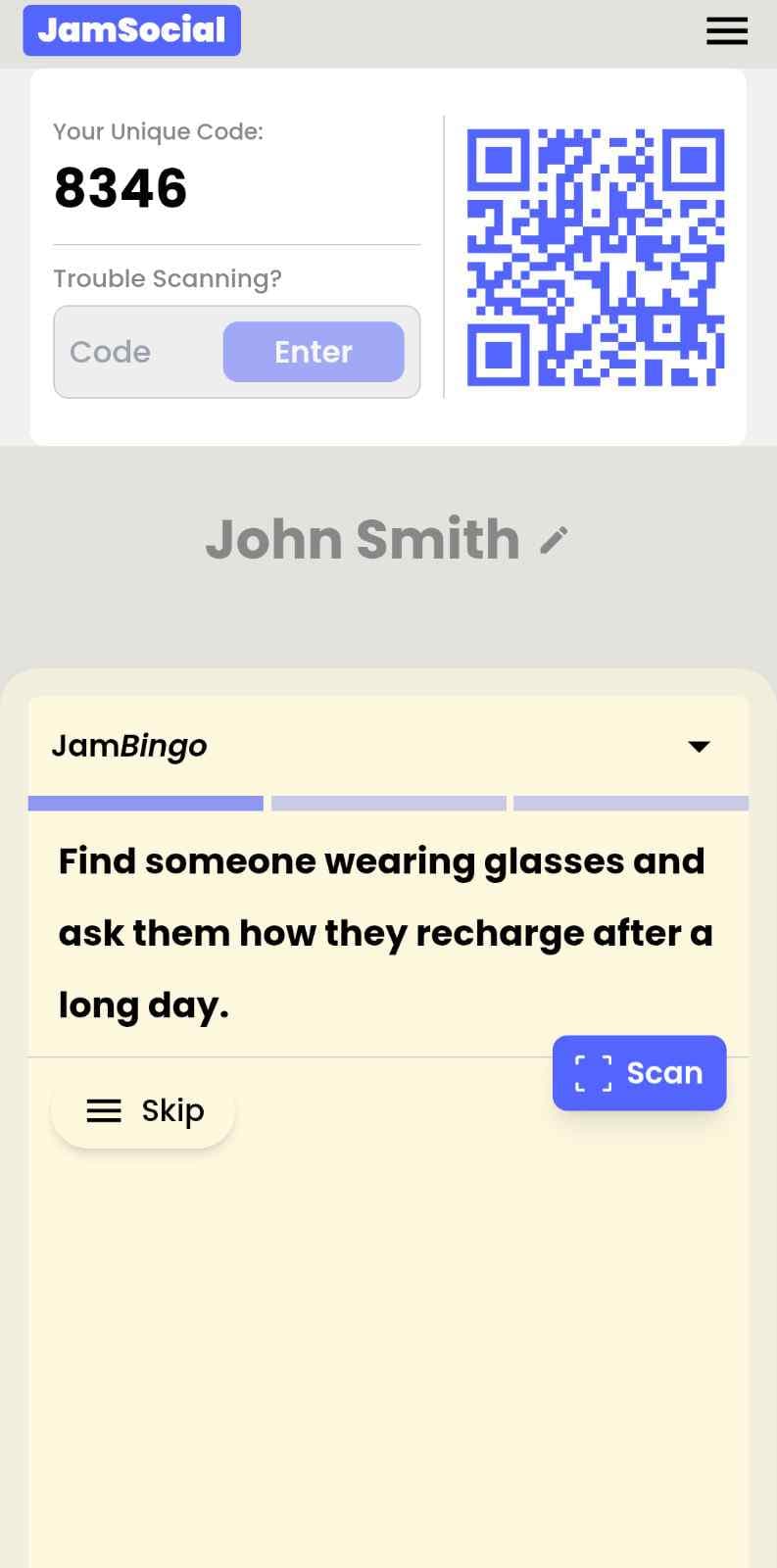
Jam Bingo works like this: volunteers scan a QR code, type their name, and get a prompt like 'Find someone who volunteers for a different cause and ask what drew them to it.' After the conversation, they scan each other's QR codes to unlock the next prompt. There's nothing to download, and it works the same for 15 volunteers or 500.
How Does Volunteer Icebreaker App Work?
Volunteer Icebreaker App runs on Jam Bingo—the simple, interactive networking activity. It is not a card, it has no squares, and attendees do not fill anything out. Here’s what each attendee does:
- 1
Scan to join
Attendees scan the event’s Jam Bingo QR code (or enter the game code). It runs in the phone’s browser—nothing to download.
- 2
Get a conversation prompt
Each person receives a conversation prompt on their phone, like a question to ask someone new.
- 3
Find someone and talk
They find someone who fits the prompt, have the conversation, then scan that person’s QR code (or enter their code) to unlock the next prompt.
- 4
Repeat and connect
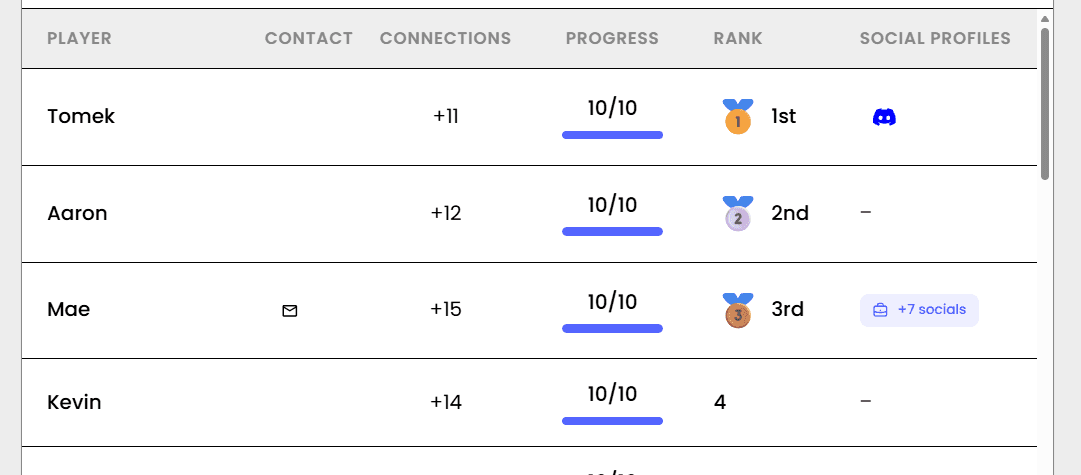
Every connection is saved, and the leaderboard shows who met the most new people—perfect for prizes.

Try the Jam Bingo Demo
See exactly what your attendees will experience. Scan the QR code with your phone, or use game code QW40PM.
How to Use the Volunteer Icebreaker App at Your Event
Follow these steps to set up and run the volunteer icebreaker app for your own event.
- 01Step 1
Write Prompts About Your Cause
Start from the Volunteer Appreciation Night template or write your own. Mix easy prompts ('Find someone who volunteered on a weekend this month') with prompts about why people volunteer.
TipAdd a few prompts that pair new volunteers with long-time volunteers — it's the fastest way to pass on know-how. - 02Step 2
Share the QR Code
Put the QR code on the welcome screen, on a sign at check-in, or in the orientation slides. Volunteers join in seconds with just their name.
TipLaunch it while people are still arriving and grabbing food — that's when volunteers stand around not knowing who to talk to. - 03Step 3
Let Volunteers Mingle
Give it 20–30 minutes. Each conversation unlocks the next prompt, and the leaderboard shows who has met the most people.
TipThank the top connectors on stage. A small shout-out means a lot at a volunteer event.
Ready to Use the Volunteer Icebreaker App at Your Event?
Create a Jam Bingo, add your own prompts, and get a QR code for your event. You’ll be directed to the Create Account page first.
Have questions? Book a 15-minute demo.
Where to Use Volunteer Icebreaker App
Volunteer Orientation
Turn the first hour into real introductions, so new volunteers already know a few people before their first shift.
- New volunteers meet experienced ones
- Less awkward than round-the-room intros
- Everyone joins in seconds
Volunteer Appreciation Night
Celebrate your volunteers and help them meet people from other programs and shifts.
- Connects volunteers across programs
- Fun, low-pressure activity
- Top connectors get a shout-out
Volunteer Kickoffs & Trainings
Warm up the room before a training or season kickoff so people are ready to work together.
- Builds trust before teamwork
- Mixes teams and locations
- No materials to print
Volunteer Icebreaker App vs. Round-the-Room Introductions
| Feature | Round-the-Room Introductions | Volunteer Icebreaker App |
|---|---|---|
| Time with 50+ volunteers | Too long — people tune out | Everyone talks at the same time |
| Who volunteers meet | Names only, no real conversation | Several one-on-one conversations |
| Comfort for shy volunteers | Speaking in front of the whole group | One small conversation at a time |
| Setup | None | Write prompts and show a QR code |
| Keeping in touch | Not built in | Volunteers can share contact info |
Example Prompts for Volunteer Icebreaker App
Taken from the Volunteer Appreciation Night template. Use them as a starting point, then adapt them to your group.
Make people move
Start prompts with "Find someone who…" so each one sends players across the room to a new person, not back to their own table.
Mix easy and deeper prompts
Open with quick, observable prompts (something they're wearing, where they're from), then add a few that lead to a real story.
Keep them inclusive
Avoid prompts about money, looks, or anything someone could feel left out of. Everyone should be able to answer at least half of them.
Match the length of your event
Around 12–16 prompts fits a 30-minute game. More prompts than time just leaves people unfinished.
- 1
Find someone who volunteers for a different organization than you and ask them what drew them to that cause
- 2
Find a volunteer who has been involved for more than five years and ask them what keeps them coming back
- 3
Find someone who has recruited a friend to volunteer and ask them how they pitched it
- 4
Find a volunteer who has worked directly with the community and ask them what they've learned from the people they serve
- 5
Find someone who has volunteered in a leadership role and ask them what surprised them about leading volunteers
- 6
Find a volunteer who has a favorite memory from their service and ask them to share it
- 7
Find someone who has volunteered alongside their family and ask them what that experience was like
- 8
Find a volunteer who has used a professional skill in their volunteering and ask them how it helped the organization
- 9
Find someone who has volunteered during a particularly busy season and ask them how they managed their time
- 10
Find a volunteer who has trained new volunteers and ask them what advice they always give
- 11
Find someone who has volunteered for an event and ask them what made it run smoothly
- 12
Find a volunteer who has worked behind the scenes and ask them what role more people should know about
See all 15 prompts in the Volunteer Appreciation Night template · Browse all templates
Other Platforms Like Jam Bingo
Jam Bingo is designed to help people actually get to know each other, not just exchange names. Unlike icebreaker games that focus on quick interactions or surface-level fun, Jam Bingo is built around meaningful conversations that make it easier for people to open up, find common ground, and build real relationships.
| Features | Jam Bingo | Hoogo | SocialPoint.io | Booth Bingo | Eventgamification.com |
|---|---|---|---|---|---|
| Paperless (QR Code Digital) | ✅ | ✅ | ✅ | ✅ | ✅ |
| Custom Branding | ✅ | ✅ | ✅ | ❌ | ❌ |
| Conversation Prompt | ✅ | ❌ | ❌ | ❌ | ❌ |
| Meaningful & Intentional Connections | ✅ | ❌ | ❌ | ❌ | ❌ |
| Contact Sharing (Email, Instagram, Linkedin, etc) | ✅ | ❌ | ❌ | ❌ | ❌ |
| Each person gets a list of everyone they connected with, including contact information and conversations they had. | ✅ | ❌ | ❌ | ❌ | ❌ |
| Introduction Forum | ✅ | ❌ | ❌ | ❌ | ❌ |
| Auto Introductions ("Introduce Me") | ✅ | ❌ | ❌ | ❌ | ❌ |
Frequently Asked Questions
What is a good icebreaker for a volunteer orientation?
Give each volunteer a simple prompt that sends them to someone new, like 'Find someone who is volunteering for the first time and ask what made them sign up.' Jam Bingo delivers these prompts on volunteers' phones, so everyone is talking at once instead of waiting for their turn in a circle.
Do volunteers need to download an app?
No. Volunteers scan a QR code with their phone camera and play in the browser. They only type their name — no account or password.
How does meeting other volunteers help retention?
Volunteers who have friends in the organization have more reasons to come back. An icebreaker at orientation or an appreciation night helps people make those connections early, instead of only knowing the staff member who signed them up.
Can we use our own prompts about our cause?
Yes. You can write your own prompts or start from the Volunteer Appreciation Night template and adapt it to your mission.
What if a volunteer doesn't have a phone?
Pair them with a buddy who does. They can play together and meet people as a pair.
The Simple Way to Get People Talking
Jam Bingo gets people having meaningful conversations and meeting as many new people as possible.
QR Code Games for Appreciation Dinner
JamBingo is an interactive QR code game designed for appreciation dinners — turning a traditional sit-down event into a lively, connected celebration where guests mingle, share stories, and feel genuinely recognized.
GuideNonprofit Professionals Networking Gamification for 100 People
Jam Bingo is an interactive networking tool designed to help cause-driven professionals, volunteers, and donors connect naturally without feeling forced.
GuideBig Group Icebreaker Activities for Medical Residency Orientation and Cohort Welcome Week
Jam Bingo is a large group icebreaker activity that helps newly matched residents go from total strangers to a tight-knit, collaborative team fast — so they are ready to support each other before the first week even begins.
Icebreaker games10 Unique Icebreaker Games for New Student Engagement
You’ve got hundreds of nervous freshmen coming together at your upcoming event. Here’s how to get them talking and interacting with each other.
Icebreaker games10 Team Ice Breaker Activities for Your Company Picnic
Move beyond awkward small talk. These unique icebreakers turn any picnic into a genuine connection zone.
Icebreaker games10 Ice Breaker Games for Chamber of Commerce New Member Orientation
New member orientations can be painfully awkward. Here are 10 unexpectedly fun icebreakers that help business owners actually connect — so they leave with real relationships, not just a nametag.