Corporate Digital Game
Get employees from every team talking at your holiday party, kickoff, offsite or all-hands.
What Is a Corporate Digital Game?
A corporate digital game is an activity employees play on their phones at a company event. Instead of sticking with their own team, employees get a reason to meet colleagues from other departments, offices and levels. It's the easiest way to turn a room of coworkers who 'know of' each other into people who've actually talked.
1. 10 conversation starters: to connect
Each guest receives 10 tailored conversation starters.
2. Talk with 10: different people
Talk with 10 new people to learn something new about them.
3. Remember Conversations & Names
Get a list of everyone you talked to, with their contact info and what you talked about.
Example Prompts for Corporate Digital Game
Taken from the Cross-Department Mixer template. Tap + to add the ones you like to your Jam Bingo.
Tips for Writing Your Own Prompts
Make people move
Start prompts with "Find someone who…" so each one sends players across the room to a new person, not back to their own table.
Mix easy and deeper prompts
Open with quick, observable prompts (something they're wearing, where they're from), then add a few that lead to a real story.
Keep them inclusive
Avoid prompts about money, looks, or anything someone could feel left out of. Everyone should be able to answer at least half of them.
Match the length of your event
Around 12–16 prompts fits a 30-minute game. More prompts than time just leaves people unfinished.
How to Use the Corporate Digital Game at Your Event
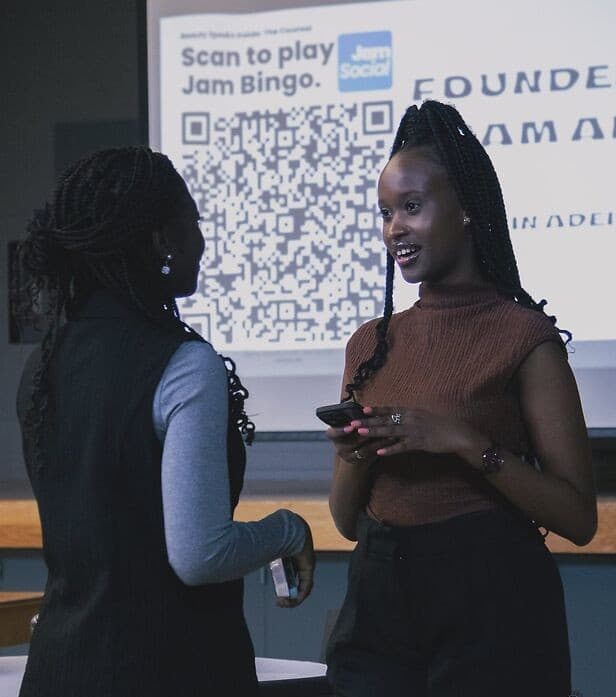
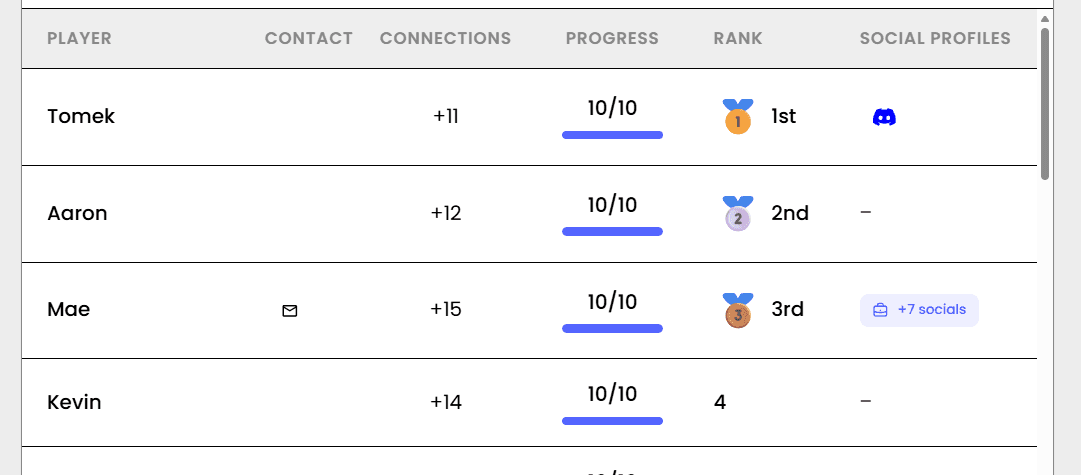
Jam Bingo gives every employee conversation prompts on their phone, like 'Find someone from another office and ask what their team is working on.' They find a colleague who fits, talk, then scan each other's QR code to unlock the next prompt. A leaderboard adds friendly competition, and everyone gets a list of who they met. There's nothing to download, and it works the same for 30 employees or 3,000.
- 01
Decide How Many New People Each Person Meets
Create a Jam Bingo for your event and choose how many different people you'd like each person to talk with. That's the job of the Corporate Digital Game: getting people past the group they came with and into conversations with people they haven't met yet.
Tip: Not sure? Start with 5 people each - enough to get everyone past the group they came with.
- 02
Add Conversation Prompts
Pick a ready-made template or write your own prompts. Each prompt gives people a reason to find someone new and a question to start the conversation.
Tip: Keep prompts about people, not trivia - "Find someone who…" sends people across the room to someone new.
- 03
Display Your Jam Bingo QR Code
Put your Jam Bingo QR code on the big screen, at check-in, or on table cards. People scan it with their phone camera to join - no app to download.
Tip: Explain it once, in one line: scan, find someone who fits your prompt, talk, then scan each other's QR code.
- 04
Let People Meet New People
Each person gets a conversation prompt, finds someone who fits it, and talks with them. Then they scan that person's QR code to get their next prompt and meet someone else.
Tip: Give it 20 to 45 minutes during a reception, break, or networking session.
- 05
Everyone Leaves With Their Connections
Every connection is saved, so each person gets a list of the people they met - with the contact info they shared and the conversations they had.
Tip: Recognize the people who met the most new people at the end - it's an easy way to wrap up.
Ready to Use the Corporate Digital Game at Your Event?
Create a Jam Bingo, add your prompts, and get a QR code for your event.
Or book a 15-minute demo
Where to Use Corporate Digital Game
Corporate Holiday Parties
Get departments, offices and plus-ones mingling at the holiday party.
- Mixes teams
- Plus-ones can play
- Festive prompts
Sales Kickoffs and All-Hands
Help employees meet colleagues they only know from email.
- Crosses regions
- Fast to set up
- Leaderboard energy
Offsites and Team Retreats
Start the offsite with conversations that go beyond work updates.
- Deeper prompts
- New hires feel included
- List of who you met
Corporate Digital Game vs. Trivia Quiz
| Feature | Trivia Quiz on a Screen | Corporate Digital Game |
|---|---|---|
| Who employees talk to | Their own table or team | Colleagues from other teams, one on one |
| Works for large events | Only a few people answer out loud | Everyone plays at the same time |
| What people remember | The score | The people they met |
| New hires and remote staff | Watch from the side | Join as easily as anyone |
| Setup | Write questions and run the quiz | Pick prompts and show a QR code |
Frequently Asked Questions
What is a good corporate digital game for company events?
One everyone can play at once that gets people talking across teams. Jam Bingo sends conversation prompts to employees' phones, and each conversation unlocks the next prompt.
Do employees need to download an app?
No. They scan a QR code with their phone camera and play in the browser.
Does it work for a corporate holiday party?
Yes. Use holiday prompts about traditions, food and the year that was, and run it in the first 30 minutes of the party.
How many employees can play?
Any number. Everyone plays on their own phone, so it works for 30 employees or 3,000.
How long does the game take?
20 to 45 minutes, depending on how many prompts you give each employee.
Other Platforms Like Jam Bingo
Jam Bingo is designed to help people actually get to know each other, not just exchange names. Unlike icebreaker games that focus on quick interactions or surface-level fun, Jam Bingo is built around meaningful conversations that make it easier for people to open up, find common ground, and build real relationships.
| Features | Jam Bingo | Hoogo | SocialPoint.io | Booth Bingo | Eventgamification.com |
|---|---|---|---|---|---|
| Paperless (QR Code Digital) | |||||
| Custom Branding | |||||
| Conversation Prompt | |||||
| Meaningful & Intentional Connections | |||||
| Contact Sharing (Email, Instagram, Linkedin, etc) | |||||
| Connect with people who aren't playing (scan their LinkedIn QR code, or enter their name + email or phone) | |||||
| Each person gets a list of everyone they connected with, including contact information and conversations they had. | |||||
| Introduction Forum | |||||
| Auto Introductions ("Introduce Me") |
The Simple Way to Get People Talking
Jam Bingo gets people having meaningful conversations and meeting as many new people as possible.
Reception Team Building Games for Company Conferences
JamBingo is a simple, interactive networking activity that transforms conference receptions into structured team building experiences — helping attendees connect naturally from the very first hour.
GuideCorporate Event Icebreakers for 100–300 People
Jam Bingo is a self-running large group icebreaker that gets 100 to 300 employees mixing across departments, one prompt at a time.
GuideCross-Department Icebreakers for 100+ Employees
Jam Bingo is an interactive networking tool that encourages staff members to mingle and get to know others from different departments.
Networking games12 Networking Games for a Corporate Holiday Mixer
Festive, inclusive games that get coworkers talking to people outside their own team before the year ends.
Networking games10 Networking Games for a Client Holiday Party
Classy, low-pressure games that help clients meet each other and your team, so they leave feeling appreciated.
Networking games10 Company Annual Gathering Interactive Ice breaker Activities
Your annual gathering should feel like a celebration, not a compliance event. These icebreakers help people actually connect around the year that was — and get excited for what's next.