
Classroom Bingo App
Build classroom community, engage every student, and make learning fun — all on their phones, all in minutes.
Scan To Join
Game Code: QW40PM

What Is the Classroom Bingo App?
The Classroom Bingo App helps teachers turn icebreakers, review games, and community-building activities into interactive phone-based games. Students join via QR code, get conversation prompts and challenges on their phones, and complete them by finding classmates who match, answering review questions, or completing challenges. No paper, no prep time, no students sitting silently.
Getting every student to participate is the hardest part of teaching. The Classroom Bingo App solves that by making participation a game, not a spotlight. Shy students engage from their phones. Competitive students drive energy. And every student — not just the confident few — gets involved. Teachers report 90-100% participation rates, even in classes where most students usually stay quiet.
How Does Classroom Bingo App Work?
Classroom Bingo App runs on Jam Bingo—the simple, interactive networking activity. It is not a card, it has no squares, and attendees do not fill anything out. Here’s what each attendee does:
- 1
Scan to join
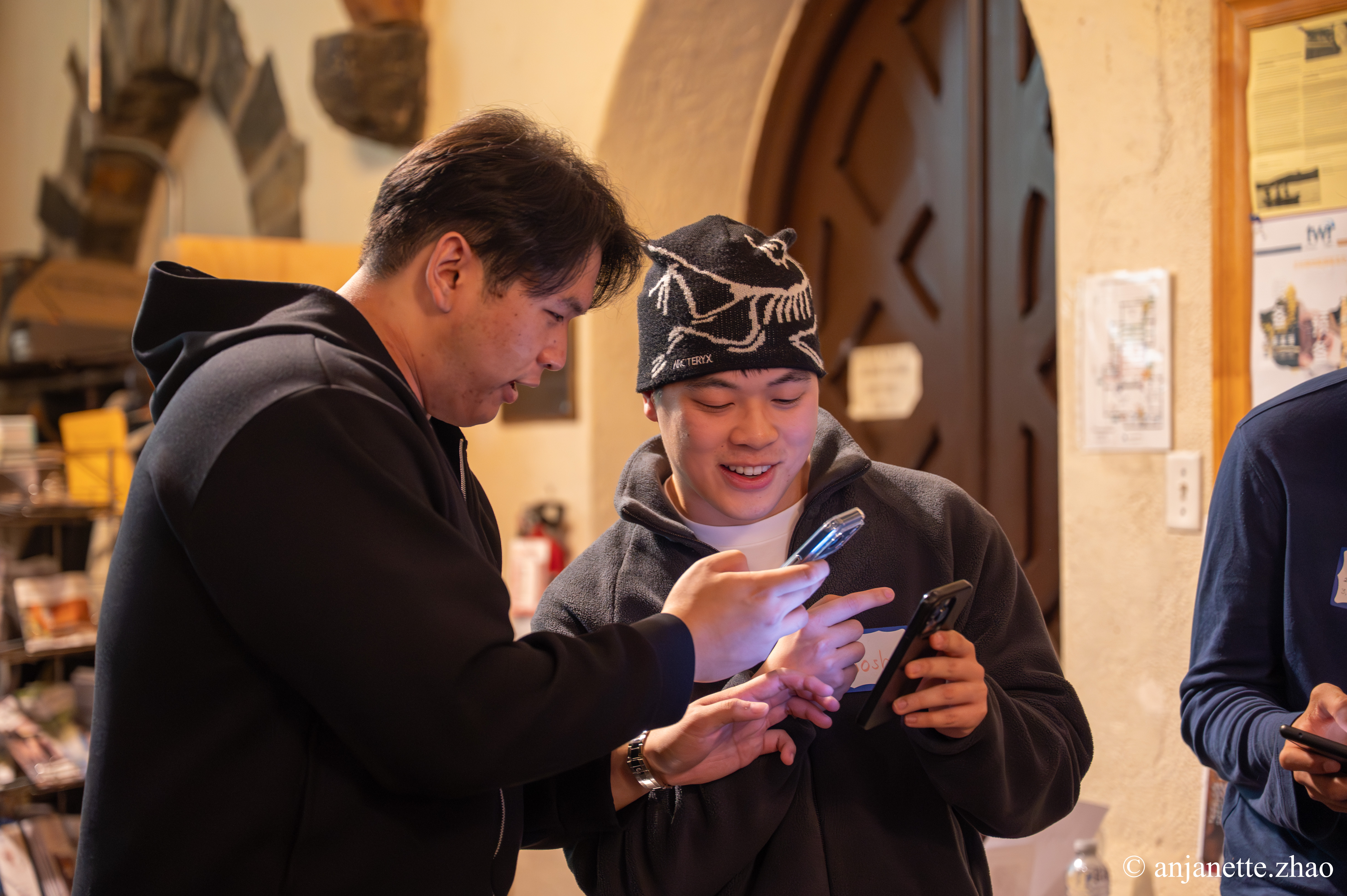
Attendees scan the event’s Jam Bingo QR code (or enter the game code). It runs in the phone’s browser—nothing to download.
- 2
Get a conversation prompt
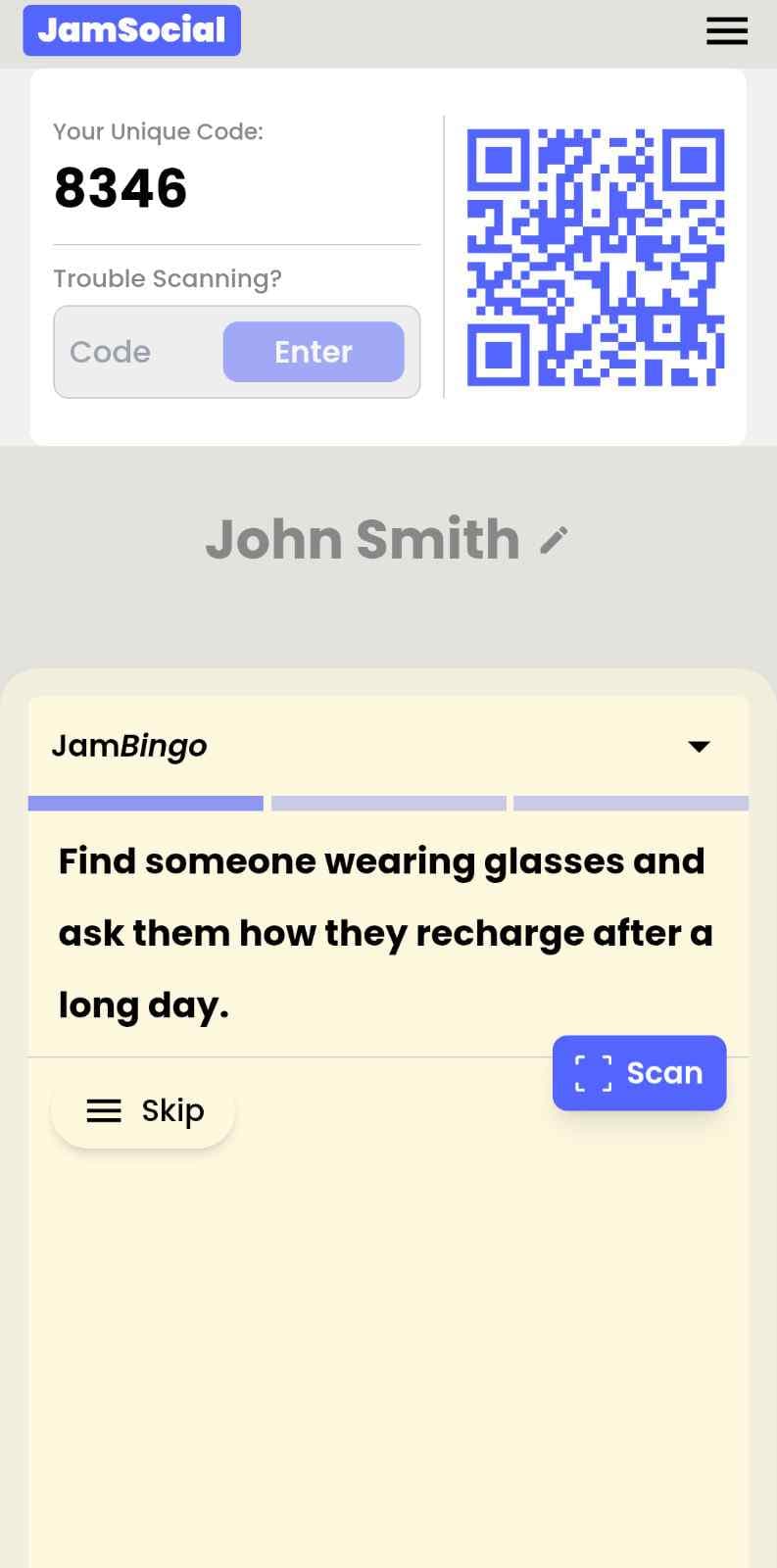
Each person receives a conversation prompt on their phone, like a question to ask someone new.
- 3
Find someone and talk
They find someone who fits the prompt, have the conversation, then scan that person’s QR code (or enter their code) to unlock the next prompt.
- 4
Repeat and connect
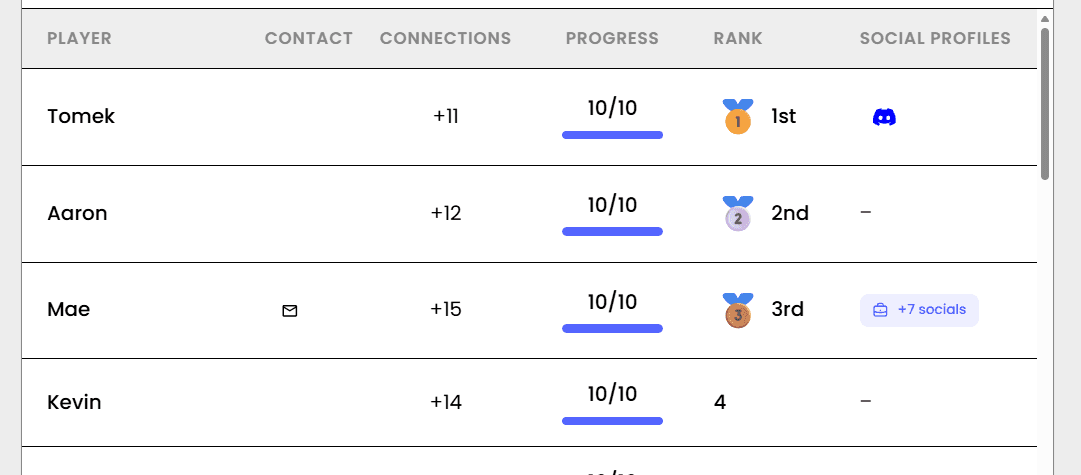
Every connection is saved, and the leaderboard shows who met the most new people—perfect for prizes.

How to Use the Classroom Bingo App at Your Event
Follow these steps to set up and run the classroom bingo app for your own event.
- 01Step 1
Choose Your Classroom Prompts
Select from ready-made icebreakers, review questions, or 'Find Someone Who' prompts. Or create your own custom prompts for any subject or grade level.
TipStart with 9 prompts for younger students or shorter activities. 16 prompts works well for middle school and up. - 02Step 2
Display the QR Code
Put the game QR code on your classroom screen or smartboard. Students scan with their phones and join instantly — no app download, no account creation.
TipDisplay the QR code before class starts so early arrivers can join immediately. - 03Step 3
Run Your Classroom Bingo Game
Students walk around, ask questions, or answer review prompts to unlock their next prompt. The game runs for 10-20 minutes. Share the leaderboard to keep energy high.
TipFor review games, have students work through prompts individually. For icebreakers, have them find classmates who match.
Ready to Use the Classroom Bingo App at Your Event?
Create a Jam Bingo, add your own prompts, and get a QR code for your event. You’ll be directed to the Create Account page first.
Have questions? Book a 15-minute demo.
Where to Use Classroom Bingo App
First Day of School Icebreakers
Help students learn names, find common ground, and feel welcome from day one. Perfect for building classroom community before any content is taught.
- Reduce first-day anxiety for all students
- Help students learn 10+ names in 20 minutes
- Create a positive, inclusive tone from the start
- Engage shy students who'd normally stay quiet
Review Games & Test Prep
Turn boring review sessions into active, peer-to-peer learning. Students help each other, move around, and actually remember the material.
- Increase retention through active recall
- Get every student participating, not just the confident ones
- Identify who needs help before the test
- Make review sessions students actually look forward to
ESL & Language Classrooms
Get students speaking English in a low-pressure, fun environment. Each prompt is a conversation starter — and speaking practice.
- Encourage real conversation, not just worksheets
- Reduce speaking anxiety through gameplay
- Help students learn about each other while practicing English
- Work for all levels — A1 to C1
After-Break & Community Building
Re-energize your classroom after winter break, spring break, or any long weekend. Help students reconnect and rebuild classroom community.
- Reset classroom culture after breaks
- Help students share what they did on break
- Rebuild connections that faded over time off
- Transition back to learning with energy, not drag
Classroom Bingo App vs. Paper Icebreakers
| Feature | Paper Icebreakers | Classroom Bingo App |
|---|---|---|
| Teacher Prep Time | 30–60 minutes | 5 minutes |
| Student Participation | 60–70% | 90–100% |
| Shy Student Engagement | Low — feels like spotlight | High — game-based, comfortable |
| Reusability | One-and-done | Use again, edit, or duplicate |
| Student Excitement | Low to medium | High — they love using phones |
Example Prompts for Classroom Bingo App
Taken from the Back To School High School template. Use them as a starting point, then adapt them to your group.
Make people move
Start prompts with "Find someone who…" so each one sends players across the room to a new person, not back to their own table.
Mix easy and deeper prompts
Open with quick, observable prompts (something they're wearing, where they're from), then add a few that lead to a real story.
Keep them inclusive
Avoid prompts about money, looks, or anything someone could feel left out of. Everyone should be able to answer at least half of them.
Match the length of your event
Around 12–16 prompts fits a 30-minute game. More prompts than time just leaves people unfinished.
- 1
Find someone who plays the same sport as you, and ask them what's one thing on their bucket list
- 2
Find a student who was born in another state, and ask them what they're most excited about right now
- 3
Find someone who has the same lunch period as you, and ask them what's one thing on their bucket list
- 4
Find a person who can name 3 books they've read this summer, and ask them what's a small thing that made their day better recently
- 5
Find someone who plays a musical instrument, and ask them what's one thing on their bucket list
See all 5 prompts in the Back To School High School template · Browse all templates
Other Platforms Like Jam Bingo
Jam Bingo is designed to help people actually get to know each other, not just exchange names. Unlike icebreaker games that focus on quick interactions or surface-level fun, Jam Bingo is built around meaningful conversations that make it easier for people to open up, find common ground, and build real relationships.
| Features | Jam Bingo | Hoogo | SocialPoint.io | Booth Bingo | Eventgamification.com |
|---|---|---|---|---|---|
| Paperless (QR Code Digital) | ✅ | ✅ | ✅ | ✅ | ✅ |
| Custom Branding | ✅ | ✅ | ✅ | ❌ | ❌ |
| Conversation Prompt | ✅ | ❌ | ❌ | ❌ | ❌ |
| Meaningful & Intentional Connections | ✅ | ❌ | ❌ | ❌ | ❌ |
| Contact Sharing (Email, Instagram, Linkedin, etc) | ✅ | ❌ | ❌ | ❌ | ❌ |
| Each person gets a list of everyone they connected with, including contact information and conversations they had. | ✅ | ❌ | ❌ | ❌ | ❌ |
| Introduction Forum | ✅ | ❌ | ❌ | ❌ | ❌ |
| Auto Introductions ("Introduce Me") | ✅ | ❌ | ❌ | ❌ | ❌ |
Frequently Asked Questions
Is the Classroom Bingo App appropriate for all grade levels?
Yes. Elementary teachers use it with 9 prompts and simple, picture-friendly questions. Middle and high school teachers use 16 or more text prompts. College professors use it for icebreakers and review games. You control the complexity.
What if students don't have phones?
Most students do. For those without, pair them with a partner, have them play on a classroom tablet or Chromebook, or print a few paper cards as backup. The app works on any device with a browser.
Can I use this for review games, not just icebreakers?
Absolutely. Create prompts like 'Knows the capital of France,' 'Can define photosynthesis,' or 'Solved problem #4 correctly.' Students find classmates who can help or answer correctly. It turns review into active, peer-to-peer learning.
How do shy students respond to this?
Remarkably well. Traditional icebreakers put shy students on the spot. Classroom Bingo lets them participate at their own pace, approaching others when ready. Teachers consistently report that their quietest students speak more during bingo than any other activity.
What results can I expect in my classroom?
Teachers typically report: 90-100% participation (vs. 60-70% for worksheets), students actually excited about icebreakers, improved classroom community, and shy students engaging for the first time.
Can I customize prompts for my specific subject?
Yes. Create custom prompts for any subject — math, history, science, English, foreign language, or test prep. Save favorite prompts and reuse them across classes and semesters.
The Simple Way to Get People Talking
Jam Bingo gets people having meaningful conversations and meeting as many new people as possible.
Classroom Icebreaker: Help Students Get to Know Each Other
JamBingo is a simple, engaging classroom icebreaker that helps students discover shared interests, break down social barriers, and build classroom community — all while having fun.
GuideSchool Ice Breaker for Students to Interact and Get to Know Each Other
JamBingo is a school ice breaker tool that helps students to interact and get to know each other. It's a simple way to help students start conversations naturally using interactive QR code challenges that guide them to meet new classmates.
GuideHigh School Career Night Icebreaker for a Student and Professionals Mixer
Jam Bingo is an interactive icebreaker that gives high school students a specific question to ask every professional they meet, so career nights turn into real conversations.
Icebreaker games10 Unique Icebreaker Games for New Student Engagement
You’ve got hundreds of nervous freshmen coming together at your upcoming event. Here’s how to get them talking and interacting with each other.
Icebreaker games11 First-Time Coming Together Ice Breaker Games for Corporate Events
When a team is meeting for the first time, the right ice breaker does the heavy lifting so people don't have to.
Icebreaker games10 Team Ice Breaker Activities for Your Company Picnic
Move beyond awkward small talk. These unique icebreakers turn any picnic into a genuine connection zone.