
What Is Jam Bingo?
What does Jam Bingo do?
The short answer: Jam Bingo is an interactive networking activity that gets people talking to people they wouldn’t normally meet.
How does Jam Bingo work?
Everyone scans one QR code, gets a conversation prompt on their phone, and goes to find someone who fits it. After each conversation, they unlock their next prompt.
It’s inspired by human bingo—the classic 'find someone who...' icebreaker—but it isn’t a bingo card. There are no squares to fill in and nothing to print. It’s just you, your phone, and a good reason to walk up to someone new.
Did You See a Comment Like This on Reddit?

Shameless plug: Jam Bingo is the human bingo app you’ve probably seen at an event or read about online. Networking bingo with a digital twist!
How Does Jam Bingo Work?
Here’s a video of a room full of people playing Jam Bingo at an event:
If you’re an attendee, here’s what it feels like from your side:
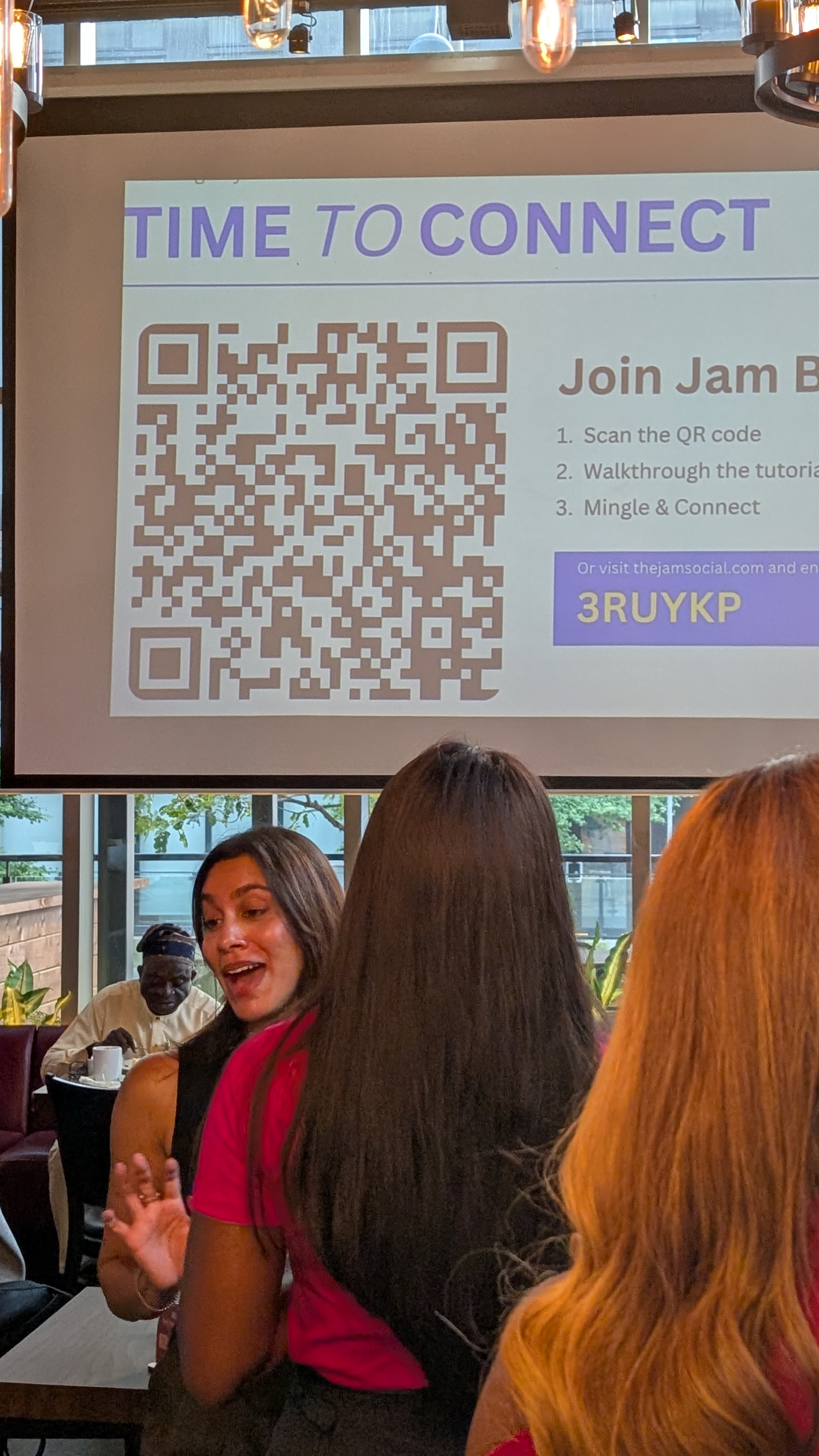
- You scan the event’s Jam Bingo QR code (it’s usually on the big screen or on signs around the room). No app to download—it opens right in your phone’s browser.
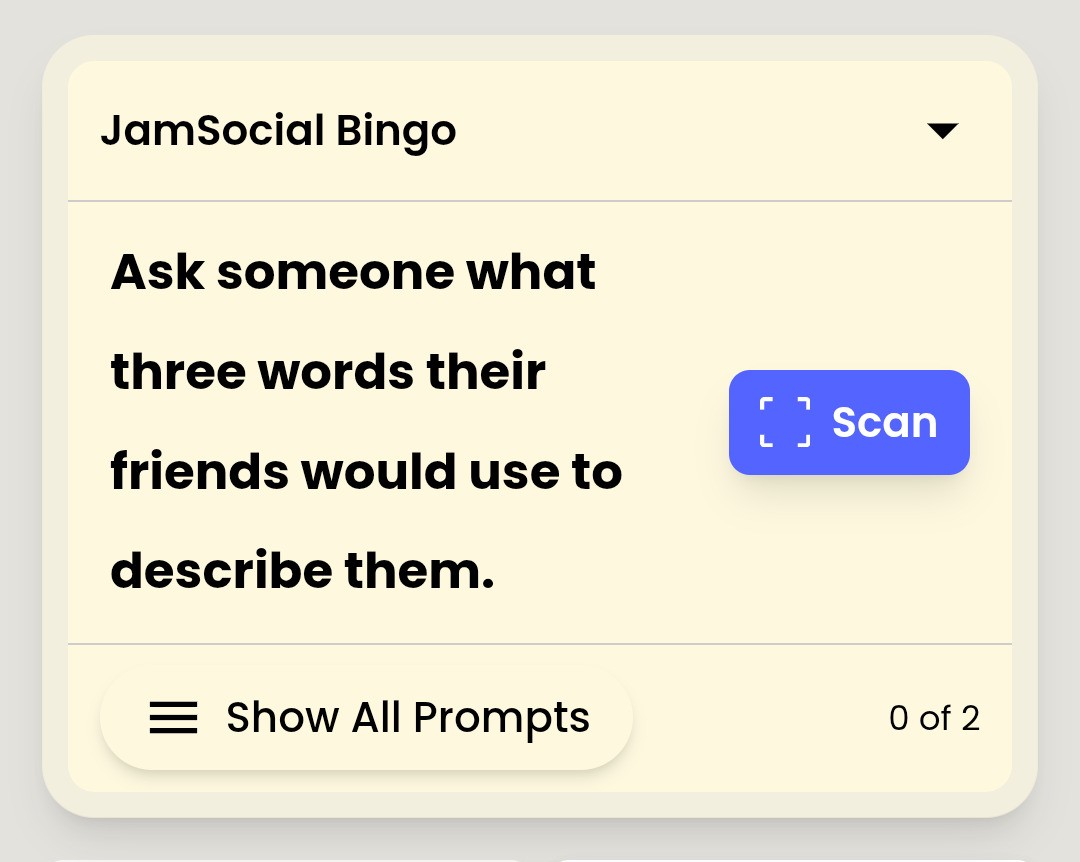
- You get your first conversation prompt, like “Find someone wearing glasses and ask them how they recharge after a long day.”
- You look around, find someone who fits, and actually have the conversation.
- When you’re done, you scan their QR code (or type in their code if your camera’s acting up) to unlock your next prompt.
- Repeat, mingle, and have fun!
Why the Prompts Show Up in Random Order
Everyone gets the prompts in a different order. That sounds like a small detail, but it’s what keeps people spreading out across the room instead of all chasing the same person (or all crowding the same booth).
At Evotek’s partner showcase, they wrote one prompt for each of their 51 partners. Because the order was random, employees spread out across every booth—including the partners at the back of the venue who wouldn’t normally get much foot traffic.
Your Connections Don’t Disappear After the Event
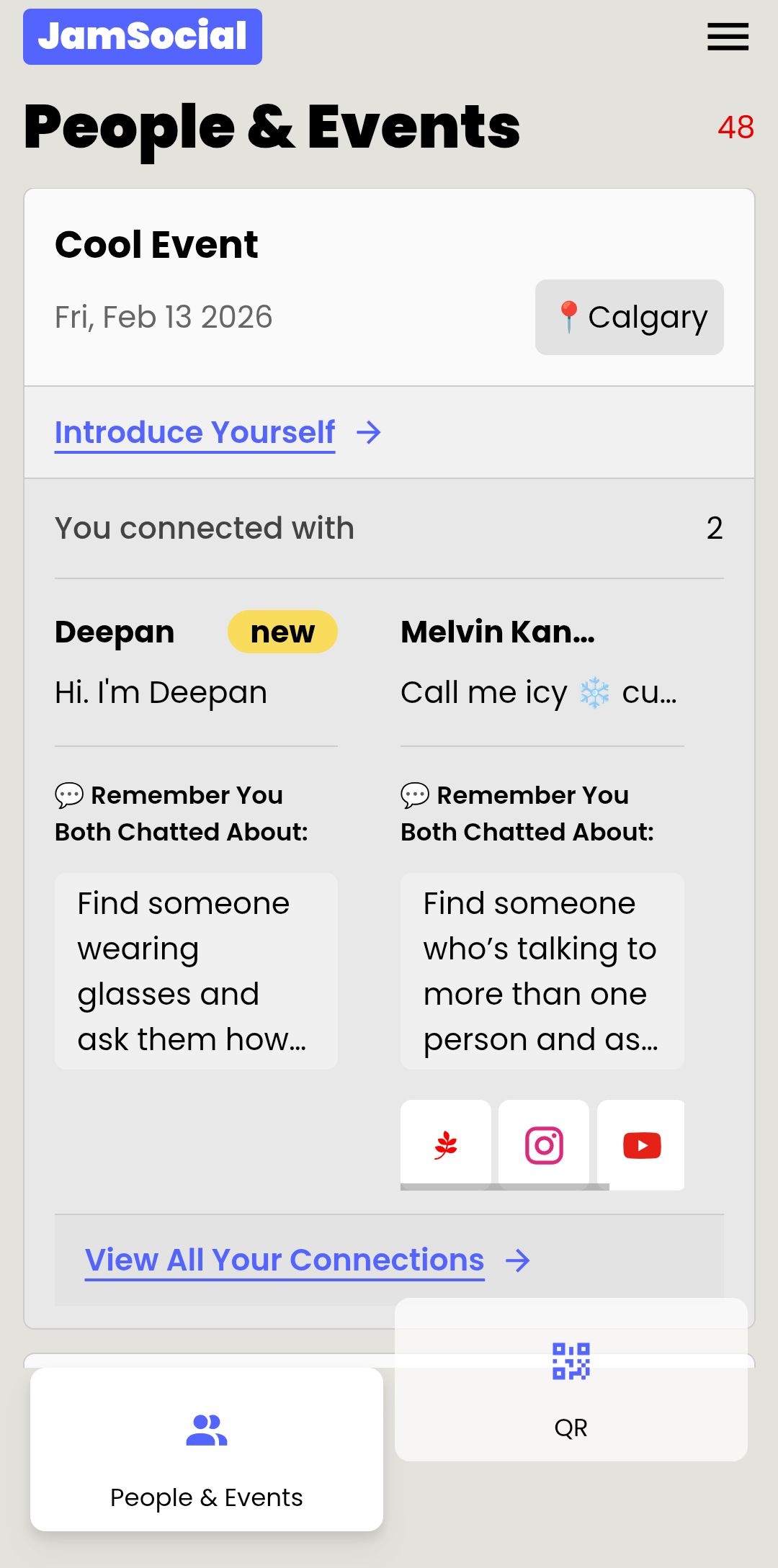
Every connection you make is saved, so you have a list of the people you actually talked to—not a pocket full of business cards you’ll never look at again.
What Does Jam Bingo Look Like at a Real Event?
Jam Bingo has powered over 100 events across Canada, the USA, the Netherlands, Mexico, Honduras, and Germany. A few examples:
- L'Oréal’s sales kick-off: 130 people from field marketing and sales played for 45 minutes before a seated dinner. Participants reported connecting with an average of 20 or more new colleagues.
- Dragos’ annual company kick-off: 300 employees—many meeting in person for the first time—used it to keep a 2-hour networking break from feeling awkward.
- A high school welcome-back assembly: juniors and seniors played for 20 minutes before first period, and most swapped summer stories with 10 or more classmates they wouldn’t normally talk to.
- The Edmonton Business Association’s tradeshow mixer: members used prompts to visit the businesses exhibiting at the booths, with a prize for whoever connected with the most businesses.
JamBingo was a huge hit! People absolutely loved it. It was fun, easy to use, and such a great way to get everyone connecting and moving around the room. Being able to do our own prompts is soooo much more personal and fun!
How Do I Use Jam Bingo at My Event?
If you’re the one leading the networking session, here’s the whole thing in five steps.
Step 1 – Pick Your Prompts
Write prompts that fit your group, or borrow from ready-made Jam Bingo templates. Think about who’s in the room. At a partner showcase, you might write one prompt per partner. At a student event, you might go with something lighter, like “Ask someone what three words their friends would use to describe them.”
Step 2 – Create Your Jam Bingo
Creating your Jam Bingo generates your event’s unique QR code, which attendees scan to join. Want to see it first? Try the demo and play a few prompts yourself.
Step 3 – Display Your QR Code
Put the QR code on your presentation slides or the big screen, and print a few extra copies to place around the room. Evotek saw a lot more participation once the QR code was on the big screen with extra codes around the networking space.
Step 4 – Introduce the Activity
Once everyone has arrived, grab the room’s attention and give everyone 30 seconds to a minute to scan and join. Here’s an announcement you can borrow:
“We’re about to start Jam Bingo, a networking activity designed to help you meet and get to know each other. Scan the QR code on the screen to join. You’ll receive a prompt on your phone, and your goal is to find someone who can answer it. Once you’ve had a conversation, scan their QR code to unlock your next prompt. Keep moving around, meet new people, and have fun!”
Step 5 – Award Prizes at the End
The leaderboard shows who met the most new people. Popular prizes are swag, gift cards, and small gifts. Just save the prize announcement for the very end—if you mention it too early, people rush through their conversations instead of actually talking (more common mistakes to avoid with Jam Bingo).
Tips From Organizers Who’ve Run It
- Start once everyone has arrived. If people are still walking in, latecomers feel lost and you’ll end up re-explaining the activity over and over. Starting 15–30 minutes into the networking block usually works well.
- Run it before people eat. Eating speeds vary, and running it after a meal can leave slower eaters feeling rushed or left out.
- Let people grab a drink first, then get everyone’s attention right before you start.
- Test it with a few colleagues or friends beforehand. You want to be the expert, because someone will ask you the same questions you had when you first tried it.
- Join in! Walk around, play along, and give time updates to keep the energy moving.
Why Event Organizers Like Jam Bingo
- It runs itself. Once people scan in, the prompts do the work—no facilitator walking around forcing introductions.
- There’s nothing to print. No cards, no clipboards, no stack of handouts to manage on the day.
- It works for big groups. Whether it’s 100, 200, 500, or 700 people, everyone joins from their own phone.
- You can make it yours. Write your own prompts so the game feels made for the people in the room.
- Nobody gets stuck. If someone’s camera won’t scan, they can type in the other person’s code instead.
- It’s low pressure. The prompt gives everyone a reason to say hi, which makes it a lot easier for quieter attendees to join in.
Is Jam Bingo Right for Your Event?
Jam Bingo shines when you have a big group of people who don’t all know each other—colleagues from different departments, students from different schools, delegates from different cities—and you want them to get out of their usual bubbles.
To be honest about the trade-offs: attendees need their phones, and you’ll need a screen or a few printed signs to show the QR code. And if you only have a small group of 50 people or fewer, a simple improv game or paper handout might be all you need.
Curious what it’s like? Try the Jam Bingo demo, then create a Jam Bingo for your next event.
Frequently Asked Questions
What is Jam Bingo?
Jam Bingo is an interactive networking activity by JamSocial. Attendees scan a QR code, get conversation prompts on their phone, and meet new people by finding someone who fits each prompt. It’s built to get large groups talking with people outside their usual circles.
Is Jam Bingo a bingo card?
No. There’s no card, no squares, and nothing to fill out. Each person gets one conversation prompt at a time. After they have that conversation, they scan the other person’s QR code (or enter their code) to unlock the next prompt.
Do attendees need to download an app?
No. Jam Bingo runs in the phone’s browser. Attendees scan the QR code with their camera (or enter the game code) and they’re playing in seconds.
Can I write my own prompts?
Yes. You can write your own conversation prompts, borrow from ready-made templates, or mix both. Organizers love adding prompts that are specific to their group, like one prompt per partner booth at a partner showcase.
How do you pick the winners?
Jam Bingo has a leaderboard that shows who met the most new people. Most organizers give out prizes like swag or gift cards to the top networkers at the end of the activity.
How long should Jam Bingo run?
Most organizers run it for 15-20 minutes, 45 minutes, or up to 90 minutes, depending on the networking session. It works best once everyone has arrived and before people sit down to eat.
What kinds of events use Jam Bingo?
Company kick-offs, partner showcases, conferences, association mixers, student orientations, welcome-back assemblies, singles events, and weddings. Jam Bingo has powered over 100 events across Canada, the USA, the Netherlands, Mexico, Honduras, and Germany.