
Slido is great — so why do you need anything else?
Slido does Q&A and live polling really well. If you're running a town hall, an all-hands, or a conference session, it's one of the best tools for keeping an audience engaged in real time.
But Slido has a lane. It lives in the presentation layer — the part where someone is on stage and the audience is reacting.
It doesn't handle what happens before the session starts. Or after. Or in between. That's where these five tools come in.
What tools actually complement Slido for corporate and internal events?
1. Canva — for everything visual your event needs
Slido has its own visual interface, but everything around it — slide decks, signage, social posts, name badges, printed agendas — still needs to look good.
Canva is the go-to for internal comms teams who need to produce polished event visuals without a dedicated designer. The template library is massive, the brand kit feature keeps everything on-brand, and it's fast.
Use it for: the QR code display poster for your Jam Bingo, the agenda slide deck, the event recap graphics for internal Slack channels.
2. Jam Bingo — less awkward networking for introverts
Slido is great at getting your audience to respond to what's on stage. Jam Bingo is great at getting your audience to respond to each other.
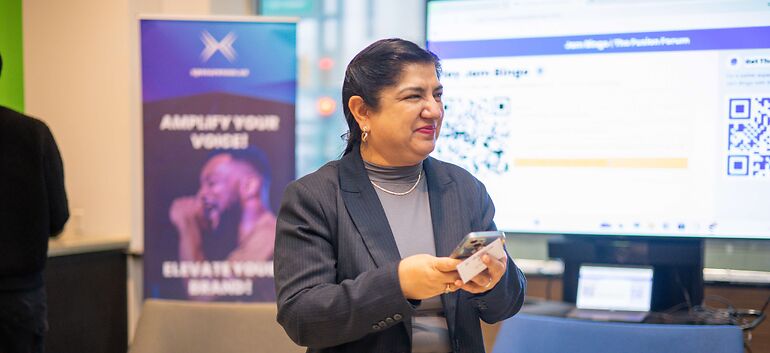
It's a digital networking game where attendees scan a QR code, receive a conversation prompt on their phone, and go find someone in the room who fits it.
For corporate events — think internal conferences, company kick-offs, cross-team mixers — this is the missing piece. Slido gets people engaging with content. Jam Bingo gets people engaging with each other.
Run Jam Bingo during the pre-session mingling window or between keynote blocks. By the time people sit down for the Slido-powered Q&A, they've already broken the ice.
Different use case. Different moment in the event. Both needed.
3. Notion — for event planning that doesn't live in someone's inbox
Every corporate event has a thousand moving pieces — run of show, speaker notes, vendor contacts, attendee lists, post-event action items.
Notion keeps all of it in one place and accessible to your whole team. Build a simple event hub: agenda, logistics, outreach tracker, and debrief notes all in one doc.
Bonus: it's also a great place to track your Slido question bank before the event and archive responses afterward.
4. Luma — for event registration and reminders that actually convert
Slido doesn't handle RSVPs. For internal events, you need something that does — and that also sends reminders so people actually show up.
Luma is clean, easy to set up, and has become a go-to for professional events. Attendees get automated reminders, calendar invites, and a smooth registration experience.
It also gives you a guest list you can reference when setting up your Slido and Jam Bingo sessions ahead of time.
How do these tools fit together in a real event?
Here's what a full internal event stack looks like
Before the event: Notion for planning, Canva for visuals, Luma for registration.
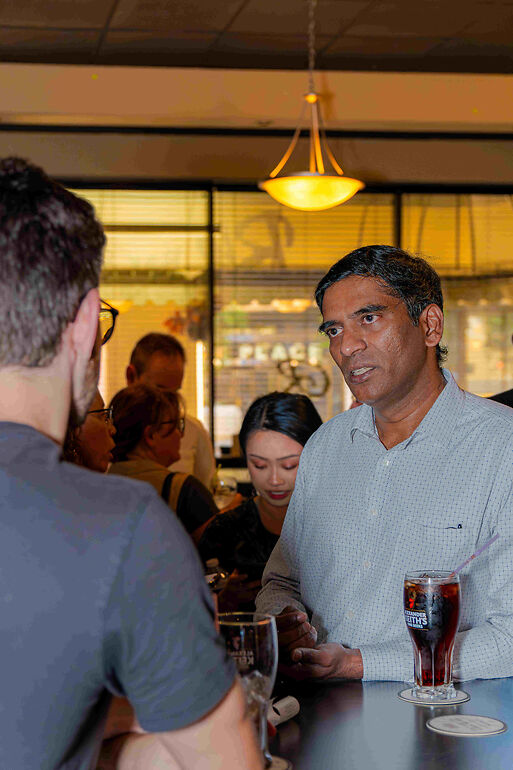
During the mingling window: Jam Bingo running on attendees' phones, getting people to meet before the program starts.
During the sessions: Slido for live Q&A, polls, and audience interaction. Mmhmm for any hybrid or remote presenters.
After the event: Notion for debrief and action items. Canva for the recap post.
Each tool has its moment. None of them step on each other. And together, they cover the full event experience — not just the part where someone is talking into a microphone.
Where do you start if you're only adding one new tool?
Start with the gap Slido doesn't fill
If your Slido sessions are already running smoothly, the biggest gap is almost always the networking layer — what happens between sessions, during lunch, or in that pre-event window when people are just standing around.
That's the moment Jam Bingo was built for. It's the easiest add to an existing event because there's nothing to install, nothing to print, and no new workflow for your team.
One QR code. A room full of people who actually talked to each other. That's the upgrade.